AMP TYPECABINET
TYPE
PEDAL
MODULATION
DELAYREVERB Amp/Effect
45
7. CANYON................................Mono In/Stereo Out 1
This models the reverberation of a canyon.
8. ROOM ....................................Mono In/Stereo Out 1
This models the reverberation of a typical room,
with numerous early reflections.
9. STUDIO..................................Mono In/Stereo Out 1
This models the reverberation of a large room.
10. HALL.....................................Mono In/Stereo Out 1
This models the reverberation of a concert hall
with numerous echoes.
11. ARENA.................................Mono In/Stereo Out 1
This models an arena with smooth and dense
reverberation.
[1] "TIME"................................................ 1.0...10.0
* Sets the reverb time, which will differ depend-
ing on the reverb type.
[2] "LO DAMP" ........................................1.0...10.0
* Adjusts the attenuation of the low-frequency
range.
[3] "HI DAMP".......................................... 1.0...10.0
* Adjusts the attenuation of the high-frequency
range.
[4] "PRE DLY"...................................... 1.0...70[ms]
Sets the initial delay before the reverberation
begins. By adjusting this setting you can clarify
the definition of the original sound.
[6] "MIX".................................................. 1.0...10.0
* Adjusts the mix amount of the reverb.
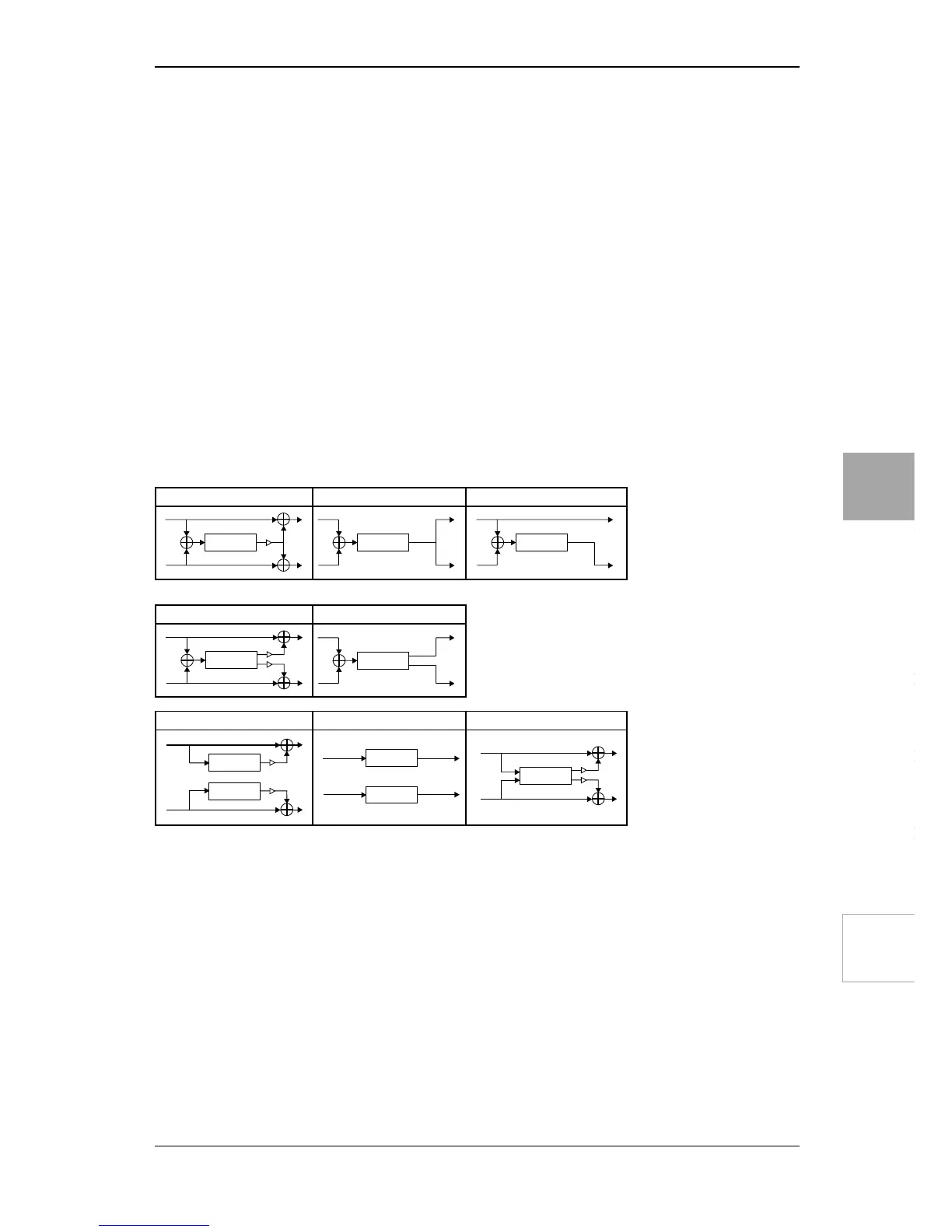
Mono In / Mono Out 1
Mono In / Stereo Out 1
Mono In / Mono Out 2 Mono In / Mono Out 3
Mono In / Stereo Out 2
Stereo In / Stereo Out 1 Stereo In / Stereo Out 2 Stereo In / Stereo Out 3
BLOCK DIAGRAM

 To Next Page
 Loading...