EasyManua.ls Logo

Vox Tonelab ST - User Manual

Vox Tonelab ST
79 pages
Print Icon
To Next Page IconTo Next Page
Loading...
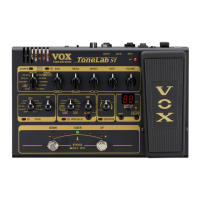
建模效果处理器 ToneLab ST
用户手册

Other manuals for Vox Tonelab ST

Questions and Answers

  • C
    Chad BuckleyJul 26, 2025
    Why is there no sound coming from my Vox Tonelab ST Music Pedal?
    • S
      Stacey StanleyJul 26, 2025
      If you're not getting any sound from your Vox Music Pedal, here are a few things to check: * Ensure the volume on your guitar is not turned down. * Verify your guitar cable is correctly connected and not broken. * Check that the rear panel LEVEL knob and the top panel VOLUME and GAIN controls are not set to the minimum value. * Also, check the settings of the TREBLE, MIDDLE, and BASS controls, and make sure they aren't at their minimum. * Confirm your headphones or connection cable is working correctly. * See if the expression pedal is assigned to gain and volume, and is not all the way back. * Finally, check if the tuner is active in a muted state.
  • K
    Karen WhiteAug 5, 2025
    What to do if the Vox Tonelab ST Music Pedal doesn't turn on?
    • O
      oconnellthomasAug 6, 2025
      If your Vox Music Pedal isn't powering on, consider the following: * Check if the AC adapter is properly connected to the DC12V jack on the rear panel. * Make sure the AC adapter is plugged into a working AC outlet. * Verify the AC outlet is functioning correctly. * Examine the AC adapter for any signs of damage.
  • J
    Justin WoodardAug 14, 2025
    What to do if effects don't apply on Vox Tonelab ST?
    • R
      Ronnie JohnsAug 14, 2025
      If the effects aren't working on your Vox Music Pedal, try these: * Make sure the effect setting isn't turned off. * Check if the tuner is currently active. * Ensure that none of the EDIT knobs are set to their minimum value.

Summary

Introduction and Features

Introduction

Provides an overview of the ToneLab ST and manual usage guidelines.

Main Features

Details the core functionalities and technologies of the ToneLab ST.

Panel Overview

Top Panel Controls

Explains switches, controls, and connectors on the ToneLab ST's top panel.

Amp Section Controls

Details controls for amp models, gain, EQ, and volume.

Pedal Effect Controls

Describes controls for pedal effects like COMP, WAH, and FUZZ.

MOD;DELAY Section Controls

Covers settings for modulation, delay, and pitch shift effects.

Reverb Section Controls

Explains reverb effect types and mix amount adjustments.

Program Select and Tuner Section

Details UP/DOWN pedals for program selection and tuner activation.

Setting;Display Section Controls

Describes display, write, and exit/tuner switches.

Expression Pedal Section

Details the expression pedal's function and LED indicator.

Rear Panel Connections

Identifies rear panel ports like Valve, USB, DC12V, and jacks.

Making Connections

Setting AMP;LINE Switch

Explains how to set the AMP/LINE switch for different output devices.

Connecting Output

Details connecting the OUTPUT/PHONES jack to amps, mixers, or headphones.

Operating the ToneLab ST

Trying Out Programs

Instructions on how to select and audition different sound programs.

Creating Your Own Sounds

Guidance on customizing sounds and saving them.

Creating a Sound from Scratch

Step-by-step process for building a new sound from the ground up.

Parameter Original Value Indication

Explains how to check original parameter values during editing.

Noise Reduction Settings

Details how to adjust noise reduction sensitivity for each program.

Saving a Program

Instructions on how to save edited sounds as user programs.

Sound Models and Effects

Amp Models

Details the 33 different amp models available on the ToneLab ST.

Cabinet Models

Describes the 11 cabinet models that simulate guitar amp cabinets.

Examples of Amp and Cabinet Combinations

Provides typical combinations of amp and cabinet models.

Effect Types

Explains the different effect types available.

Pedal Types

Details the 11 popular pedal effects and their parameters.

Mode;Delay Types

Explains modulation, delay, and other effects like pitch shifter.

Reverb Types

Describes the three types of reverb effects: SPRING, ROOM, HALL.

Tuner Functions

Tuning Procedure

Step-by-step instructions for tuning guitar strings using the ToneLab ST.

Calibrating the Tuner

Explains how to adjust the tuner's reference pitch.

Expression Pedal Control

Expression Pedal Settings

Explains how programs assign functions to the expression pedal.

Assigning Functions to Expression Pedal

Guide on assigning effect parameters or levels to the expression pedal.

Expression Pedal Min;Max Values

How to set and adjust the minimum and maximum values for the pedal.

Adjusting Pedal Sensitivity

Steps to optimize the expression pedal's responsiveness.

Computer Connectivity

Connecting to Computer (USB)

Explains how to connect the ToneLab ST to a computer using a USB cable.

Using Librarian Software

Guide to managing user programs and data with librarian software.

Transferring Audio Data

How to record and monitor audio via the ToneLab ST's USB connection.

System Maintenance

Restoring Factory Settings

Procedure to reset the ToneLab ST to its original factory state.

Troubleshooting

Preset Program List

Specifications

Vox Tonelab ST Specifications

General IconGeneral
USBNo
MIDINo
Power SupplyDC 9V
Effect Types33
Amp Models11
Inputs1 x Instrument
Expression PedalBuilt-in
Outputs1/4" line/headphone jack, 1/4" amp/line out jack

Related product manuals