Need help?
Do you have a question about the Vox Lil Looper and is the answer not in the manual?
Describes ideal and non-ideal locations for operating the unit to prevent malfunctions.
Instructions for connecting the AC adapter and voltage requirements.
Guidance on avoiding radio and television interference when operating the unit.
Advice on not applying excessive force to the switches or controls.
Instructions for cleaning the exterior of the unit.
Recommendation to keep the manual for future reference.
Warnings about liquids and metal objects near the equipment.
Explains FCC compliance and interference mitigation for US users.
Instructions for proper disposal of the product and batteries in the EU.
Advises verifying product intent for the country of use and retaining receipts.
Details usage restrictions regarding copyright and Korg's disclaimer.
Highlights main functionalities like independent loops, quantize, and effects.
Explains the signal flow and main blocks of the Looper.
Details the 12 effects and their adjustable parameters.
Explains the two loops and their total recording time.
Describes the metronome function and Loop Quantize activation.
Explains the functionality of the optional foot switch.
Step-by-step guide for battery installation and removal.
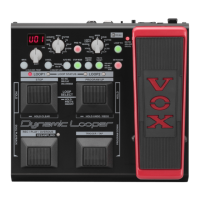
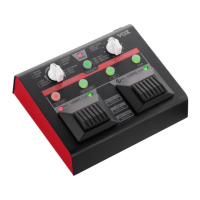
Details the controls and indicators on the top panel of the pedal.
Explains the REC/PLAY LEDs and the function of the loop pedals.
Describes the EFFECT knob, button, PEAK LED, AUTO REC, METRONOME, and TAP buttons.
Details the connectors and controls on the rear panel.
Explains the function of each jack and switch on the rear panel.
Illustrates how to connect instruments, amplifier, and accessories.
Steps to safely turn on the Lil' Looper and connected equipment.
Steps to safely turn off the Lil' Looper and connected equipment.
Instructions for recording the first phrase onto Loop 1.
Details how to choose effect types and parameters using buttons and knobs.
Step-by-step guide to recording and stopping playback for Loop 1.
Explains how to set tempo, volume, and time signature for the metronome.
Describes metronome function in Sync and Individual modes.
Explains how recording length is determined with and without tempo.
Details how Loop Quantize ensures precise loop lengths using tempo.
How to set up automatic recording based on input signal level.
Instructions for recording a phrase onto Loop 2.
Explains the synchronized operation of loops in Sync mode.
Explains the independent operation of loops in Individual mode.
How to switch between Sync and Individual modes.
Explains how the 90-second recording time is distributed between loops.
How to play along with a recorded phrase for overdubbing.
How to undo and redo overdubbing actions.
How to erase phrases using the loop pedals.
How to erase phrases using the CLEAR button.
Procedure for deleting all recorded phrases from both loops.
Overview of stomp-box type effects.
Details the compressor effect and its parameters.
Details the crunch overdrive effect and its parameters.
Details the classic overdrive effect and its parameters.
Details the distortion effect, ideal for metal.
Overview of modulation and delay effects.
Details the analog chorus effect and its parameters.
Details the analog phaser effect and its parameters.
Details the stutter effect with tempo-synced gating.
Details the delay effect and its parameters.
Overview of instrument simulation effects.
Details the acoustic guitar simulation effect.
Details the bass guitar simulation effect.
Details the radio voice simulation effect.
Details the pitch shifter effect and its parameters.
How to assign foot switch functions to loops and effects.
Factory default foot switch control for effects.
How the foot switch controls loop playback and deletion.
Steps to disable the automatic power-off feature.
Steps to re-enable the automatic power-off feature.
Solutions for problems with the unit not turning on.
Solutions for lack of audio output.
Troubleshooting for loops not playing back.
Solutions for effects not being applied.
Advice for when the sound quality is unexpected.
Explains and references disabling the auto power-off feature.
 General
| Brand | Vox |
|---|---|
| Model | Lil Looper |
| Category | Music Pedal |
| Language | English |

 To Next Page