01 02
03
04
05
06
07 08 09 10
11 12 13 14
15 16 17
18
2019
Unpacking
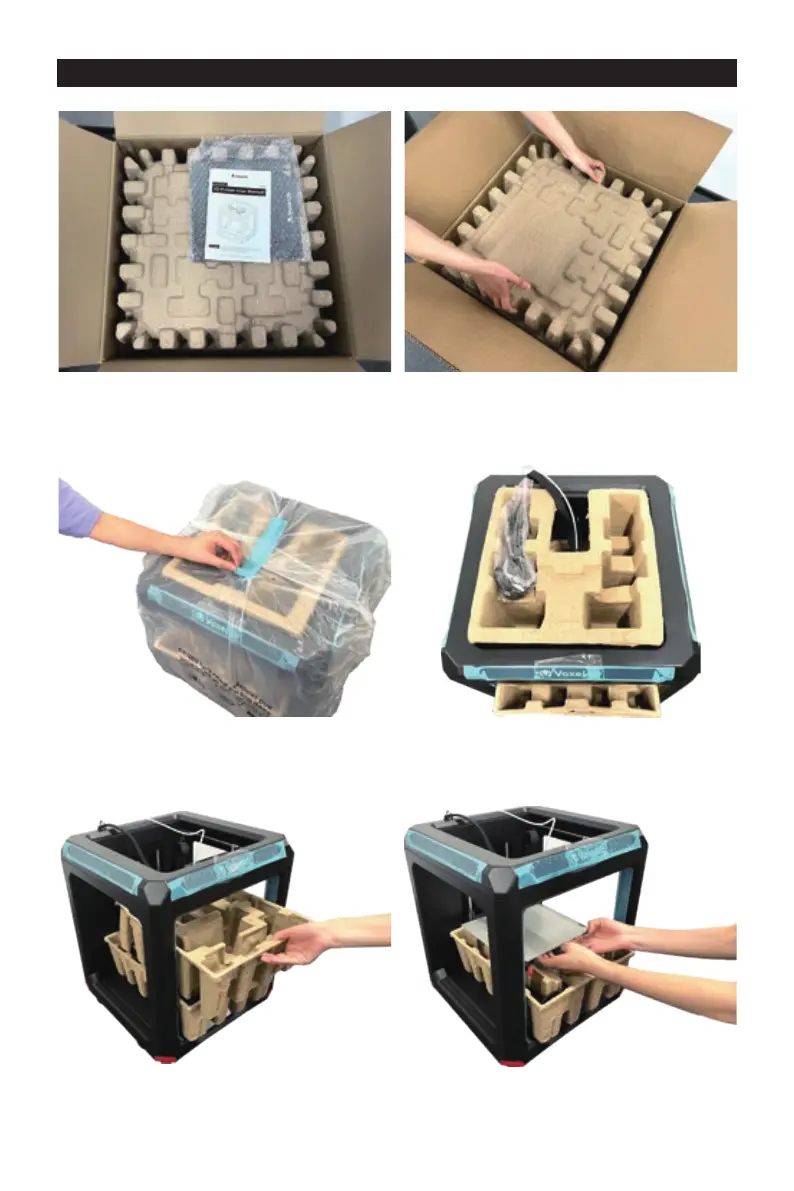
Remove the foam.Open the box, take out the user manual
and the platform.
1.
3.
2.
4. Lift the printer and put it on the desk, then
take Aries out of the plastic bag.
Remove the top foam, there should be a
power cable included.
5. 6. Take out the foam under nozzle as
showed in the image.
Hold the platform and lift it carefully to
remove the foam below it.
21 22


 To Next Page