01 02
03
04
05
06
07 08 09 10
11 12 13 14
15 16 17
18
2019
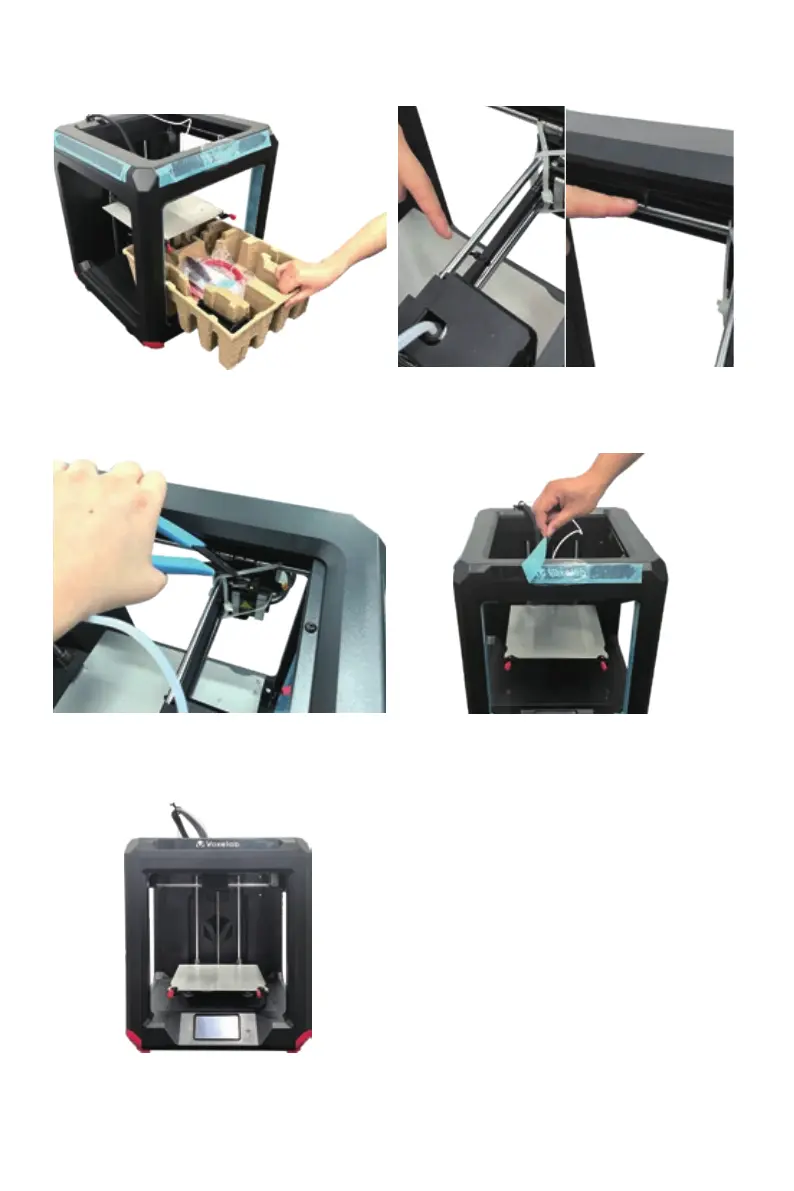
Cut four white cable ties that used to hold
the rods in place.
7.
9.
Double check the foam, it should contain:
filament, material rack, nozzle, remove
tool, needle, wrenches and screwdrivers.
7. Cut the three black cable ties: one for
fixing X-axis timing belt, two for fixing
Y-axis timing belts on both sides.
10.
11.
Discard the blue protective tapes all
around.
Congratulations! You’ve unpacked your
printer. Please keep the kit and packing
for future use.
21 22


 To Next Page