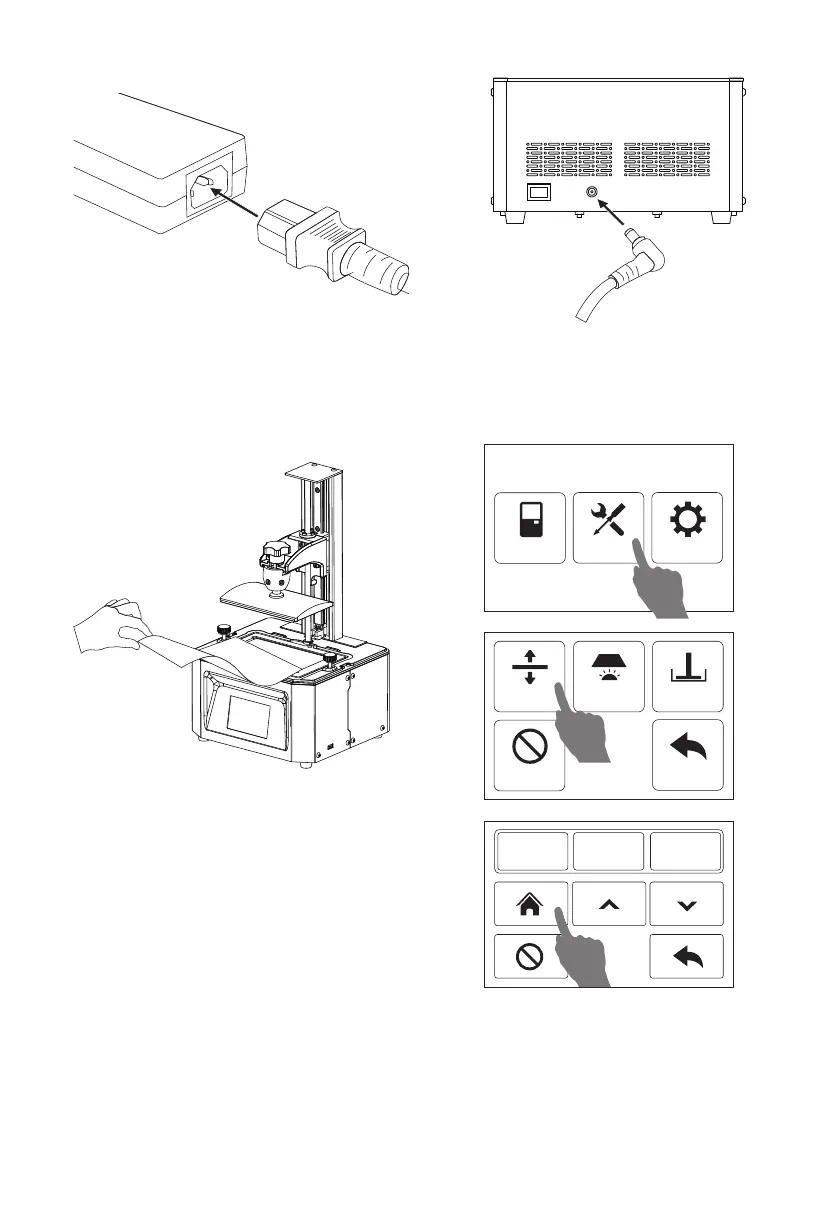
7. Click [Tool] - [Manual] and open a
new window. Click [Home] and
wait for stop movement of Z-axis.
6. Remove resin box.Put a piece of A4 paper
on the 6’ LCD screen.
5. Connect the power adapter and power cable. Plug the output end of the power
adapter into the power input port on the back of the printer and turn on the switch.
Print Tool Systerm
Manual
Stop
Exposure Set Z=0
Back
0.1mm 1mm 10mm
8


 To Next Page