V
X
-
100 User Manual(v01
)
25
7) If an error message is displayed on the display, the X-ray is not irradiated even if the X-ray
exposure button is pressed, and measures such as A/S and charging must be taken.
8) When the charging adapter is connected while the power is ON, the power is OFF, and when the
power button is pressed, the battery charging status is displayed for 10 seconds.
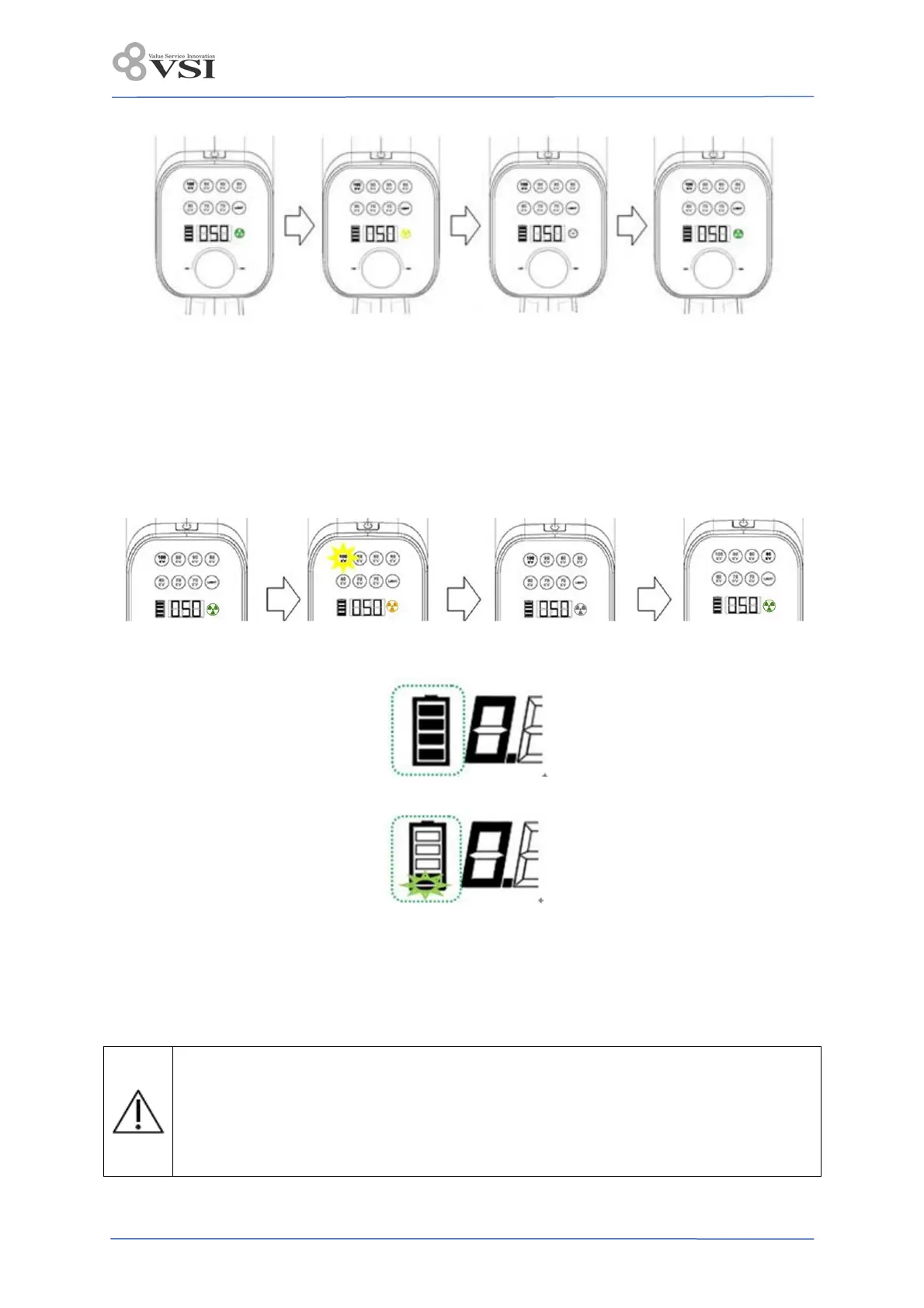
9) For the next X-ray irradiation, the X-ray irradiation display part is displayed in green after the
specified cooling time according to the Duty Rate, and is ready. If the X-ray exposure display is green
after the preparation time, exposure is possible.
10) Battery status
- Battery charge level is displayed in 4 steps.
- Flashes when charging is required.
- If the charging adapter is connected in the power ON state, X-ray irradiation will not be performed
and the power will be OFF. At this time, if you press the power button once, you can check the battery
charging status, and the charging status is displayed for 10 seconds.
11) Auto power off: If there is no operation of the jog dial and irradiation button switch for 10 minutes,
the power is automatically turned off.
If the image is not satisfactory because the dose of X-Ray is excessive or deficient, adjust
the tube voltage and exposure time turning the Jog dial.
Blurring of the X-ray image may occur due to movement of the patient or operator. To
reduce the image degradation, minimize the movement of patient and operator when X-ray
is irradiated. (The Max. exposure time is 1.0 s, and the max. tube voltage is 100 kV, care
should be taken not to move the patient for a while, and the operator should be careful not
to move.


 To Next Page