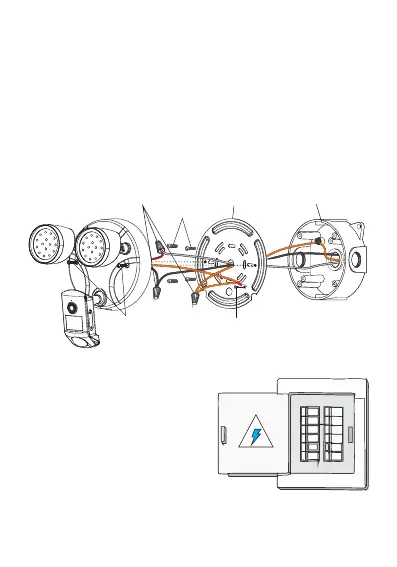
Step 2: Installation
①Please refer to the picture below, pass the two power supply
wires (110v-240v) and the ground wire through the mounting
bracket, and then use the screws to fix the mounting bracket on
the junction box
②Use wire nuts to connect power supply wires
③Use screws to fix the floodlight camera on the mounting
bracket
Step 3: Restore Power
Turn on the power at the
breaker
Wire
nuts
Junction
Box(not include)
Bracket
Screws
Camera
Screws
Mounting
Bracket
Fix the screws for the ground wire



 To Next Page