15
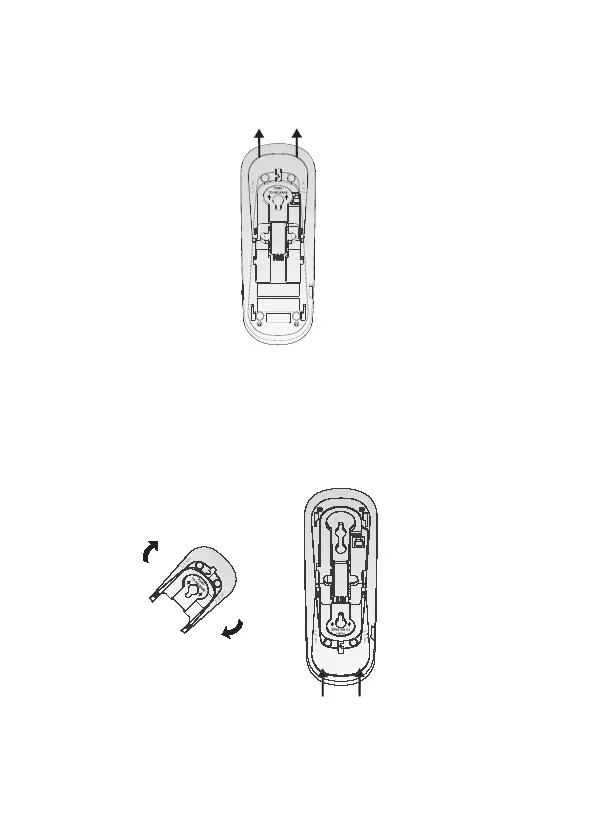
Remove the mounting bracket from the base. Hold
the telephone base with both hands and then slide
the bracket upwards as the arrows indicate.
2.
Rotate the bracket 180 degrees to the wall
mounting position. Push the bracket upwards as
shown until it clicks into place.
3.



 To Next Page