Home Screen
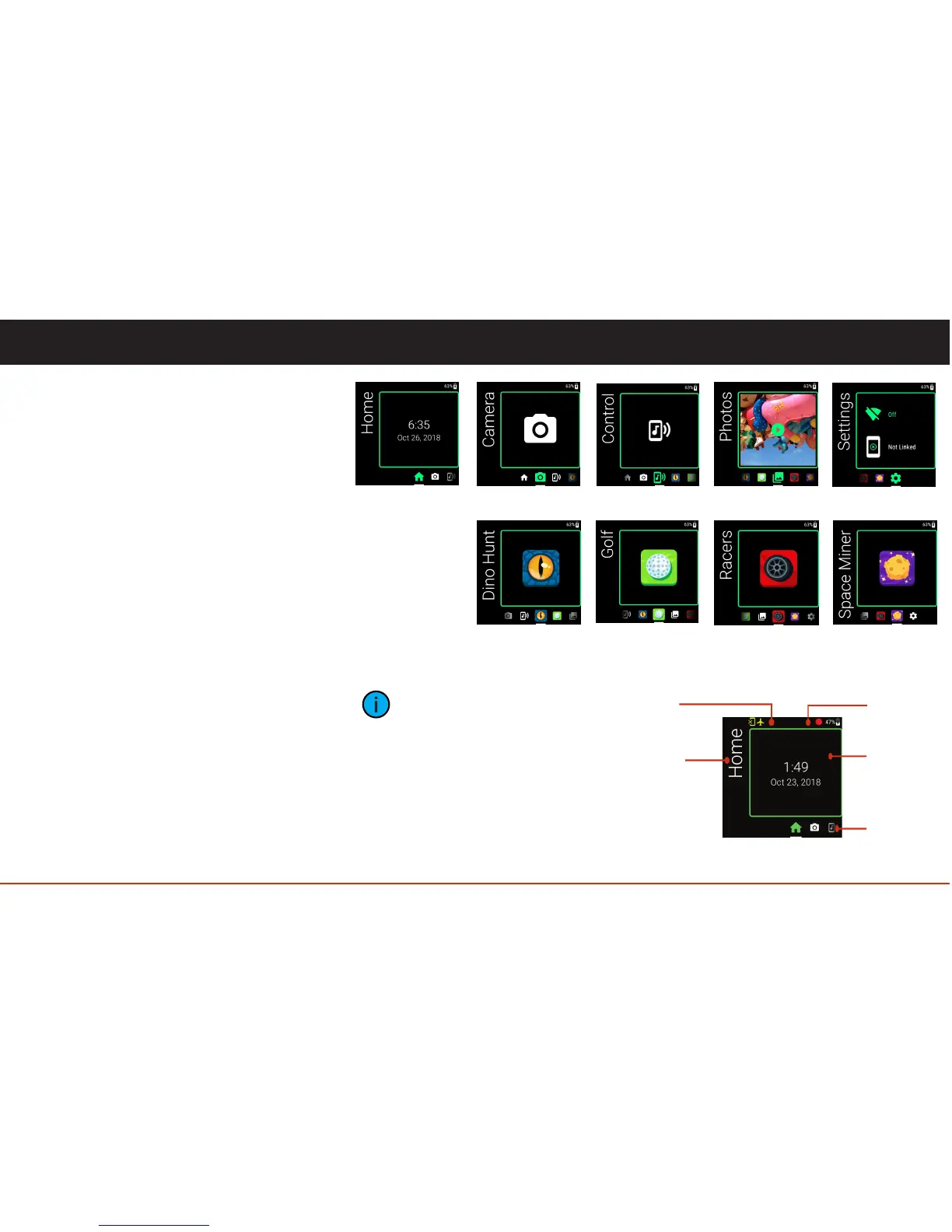
The Home App screen consists of the fields
identified in the illustration.
Icons for all other apps appear in the App List
with the current app “in focus” (larger and
highlighted).
• Home
• Camera
• Control (Music)
• Photos
• Settings
• Dino Hunt
• Golf
• Racers
• Space Miners
The Vuzix Blade comes pre-installed with
five standard applications..
The Vuzix Blade comes with four pre-
installed games.
10
Onboard Apps
App Name
Status BarWarning Bar
Widget
App List
A widget is a snapshot of an
applications current state and
functionality. It exists to
provide insightful information
about an application without
having to open it. Example:
Settings widget, which shows
the state of the Blade's Wi-Fi
and Companion App
connections.



 To Next Page