14
Onboard Apps
Photos App
The Photos App allows you to navigate through and view
pictures and videos captured on the Blade.
A preview of the most recent media will be displayed on the
home screen.
Note: The Blade is pre-loaded with four videos and 16 photos.
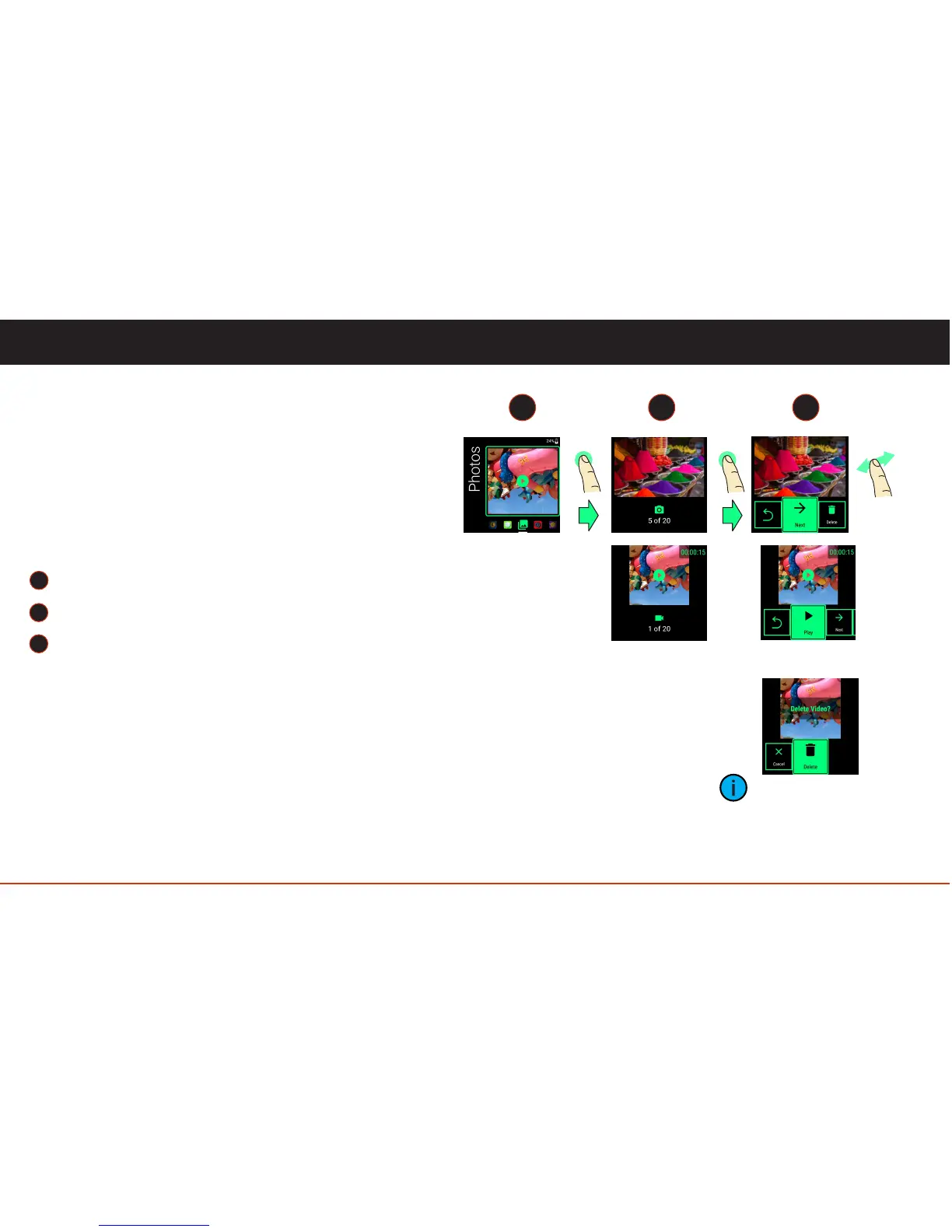
Viewing Pictures and Videos
Tap to launch the Photos App.
Tap to view the first image (most recent photo or video).
Navigate the available actions with a one-finger swipe,
forward or backward. Select an action with a one-finger
tap.
To delete, you can use the advanced gesture, two-finger
swipe forward.
To scrub a video use a one-finger swipe forward/
backward gesture.
1
2
3
1 2 3
tap
tap
When deleting a file
you will be asked to
confirm.
swipe
(video)



 To Next Page