15
Onboard Apps
2
Settings App
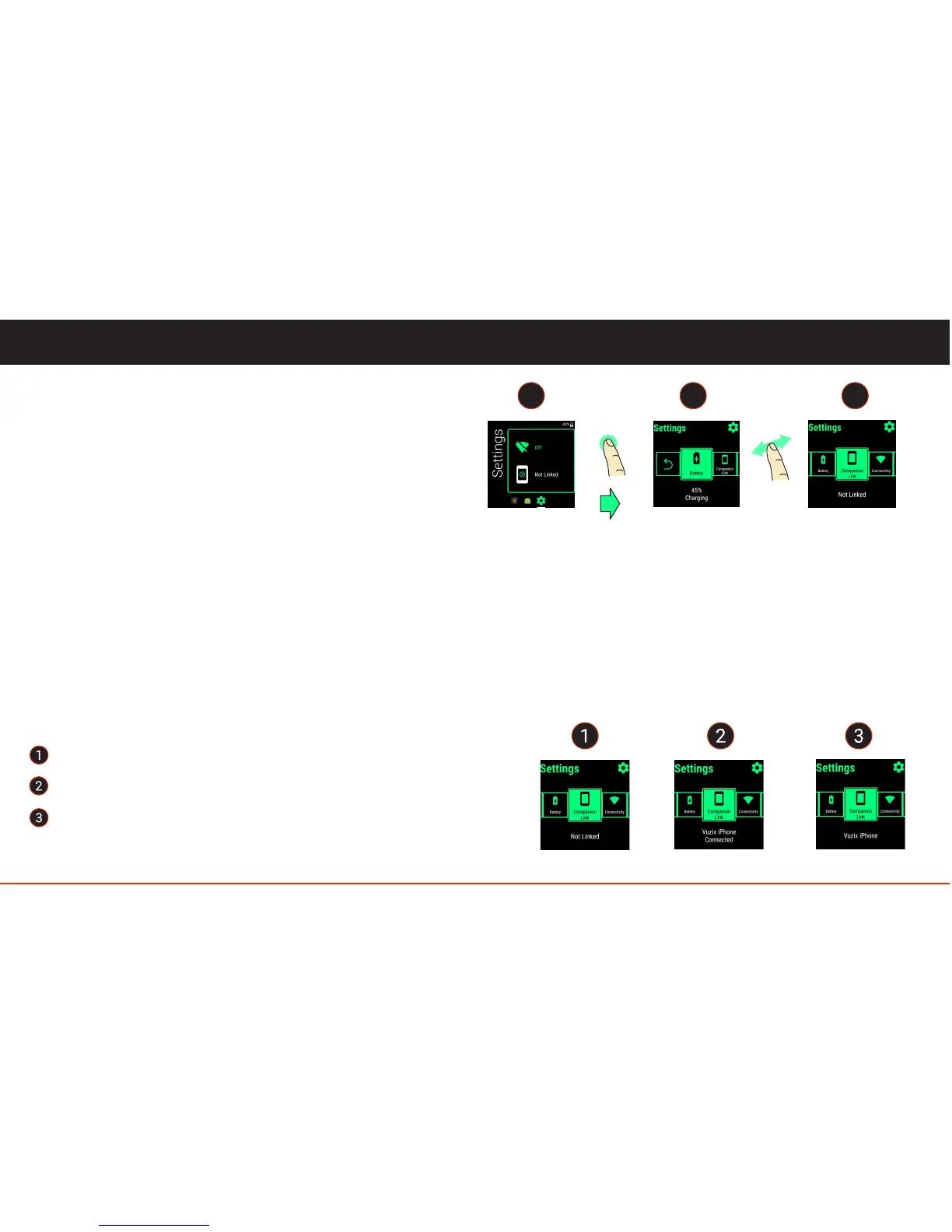
The Settings App is where users can go to adjust the
Blade's settings or check the status of any of the Blade’s
features.
Included features are:
• Battery
• Companion Link
• Connectivity (Wi-Fi, Bluetooth and Airplane Mode)
• Device (USB Mode, Display, Volume, Apps)
• System (Software Update, Date & Time, About)
1
tap
swipe
3
Companion Link
The Companion Link App will allow you to connect a smart-phone (Android phones or iPhones) to
your Blade. More details on Companion App are in later pages.
Your Blade will have three potential connected states.
Not linked - Blade is not linked with the phone. Default state.
Connected - Blade is connected and linked with the phone.
Linked but not connected - Blade and the phone are linked but are not
actively connected because Bluetooth is either OFF or not in range.
or
or



 To Next Page