19
Companion App
Companion App is an app used to control Blade’s
settings from your smart-phone. To enable
advanced features like installing apps, updating
settings, and receiving notifications, connect your
Vuzix Blade to your iOS or Android phone via the
Companion App.
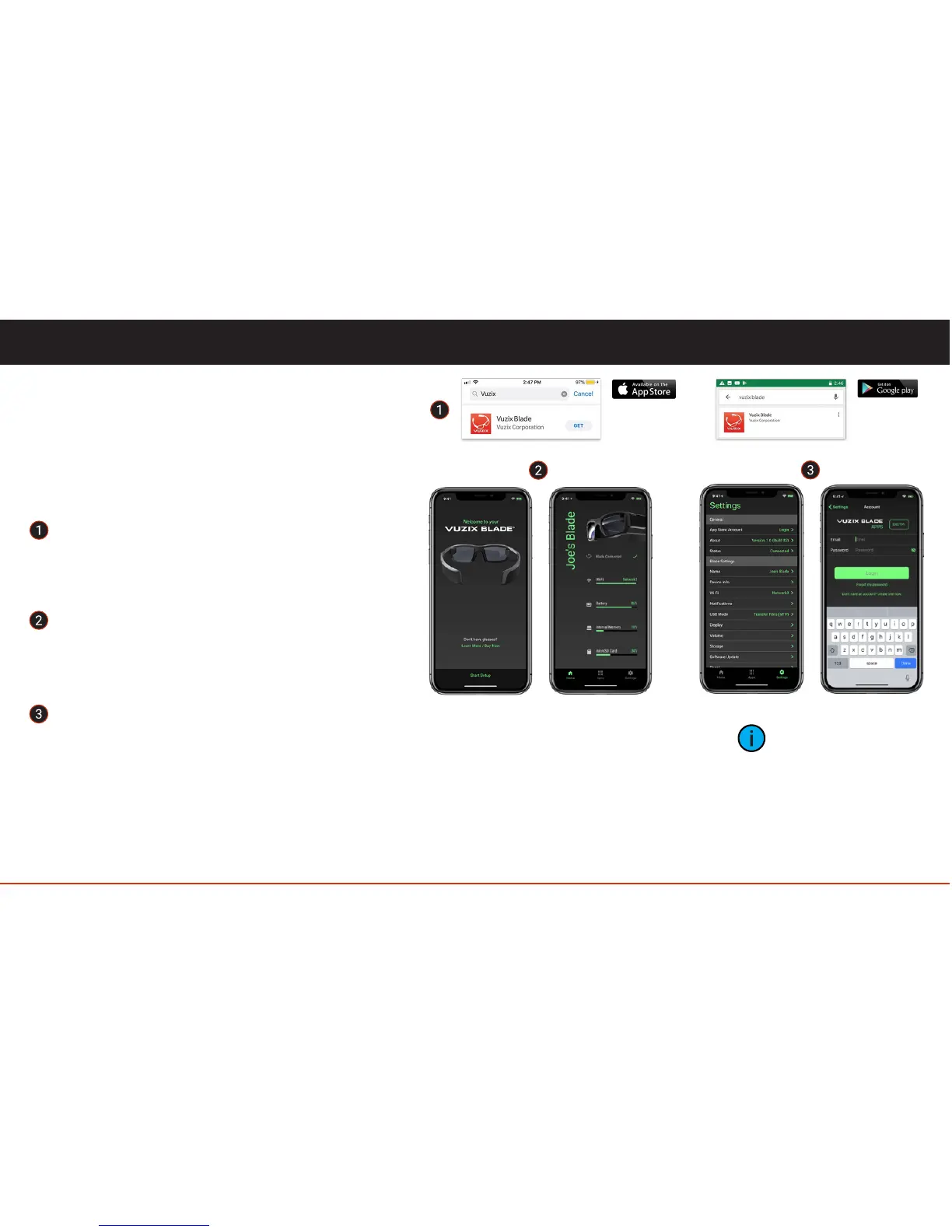
Install the Vuzix Blade Companion App.
Find the Vuzix Blade Companion App on the
App Store or Google Play Store (Search for
"Vuzix Blade") and install it on your phone.
To link Vuzix Blade, on your Phone, open
the Companion App and select "Start
Setup", follow the instructions to link your
Blade with the Companion App.
After linking your Blade to your phone,
select Settings > General Settings > Login,
to log into your Vuzix Account. Your Blade
is now linked to the Vuzix Apps Store and
will show up under your devices.
Companion App has three tabs, Home tab
showing the Blade dashboard, Apps tab to install/
uninstall applications on to the Blade and
Settings tab to configure the settings of the
Companion app and also to configure the settings
on the Blade.
The ability to
transfer photos and
videos from Blade to
smartphone will be
available in future
releases.



 To Next Page