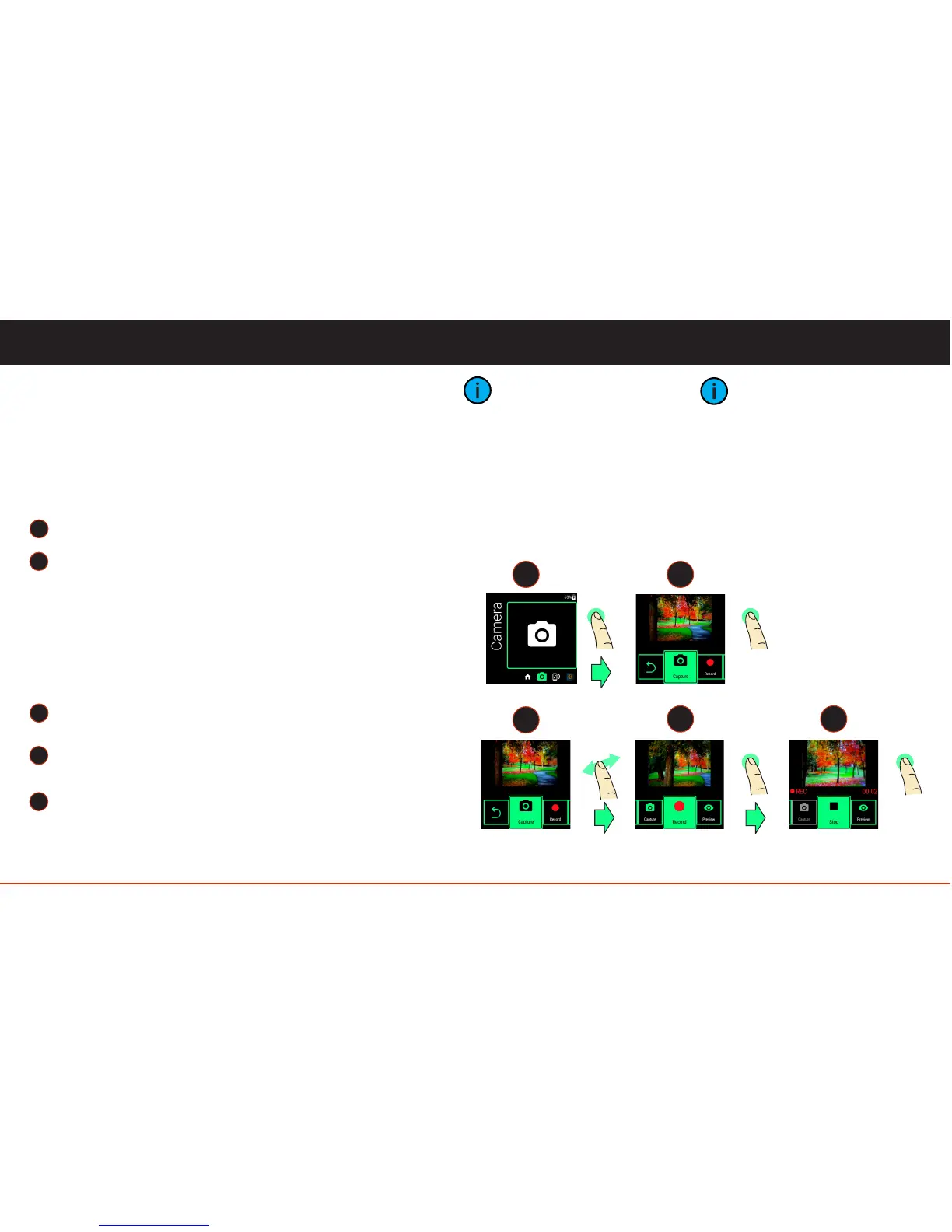
Tap to launch the Camera App.
Tap to capture a picture.
Camera App
The Camera App is where you will find all of Vuzix
Blade’s picture taking and video recording features.
Capturing Pictures
Use the Photos App to view your pictures. (See later
pages)
Recording Video
Tap to launch the Camera App.
Swipe to navigate to Record.
Tap to start recording.
Tap again to stop recording.
11
1
2
3
5
2
1
Onboard Apps
When the Camera App is
launched, the camera LED will
turn ON.
When video is being recorded,
you can navigate away from
the Camera App to enjoy
other Blade features.
While recording, the red, on
screen, REC icon will blink.
The length of recording time
will also be displayed.
tap tap
3
4 5
tap
tap
swipe
4



 To Next Page