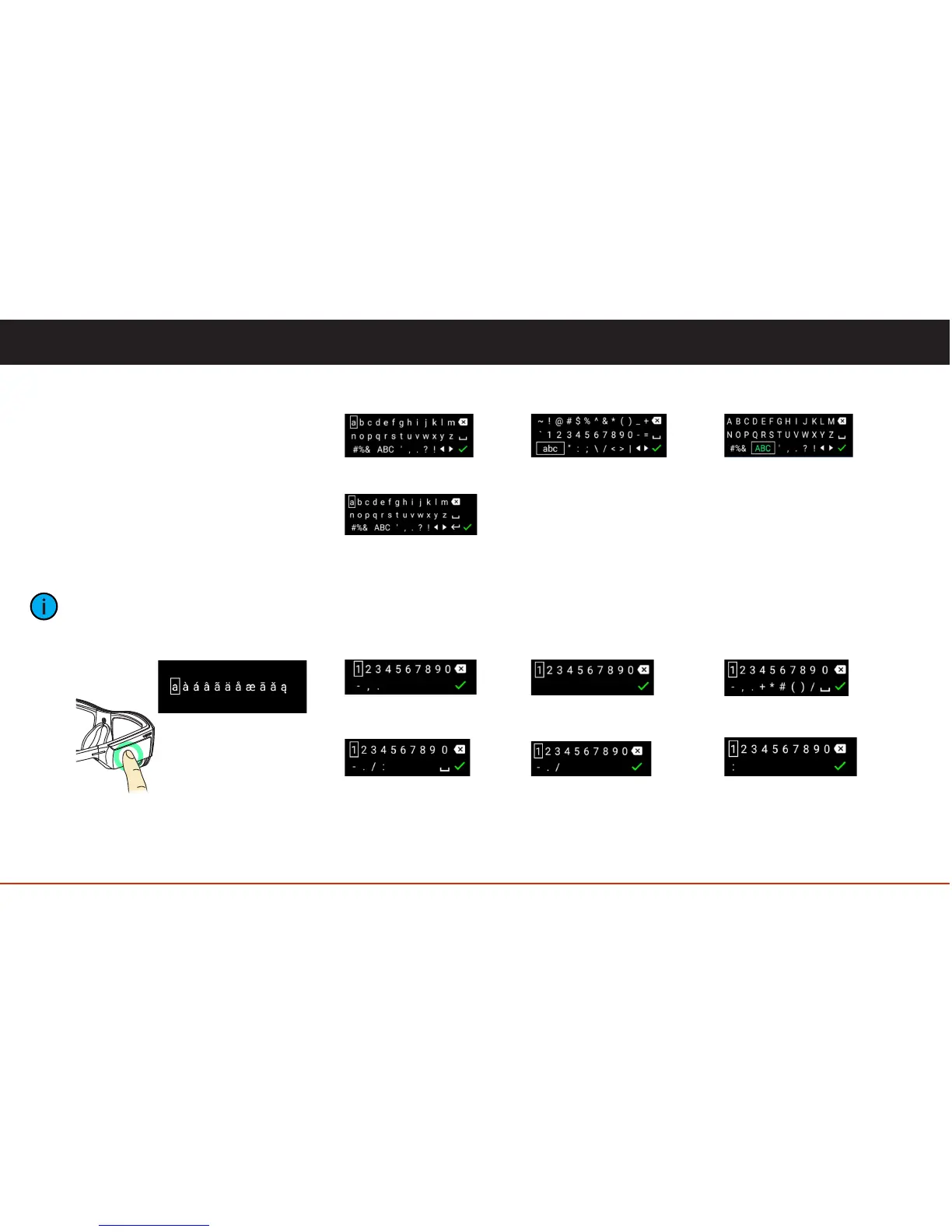
Several task specific keyboards are
included in the BladeOS. When character
entry is required, the appropriate keyboard
will appear automatically.
For example, if text is required to be
entered, a text specific keyboard will be
displayed. If a numeric password needs
to be entered, a numeric keyboard will be
displayed.
A one-finger hold gesture on a key
will show options for that
character.
18
Keyboard
Text
Text Keyboards
Numeric Keyboards
Numbers Numeric Passwords Phone Number
Date and Time
Date
Time
Multiline Text
Symbols Caps Lock



 To Next Page