5.1 Cleaning the mirror
When the condensation mirror is contaminated, the error message “Err 07” will be shown on
the Cong Prima 2M’s display.
The analyzer will then automatically switch to the mirror-cleaning mode.
If the mirror is still contaminated after three successive cycles in the mirror-cleaning mode, it
will be necessary to clean the mirror manually.
Please observe the following procedure when cleaning the mirror manually:
Switch off the CP 2M’s power supply;
Unmount the CP 2M from the sample extraction device;
Place the cover (KRAY8.046.155 – included in delivery) on the analyzer and bring it to an
explosion-proof area;
Reconnect the CP 2M’s power supply and activate the mirror-cleaning mode;
In cleaning mode, the thermostatically controlled condensation mirror is automatically heated
to +55 °C. During this procedure, the analyzer’s display shows information about the
photodiode signal level (see 1.5, illus. 7);
Monitor the effectiveness of the cleaning by referring to the U
W
or U
HC
value depending on
whether the last measurement mode was dpW or dpHC;
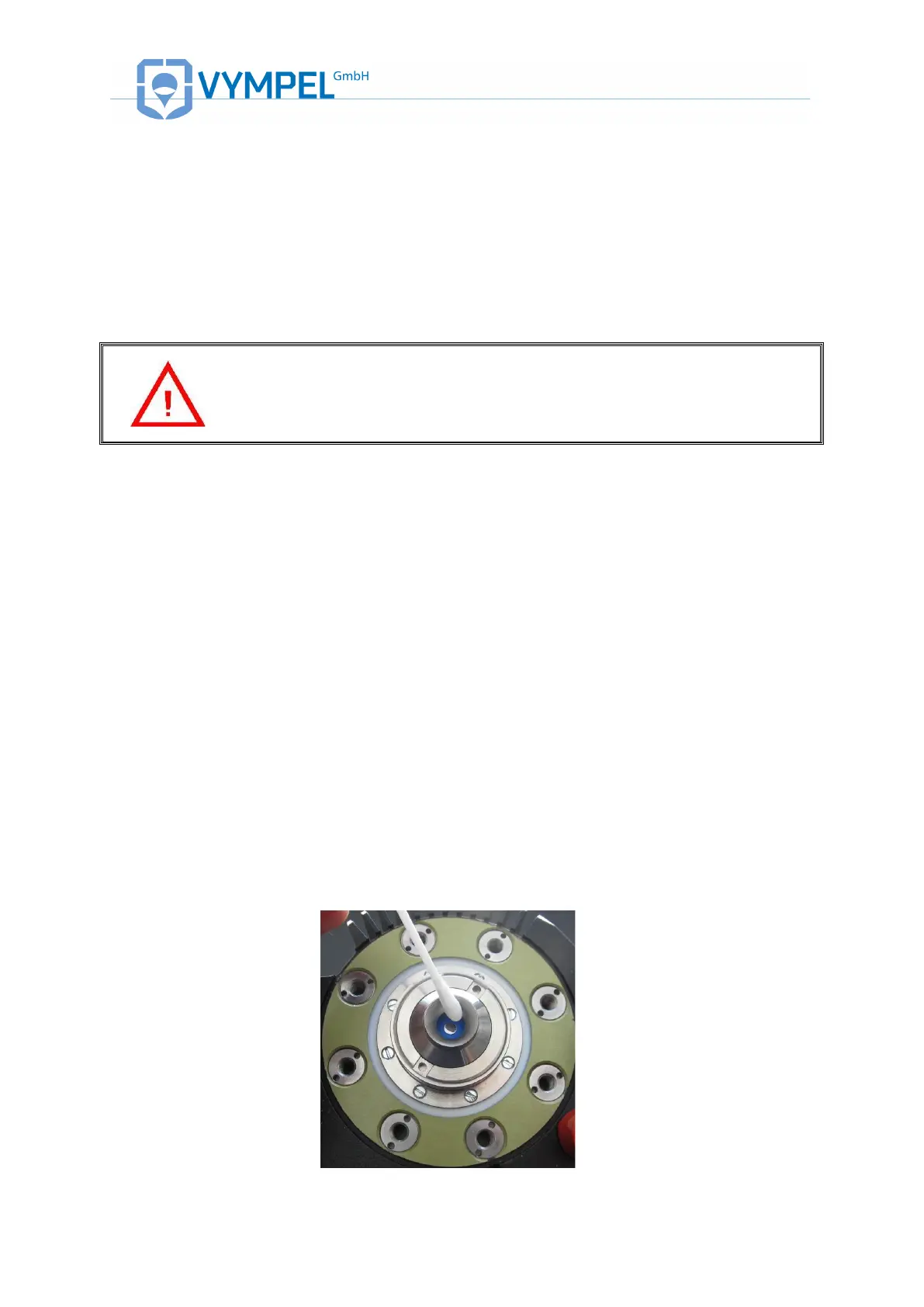
Use a cotton swab dipped in the cleaning fluid to manually clean the surface of the
condensation mirror. Be careful to exert the absolute minimum amount of pressure when
cleaning the mirror;
Re-mount the CP 2M on the sample extraction device and switch it on as described in
chapter 4 of the manual.


 To Next Page