Contents Index
Contents
25
Index
25
R
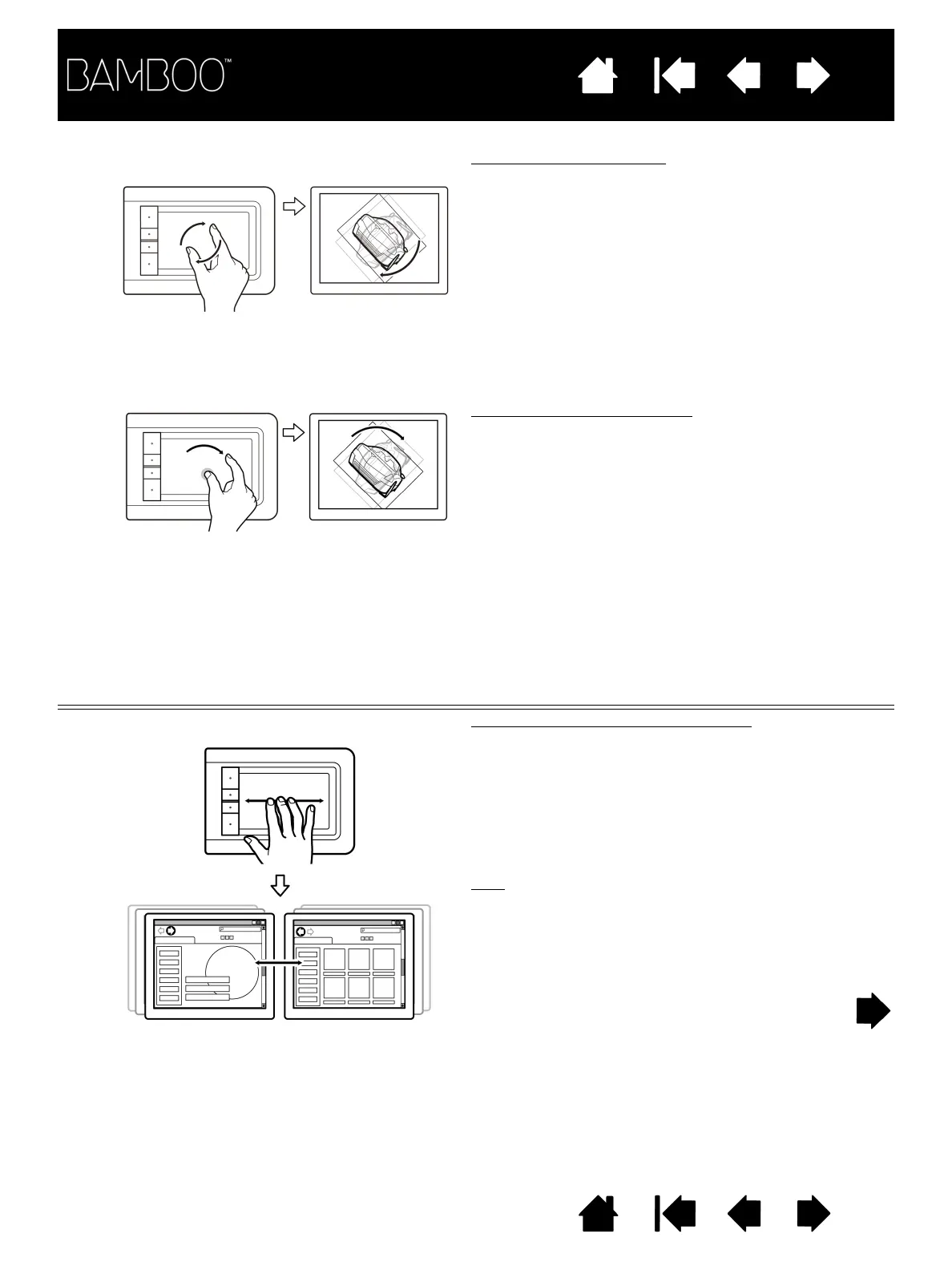
OTATE Rotate (two finger rotate)
Place two fingers diagonally on the tablet surface
and then rotate them clockwise or counter-
clockwise.
For best recognition of this gesture, start with your
fingers positioned diagonally on the tablet surface
and keep them at least 25 mm (1 inch) apart.
Note: The rotation gesture may work differently
depending on the application you are working
with. For example, rotation may work
smoothly, in 90-degree increments, or not at
all.
Rotate (rotate around finger)
Place two fingers diagonally on the tablet surface.
Keep one finger stationary and move the other finger
around it.
For best recognition of this gesture, start with your
fingers positioned diagonally on the tablet surface
and keep them at least 25 mm (1 inch) apart.
Note: The rotation gesture may work differently
depending on the application you are working
with. For example, rotation may work
smoothly, in 90-degree increments, or not at
all.
THREE-FINGER GESTURES
S
WIPE LEFT/RIGHT TO NAVIGATE Forward or Back (swipe right or left)
Swipe using three fingers spaced slightly apart,
lifting your fingers at the end of the motion.
• Send a ‘Forward’ command in most browsers
and picture viewers by swiping to the right.
• Send a ‘Back’ command in most browsers and
picture viewers by swiping to the left.
Tips
:
Swiping is similar to using the right and left arrow
keys in document viewers.
Use the swipe gestures to page forward or back in
most web browsers.















 To Next Page