Contents Index
Contents
26
Index
26
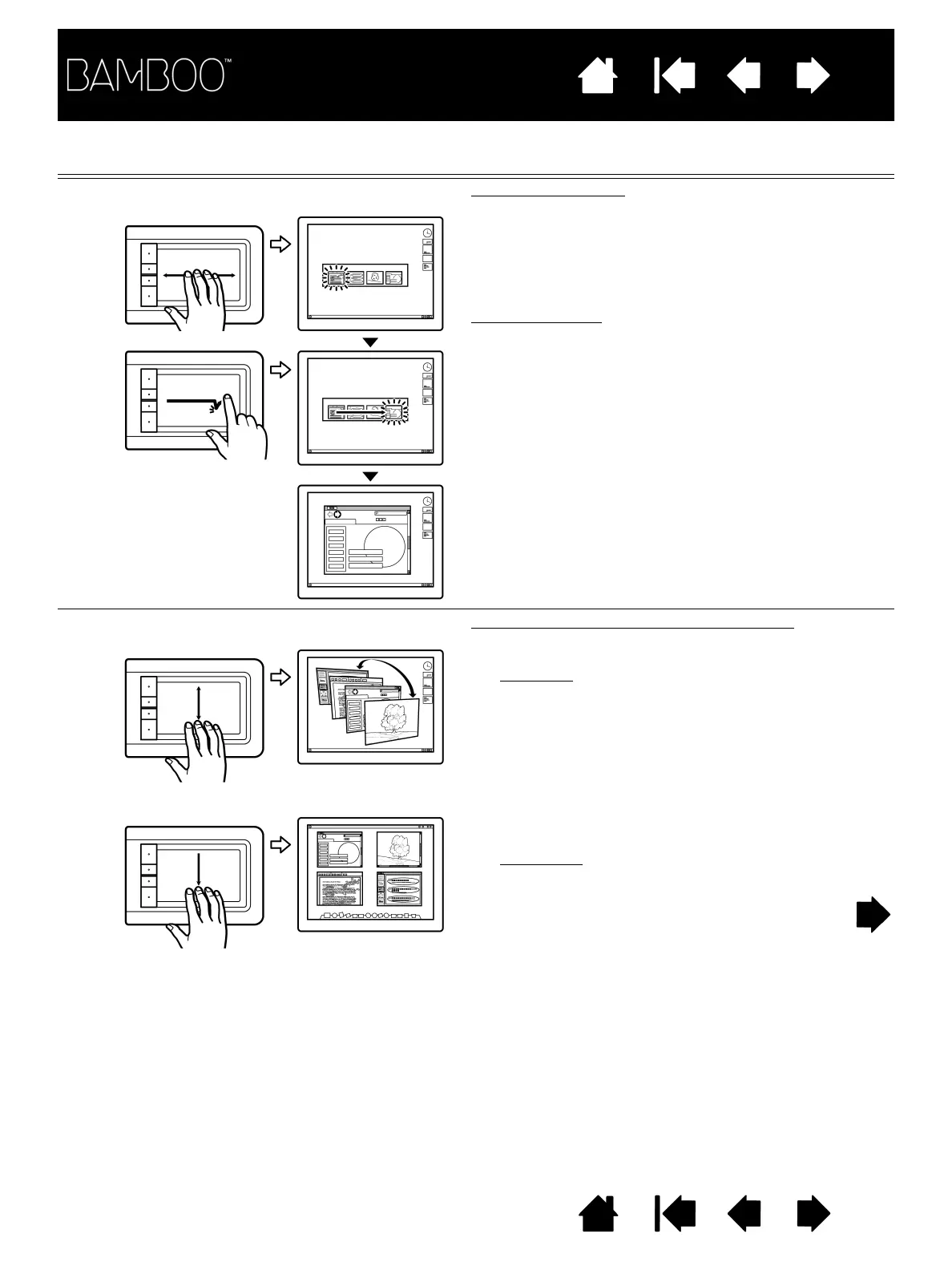
FOUR-FINGER GESTURES
S
WIPE LEFT/RIGHT TO SWITCH APPLICATIONS Switch applications
Using four fingers spaced slightly apart, move your
fingers left or right to open the application switcher.
Then using a single finger, move left or right to
highlight an application. Tap to select an
application.
For Windows XP
: Using four fingers, move them left
or right to open the application switcher. Swipe your
fingers again to open the next application in the list.
S
WIPE DOWN FOR FLIP 3D/EXPOSÉ Open Flip 3D (Windows) or Exposé (Mac)
Using four fingers spaced slightly apart, swipe down.
•Windows
: Your first swipe opens Flip 3D. Swipe
down again to close Flip 3D. Not available for
Windows XP.
Alternatively, move your fingers down 1 cm
(0.4 inch) to open Flip 3D. Without lifting your
fingers, continue moving downward to select
applications to the left, or move upward to select
applications to the right. Lift any finger to
dismiss Flip 3D.
•Macintosh
: Your first swipe opens Exposé.
Swipe down again to close Exposé.















 To Next Page