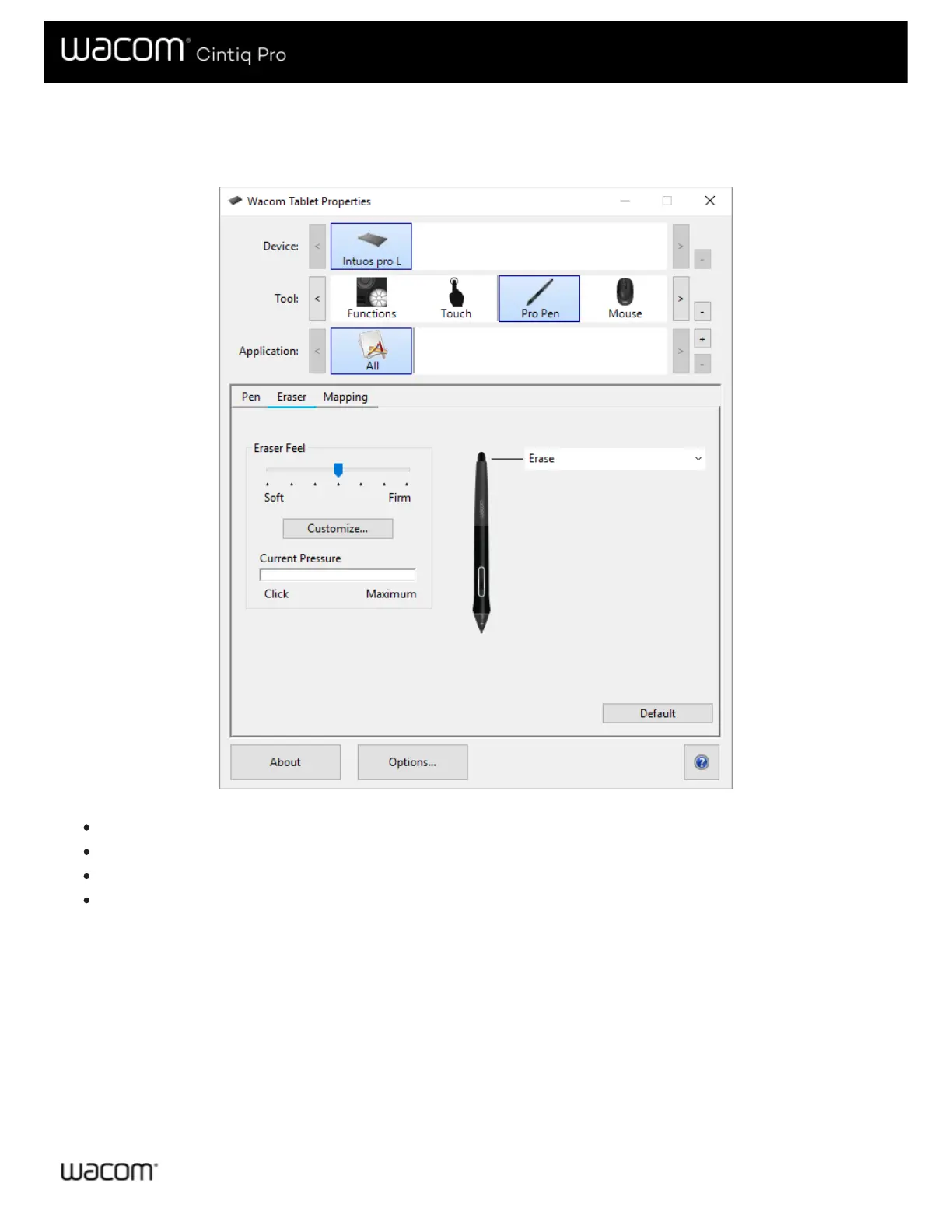
Eraser
Select the Eraser tab to adjust eraser sensitivity.
The above screenshot is for descriptive purposes; it may not match your screen.
Use the Eraser Feel slider to customize the amount of pressure needed to erase.
From the Erase dropdown menu, select the function to perform when using the eraser.
Click Customize to further adjust the eraser sensitivity.
With your screen cursor positioned over an empty area of the control panel, press down on the Current Pressure bar with
the eraser to determine pressure levels.






 To Next Page