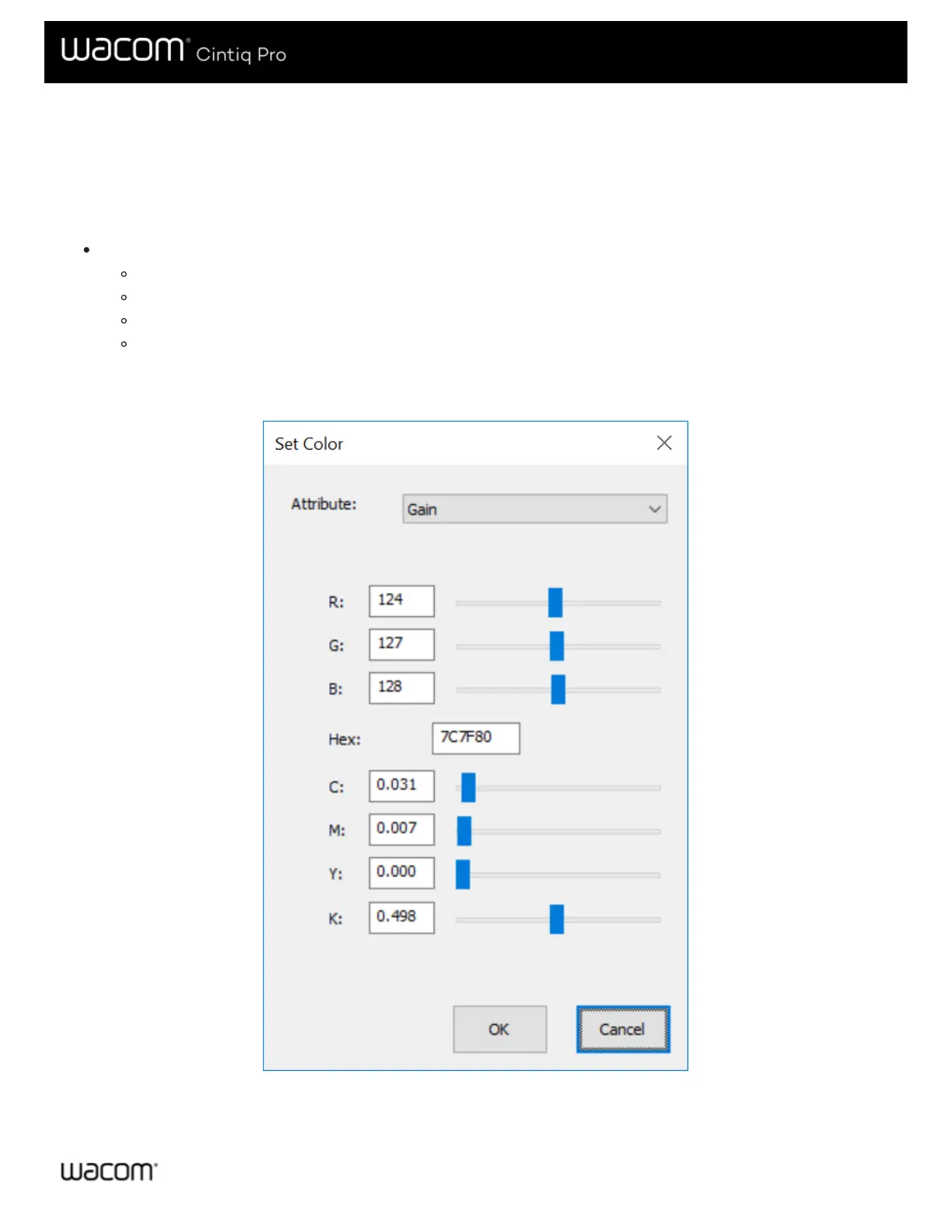
Wacom Display Settings - Set Color
The Set Color dialog of the Wacom Display Settings utility allows you to further customize Pen display settings. To open the
dialog, choose Custom Color from the Color Setting menu in the main Display settings dialog.
If supported by your device, you can also adjust the following color qualities:
Attribute: Sets the sliders for RGB or CYMK color for the following attributes:
Hue: The overall appearance of a particular color, without changes to brightness or saturation.
Saturation: The depth of a color.
Gain: The range of a color.
Offset: The brightness of a color.
The Set Color dialog provides sliders for adjusting individual RGB and CYMK colors. You can also enter the hex value of a
particular color and then adjust it with the sliders.
The above screenshot is for descriptive purposes; it may not match your screen.






 To Next Page