Sound Parameter
Pulse 2 User Manual 22
Pulsewidth (only Osc 1 and 2) 0...127
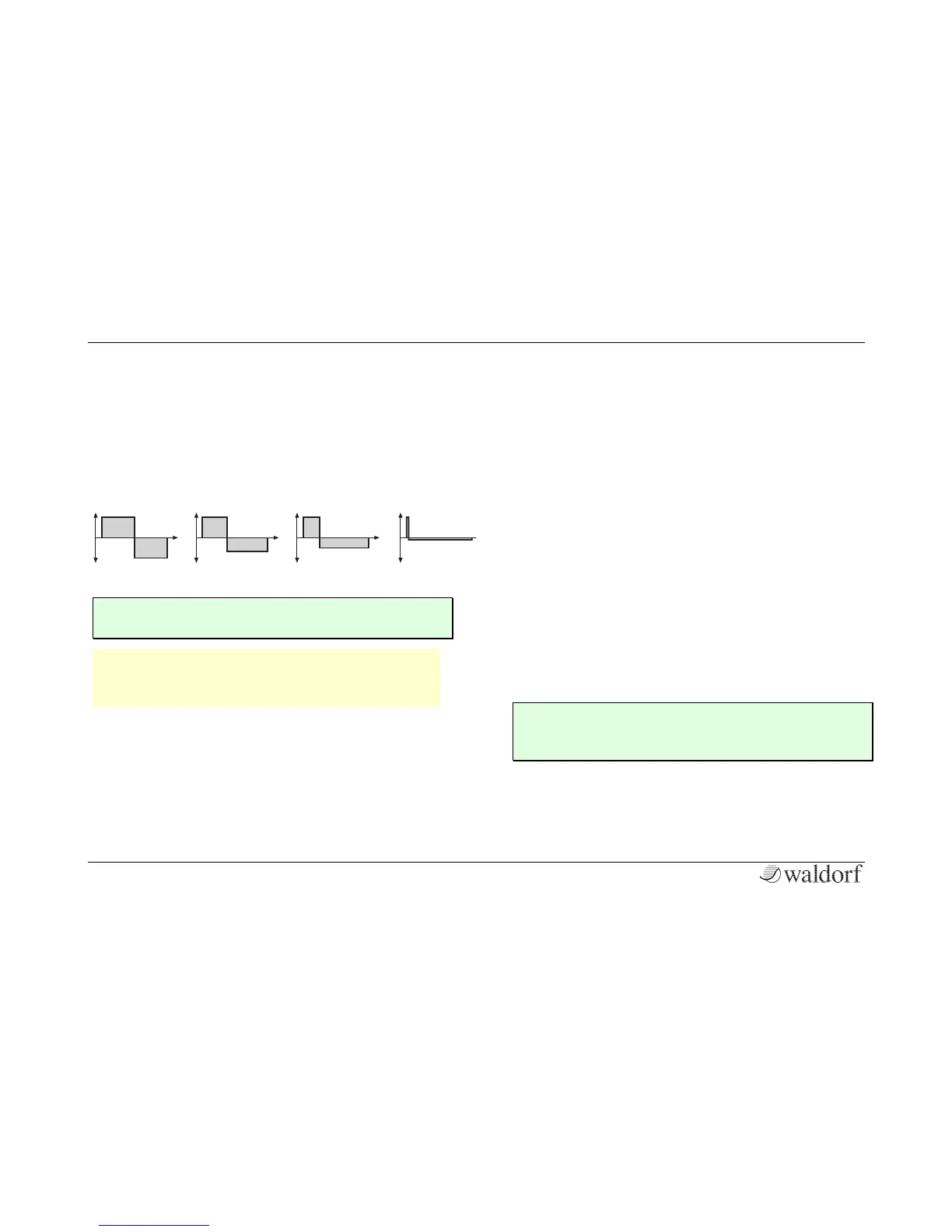
Sets the pulse width of the PWM/ APW waveform. The
value 0 is equivalent to a pulse ratio of < 1%, the value
127 is equivalent to 50%. If you select any waveform
other than PWM, this parameter does not have any
effect. The following picture illustrates the effect of the
pulsewidth parameter:
[ A pulse width of around 30% can be used for e-
piano or fat bass sounds.
w Keep in mind that a value of 0 leads for sure to
an unhearable signal. In that case, please in-
crease the pulsewidth.
Routing (only OSC 3) Mix / Level 2 / VCF / Drive
Sets the routing behaviour of OSC 3:
• Mix is the default setting and sends the signal toge-
ther with OSC 1 and OSC 2 to the regular oscilla-
tor mixer and further to the VCF and VCA.
• Level 2 adds the signal of OSC 3 to the control
voltage of the OSC level. Hereby, OSC 3 controls
the amplitude of OSC 2, the OSC 3 level controls
the modulation amount.
• VCF adds the signal of OSC 3 to the control volta-
ge of the VCF. This enables a frequency modula-
tion of the filter by OSC 3, which level controls the
modulation amount.
• Drive sends the signal from OSC 3 as modulation
signal into the drive circuitry to modulate the drive
intensity.
Semitone -48...+48
Sets the pitch of the oscillator in semitone steps. The
standard setting for this parameter is 0, but there are
cases where different values are interesting as well.
[ Lead and Solo sounds might sound interesting
when you set one Oscillator to e.g. a fourth (+5
semitones).



 To Next Page