Sound Parameter
23 Pulse 2 User Manual
Detune -64...+63
Fine-tunes the oscillator in steps of 1/128th of a semito-
ne. The audible result of detuned oscillators is a Chorus
or Flanger effect. Use a positive setting for one oscillator
and an equivalent negative setting for another.
[ A low value of ±1 results in a slow and soft Flanger
effect.
[ Mid-ranged settings of ±5 are perfect for pads and
other fat sounding programs.
Keytrack (only OSC 1 and 2) ON / OFF
Determines how much the pitch of the selected oscilla-
tor depends on the MIDI note number. The reference
note for Keytrack is E3, note number 64. A setting of ON
corresponds to a 1:1 scale, e.g. when an octave is
played on the keyboard the pitch changes for the same
amount. A setting of OFF don´t change the pitch re-
gardless of the played MIDI note.
w Keep in mind: If one of the four Unison wave-
forms is selected as oscillator Shape, a setting of
Keytrack is not possible. Instead, this parameter
lets you control the overall detune of the poly
oscillators.
w Keep in mind: When Para-8 or Para-4 is selected
as oscillator Shape a setting of Keytrack is not
possible. Instead, this parameter controls the fade
process done by ENV A. This is also valid for
OSC 2 when Para-4 is selected.
Sync (only for OSC 3) OFF / ON
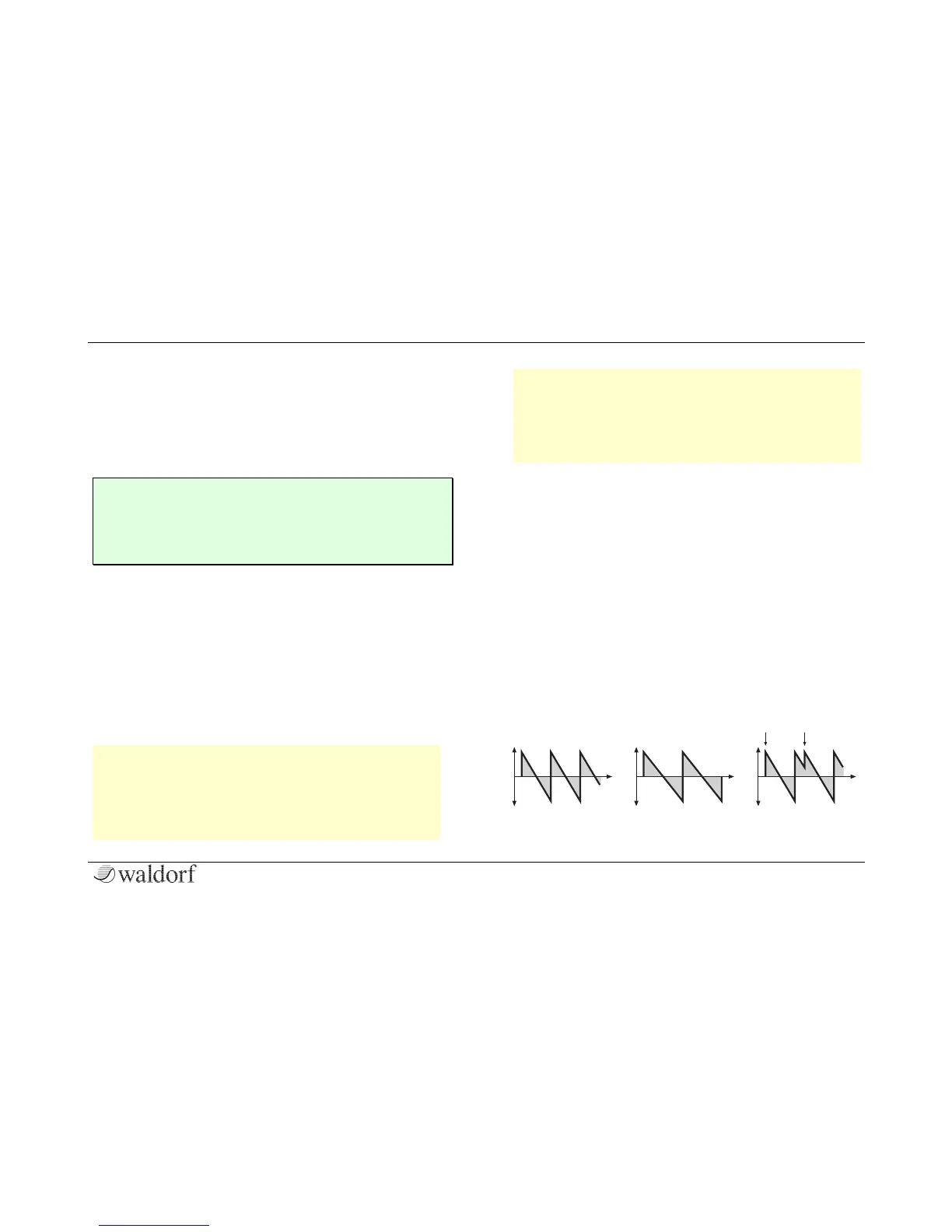
Enables or disables oscillator synchronization. When
enabled, Oscillator 2 acts as a slave that is controlled by
Oscillator 3, the master. Each time Oscillator 3 starts a
new cycle, it sends a trigger signal to Oscillator 2, for-
cing it to restart its waveform cycle, too. As a result,
interesting sound effects may be generated, especially
when both oscillators are operating at different pitch
settings. Using additional pitch modulation by envelo-
pes, LFO, or Pitch bend will lend further movement to
sync sounds. The following picture illustrates the prin-
ciple of oscillator synchronization in a simplified way:



 To Next Page