Sound Parameter
Pulse 2 User Manual 24
[ Use Sync for Lead or Solo sounds. Set Oscillator 2
to play one octave and 7 semitones higher, apply
an envelope to its pitch with positive amount and
you get a screaming sync sound.
[ Sync can also be very interesting on arpeggio
sounds. Apply a slow clocked LFO to Oscillator 2
pitch and the arpeggio starts to move.
Level 0...127
Controls the volume of the selected Oscillator.
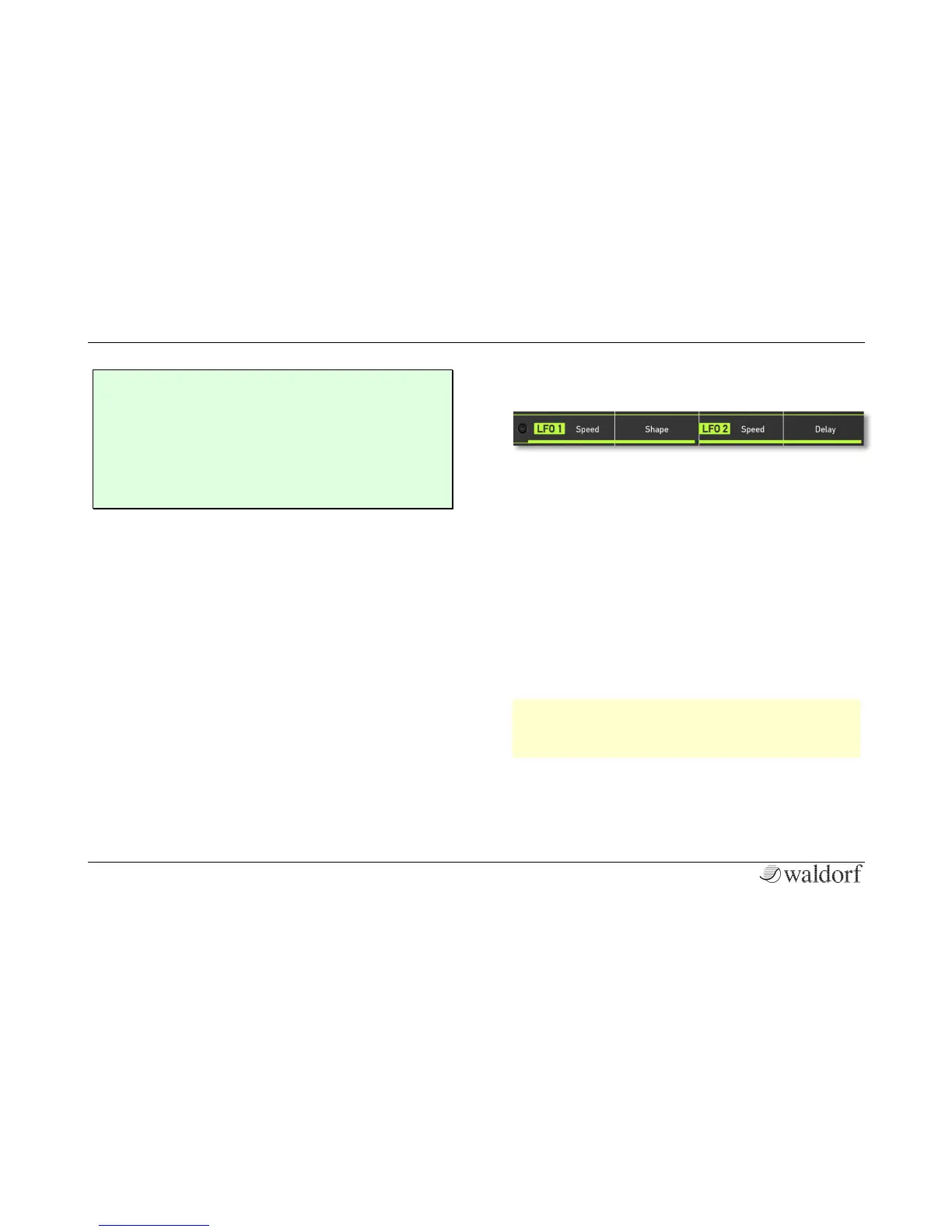
The LFO Section
In addition to the main oscillators, the Pulse 2 is equip-
ped with two low frequency oscillators (LFO) that can
be used for modulation purposes. LFO 1 generates a
periodic waveform with adjustable frequency and
shape. LFO 2 always creates a triangle wave and offers
an additional delay function.
Speed (LFO 1 and LFO 2) 0...127 or 32...1/96
Determines the frequency of LFO 1 and LFO 2. At low
values, it might take several minutes (exactly 4 minutes
and 38 seconds) for the LFO to perform a complete
cycle while higher values can sppe up to 100 Hz.
w If one of the clocked LFO shapes is selected for
LFO 1, you can adjust the Speed in musical va-
lues.
Shape (only LFO1) SINE / TRI / SAW / SQR / S&H
Sets the type of waveform generated by LFO 1:



 To Next Page