Operating Instructions
38
1. Move the FSC out of NEUTRAL-PARK position
to the desired forward speed. DO NOT hold
for ward on steering levers. It is not necessary
to hold the FSC lever in position since a friction
lock maintains the selected lever position (and
forward travel speed).
CAUTION
An operator presence switch (seat switch)
will cause the engine to stop if the parking
brake is in the DISENGAGED position and/
or the FSC is out of the NEUTRAL-PARK
position (tractor stationary or moving for-
ward) and the operator is not in the seat.
The function of this switch should be
checked by the op erator raising o the
seat, rst with the parking brake DISEN-
GAGED, and then with the tractor moving
forward (allow 1/2 second “o the seat” for
the time delay function); the engine should
stop. In each case, if the safety sys tem is
not working, it should be repaired or re-
placed before operating the mower. DO
NOT disconnect the safety switches; they
are for the operator’s protection.
NOTE: If the FSC lever will not stay in the
selected position, the friction lock needs to be
adjusted. Refer to ADJUSTMENTS for Step 7 -
Forward Speed Control Friction Adjustment in
the Maintenance Instructions.
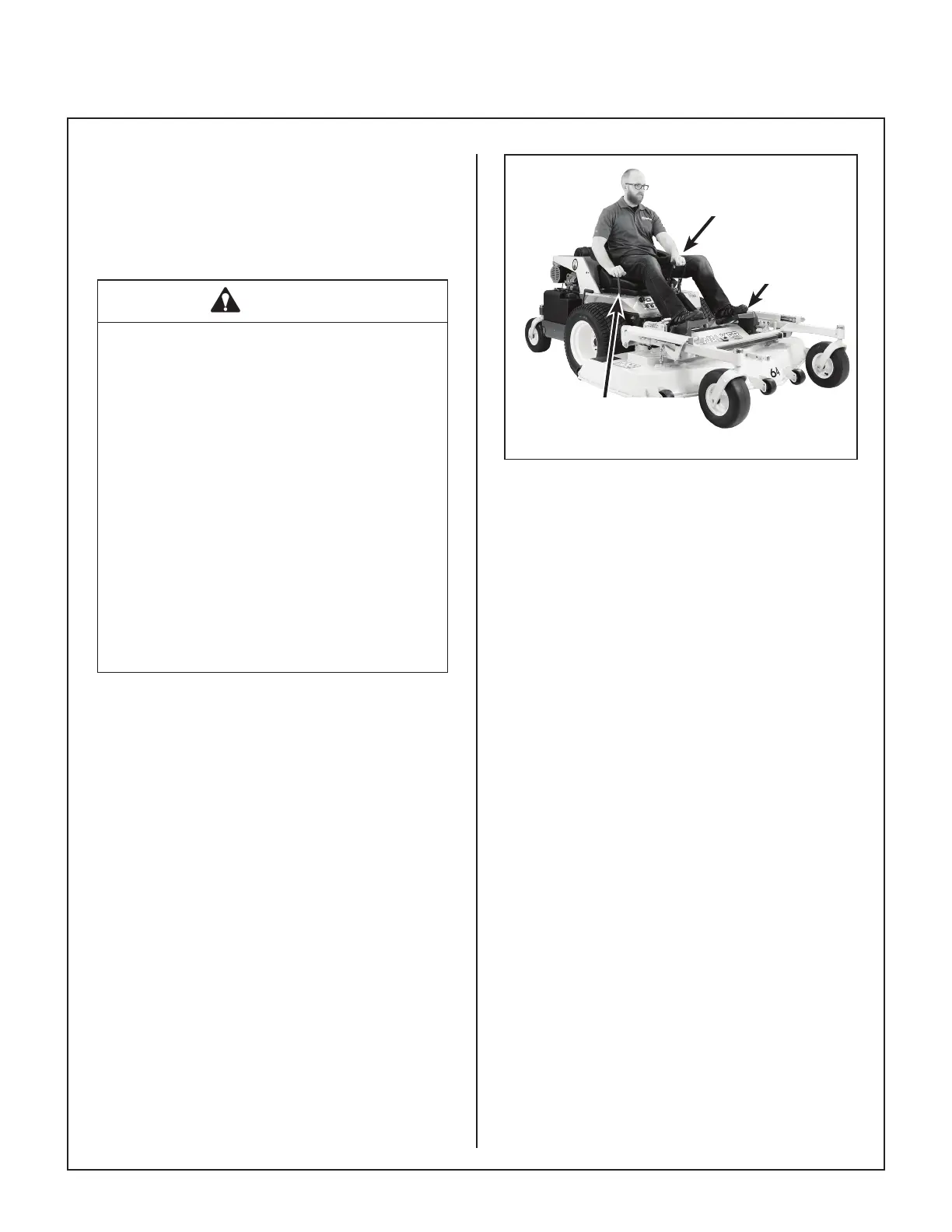
2. Steer by pulling the lever on the side of desired
direction of turn, e.g., pull the LH lever to turn
left. To minimize the possibility of overcontrol,
use only one hand on both steering levers.
Keep Feet on
Footrest When
Moving
Pull Steering
Levers with
Left Hand
Forward Speed Control
(FSC)
Correct Operator Hand Position
on the Controls


 To Next Page