49
Maintenance Instructions CLEANING
IMPORTANT: Use only Cummins/Fleetguard air
lter elements for replacement (Walker 2090-1 and
2090-3). Aftermarket lters may not seal properly or
lter efciently.
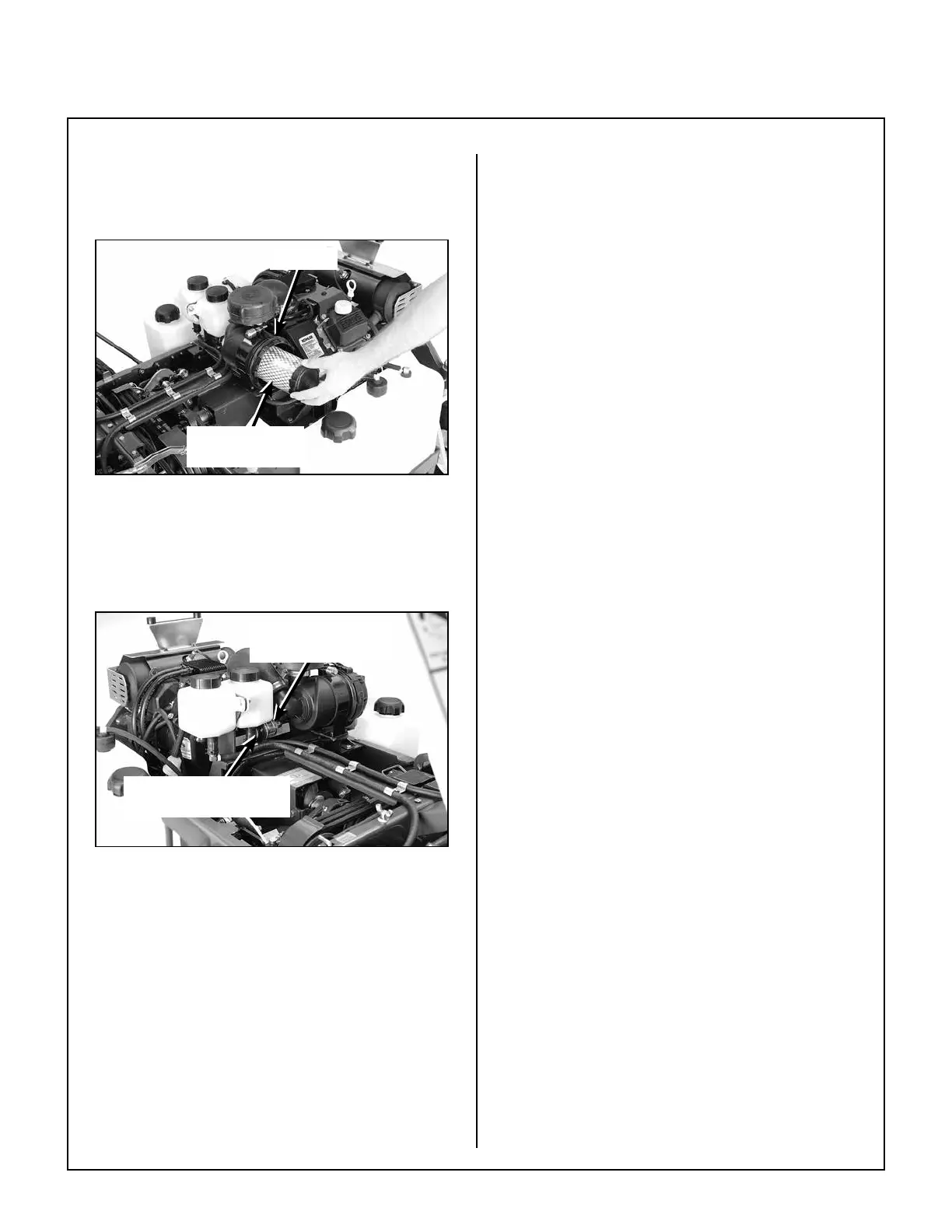
Canister
Primary
Filter Element
Air Cleaner Components
(Shown with Cover Removed)
IMPORTANT: The Cummins/Fleetguard air cleaner
uses a dry paper-type air lter element. NEVER ap-
ply oil to the paper element.
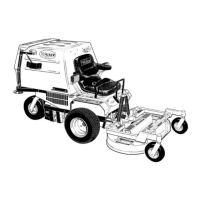
Push Button to Reset
Indicator After Service
Air Filter
Restriction Gauge
Air Filter Restriction Gauge Location
Inspect the primary lter element after every 100
hours of service and replace the element and safety
lter yearly (or when dirty or damaged). More fre-
quent replacement may be required when operating
in extremely dusty conditions as indicated by the air
lter restriction gauge. Service the air cleaner as
follows:
1. Lift Mono Latch Twist Lock™ and twist the
OptiAir™ cover to the left into the “open” position
to remove the air cleaner cover. Wash the cover
and dust ejection valve. Check that these
components are in good condition. The dust
ejection valve is subject to wear and deterioration
and should be replaced yearly or when
damaged. The lips of the valve should close and
t together; any cracks, deformation, or wear in
the valve is cause for replacement.
2. Remove the primary lter element by pulling it out
of the canister. There will be some initial resis-
tance as the lter seal breaks loose and slides off
of the outlet tube. Gently move the end of the
lter up and down and side to side or twist to
loosen the seal. Use gentle action to minimize
the amount of dust dislodged as the lter is re-
moved.
3. Replace the primary lter element.
NOTE: Washing the element in water or clean ing
solution is not recommended. Do not try to
clean the element with compressed air.
4. Use a bright light inside the primary lter element
to inspect for damage. Check the element very
carefully for pin holes or other damage that will
allow dirt to leak through the paper media. Re-
place element if necessary.
5. Without removing, visually inspect the condition
of the safety lter for damage or holes. The
safety lter should only be removed for yearly
replacement (or when dirty or damaged).
6. Check the condition and resilience of the radial
sealing surface (inside of the open end) of the
primary lter element. Replace the element if any
cracks, tears, or other damage to the sealing sur-
face are noted.
7. Use a clean, damp cloth and wipe the interior of
the air cleaner canister clean. Use special care
to clean both the inside and outside surfaces
of the outlet tube.
IMPORTANT: Any dust left on the inside of the
outlet tube will go into the engine and cause wear.
8. Check the outside surface of the outlet tube for
smoothness and cleanness (this is the sealing
surface).


 To Next Page