EasyManua.ls Logo

Walkera Runner 250 PRO - User Manual

Walkera Runner 250 PRO
20 pages
Print Icon
To Next Page IconTo Next Page
Loading...
Question and Answer IconNeed help?

Do you have a question about the Walkera Runner 250 PRO and is the answer not in the manual?

Summary

Get to Know Your Aircraft

Get to Know Your Remote Controller

Specifications Overview

Pre-Flight Attention Points

Battery Charging Procedure

Prepare the Remote Controller

Prepare the Aircraft

Ready to Fly

Starting the Aircraft and Binding

Explains the process of powering on the controller and aircraft for binding.

GPS Indicator Lights

Describes the meaning of GPS indicator light behavior.

Motor Unlock and Lock Procedure

Details the procedure to unlock and lock the motors for safe operation.

Operation Instructions

GPS Hold Mode Operation

Explains how to activate and use GPS hold mode for stable flight.

Circle Flight Mode

Details the steps and controls for enabling the auto-circling flight mode.

Return to Home Function

Explains the automatic return to home feature and its conditions.

Hyper IOC Mode Operation

Describes the Intelligent Orientation Control mode and its operation.

End Flying Procedure

Additional Remarks

DEVO 7 Remote Controller Settings

Guides users through setting up the DEVO 7 remote controller.

DEVO 7 Wing Settings

Explains how to configure WING settings on the DEVO 7 controller.

DEVO 7 Output Settings

Details the configuration of OUTPUT settings for various functions on the controller.

DEVO 7 REVSW Settings

Outlines the steps for setting up the REVSW function on the DEVO 7 controller.

Video Transmitting Channel Selection

OSD Interface Information

FCS-250 Flight Controller Introduction

DEVO-RX717 Receiver Introduction

Brushless Motor and ESC Connection

Compass Calibration Procedure

Camera Instructions

Camera Picture Illustration

Identifies the main parts and buttons of the camera.

Camera Video Recording

Explains how to record video using the camera, both manually and via controller.

Camera Photo Capture

Details how to take photos with the camera, both manually and via controller.

GA005 Balance Charger Instructions

Overview

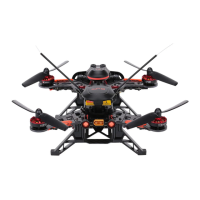
The Walkera Runner 250 Pro is a high-performance racing drone designed for an immersive FPV (First Person View) experience. Its body is constructed from Carbon Fiber Plate (CFP), ensuring outstanding crash survivability. The drone features a modern industrial and modular design, which not only enhances its performance but also simplifies maintenance and upgrades.

Key Features and Functions:

  • Advanced FPV System: Equipped with an advanced 5.8GHz live video and OSD (On-Screen Display) system, the Runner 250 Pro delivers an unforgettable visual FPV experience. The OSD provides real-time flight information, including battery voltage, flight height, horizontal flight speed, ascend/descend speed, and timer.
  • Dual GPS Module: The drone incorporates a dual GPS module, enabling advanced flight modes such as GPS hold mode, Circle Flight, Hyper IOC (Intelligent Orientation Control), and one-key return to home.
  • Flight Modes:
    • Manual Mode: Provides full manual control for experienced pilots.
    • GPS Hold Mode: Maintains altitude and a fixed point, with a slower flight speed (≤5m/s). Requires a strong GPS signal.
    • Circle Flight: Allows the aircraft to automatically circle a point. The circle speed and radius can be adjusted using the aileron and elevator sticks, respectively. Speed is adjustable from -5m/s to +5m/s (default 0m/s), and radius from 5m to 50m (default 5m).
    • Hyper IOC Mode: In this mode, the aircraft's flight direction is relative to the original take-off point, regardless of its actual heading. This simplifies control for cinematic shots or complex maneuvers. IOC is inactive if the drone is less than 10 meters from the take-off point.
    • Return to Home (RTH):
      • If the flight altitude is higher than 25m, the aircraft maintains its current altitude, returns to the Home Point, and then descends vertically.
      • If the flight altitude is lower than 25m, the aircraft automatically ascends to 25m, flies back to the Home Point, and lands vertically.
      • RTH also activates automatically in case of remote controller signal loss (Failsafe RTH) or when the battery voltage drops below 10.8V (if the horizontal distance to the Home Point is greater than 8m). If the distance is less than 8m, the aircraft will descend and land from its current position.
  • Camera (1920x1080P): The drone is equipped with a camera capable of recording 1920x1080P video at 60FPS and taking 4000x3000 pixel JPG photos. It supports Micro SD cards up to 32GB. Video and photo functions can be controlled manually via a switch on the camera or remotely using the DEVO 7 controller's GEAR switch.
  • Low-Voltage Alarm: The Runner 250 Pro features a low-voltage alarm beeper and visual indication on the OSD. When the voltage drops below 10.8V, the left red LED flashes slowly, and an alarm sounds, prompting the pilot to land.

Technical Specifications:

  • Aircraft:
    • Main Rotor Diameter: 143mm
    • Overall Dimensions (L x W x H): 221 x 205 x 117mm
    • Weight: 464g (Battery excluded)
    • Main Controller: FCS-250
    • Brushless Motor: WK-WS-28-014A(CW/CCW)
    • Brushless ESC: F210 ESC
    • Battery: 11.1V 2200mAh 25C 3S LiPo
    • Flight Time: 10~12 minutes
    • Working Temperature: -10℃~+40℃
  • Camera (800TVL):
    • Horizontal Resolution: 800TVL
    • System Committee: PAL/NTSC
    • Video Out: 1.0Vp-p/75Ω
    • Power Input: DC 12V
  • DEVO 7 Remote Controller:
    • Frequency: 2.4GHz DSSS
    • Output Power: ≤100mW
    • Current Drain: ≤230mA(100mW)
    • Power Supply: 8x1.5V AA batteries or 8x1.2V NiMH batteries
    • Output Pulse: 1000-2000mS (1500Ms Neutral)
  • TX5834(FCC) / TX5835(CE) Transmitter:
    • 5.8G wireless image transmission
    • 8 channels for both FCC and CE versions
    • TX5834(FCC) Output Power: ≤200mW
    • TX5835(CE) Output Power: ≤25mW

Usage and Maintenance Features:

  • Propeller Installation: CW propellers are fixed onto CW motors (blue arrow direction), and CCW propellers onto CCW motors (orange arrow direction). Propellers should be tightened manually and secured. A wrench is provided for installation and removal.
  • Battery Installation: The 11.1V 2200mAh 25C 3S LiPo battery is placed with an anti-slip mat, and its position is adjusted to balance the drone's gravity center. It is then fastened with a Velcro strap.
  • Motor Unlock/Lock:
    • Unlock: After IMU preheating, with all trims neutral, throttle down (0%), and all switches up, push the throttle stick down and move the rudder (YAW) stick to the left for >2 seconds. The left red LED will stay on, indicating motors are unlocked.
    • Lock: Push the throttle stick down and move the rudder (YAW) stick to the right for >2 seconds. The left red LED will turn off, indicating motors are locked. Motors are locked by default after successful binding.
  • Compass Calibration: Essential for stable flight and GPS functions. If the drone drifts or flies in circles, calibration is needed. This involves a sequence of stick movements to enter calibration mode, followed by rotating the aircraft 360 degrees horizontally and then 360 degrees vertically (head down). Calibration should be performed outdoors, away from strong electromagnetic interference, with motors locked.
  • Battery Charging: The GA005 balance charger is used for the 11.1V 2200mAh 25C 3S LiPo battery. It connects to a 100-240V 50/60Hz power adapter. The charger's red LED flashes during charging and turns solid green when fully charged.
  • Remote Controller Preparation: The DEVO 7 remote controller requires 8xAA batteries (1.5V or 1.2V NiMH). Proper polarity must be observed during installation.
  • Firmware Upgrading: The FCS-250 Main Flight Controller can be upgraded online via the Walkera official website using a USB cable.
  • Receiver Fixed ID Clearing: To clear a fixed ID on the DEVO-RX717 receiver, press the CLEAN button while powering on the Runner 250. The receiver's RED LED will blink slowly upon success.

Safety Precautions:

  • Recommended for pilots 14 years or older with RC hobby experience.
  • Fly only in dry weather with low wind; avoid rain or heavy fog.
  • Always choose large open fields and check local laws for flying areas.
  • Maintain at least 10 feet distance from the aircraft when armed.
  • Disarm the aircraft before handling.
  • Avoid flying near high-voltage power lines, cellphone towers, or radio towers.
  • Never fly over crowds, concerts, or sports stadiums.
  • Do not move the aircraft during start-up.
  • Always unfold the two receiver antennas to their correct STRAIGHT UP position before flying.
  • Land immediately if the low-voltage alarm sounds or the OSD indicates 10.8V.
  • Ensure the video transmitter channel matches the receiver channel for FPV.
  • A Micro SD card must be inserted and removed only when the camera is powered off.
  • Stop recording before powering off the camera to save video files.
  • The GA005 charger is for 2S or 3S Li-ion/Li-polymer batteries only; do not charge multiple battery sets simultaneously.
  • Charge batteries in a dry, ventilated area, away from heat and flammable substances.
  • Remove the battery from the helicopter during charging and never leave it unsupervised.
  • Do not charge batteries immediately after flight or when hot.
  • Ensure correct polarity when connecting the battery to the charger.
  • Avoid dropping or violently handling the battery.
  • Use original charging equipment and replace swollen battery packs.

Walkera Runner 250 PRO Specifications

General IconGeneral
BrandWalkera
ModelRunner 250 PRO
CategoryDrones
LanguageEnglish

Related product manuals