13
(888) 253-0777
• Take the 3 black comfort sleeves off the
harness so you can make sizing
adjustments.
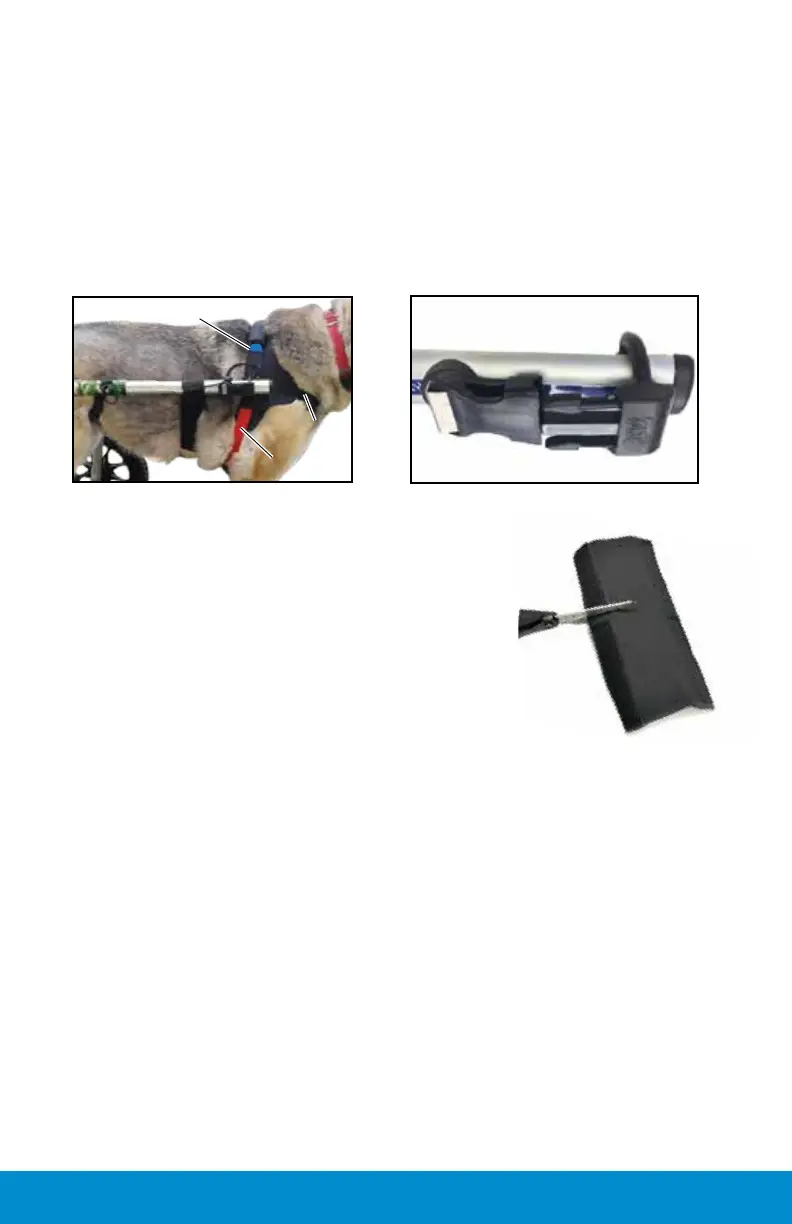
• Dog’s head goes between the black strap
and the blue strap.
• Blue strap goes over the dog's shoulder.
• Red strap goes behind the front legs and
clips into the side of harness.
• Black strap goes under neck across front of chest.
• Side neoprene panels should be positioned over
the shoulder blades.
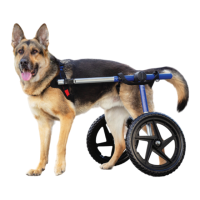
• Male prong points to the back and clips in.
• All three straps should be snug.
• Comfort sleeves can be cut for smaller dogs and excess straps
tucked in. This material will not fray.
Changing Pocket Placement of D-Ring
(optional)
Front Harness Attachment
Adjust the extenders so they reach the harness clips on the front har-
ness. The extender ends will go through each D-Ring and then clip
into the front harness. The D-Rings should be positioned just behind
the shoulder blades. Note: If the D-ring prong breaks, you can call for
replacement or order Medium D-Ring online:
www.walkinpets.com/wheelchair-dring-clip/
Note: Unless advised to change pocket by a Walkin' Pets customer
service representative, keep the clip in middle pocket because
the straps are adjustable. Needed: small Phillips screwdriver to
remove (2) screws, if changing the position of the clip.
Adjusting the Front Harness:


 To Next Page