EN - V2.0 16
4.1 Status Visualisation
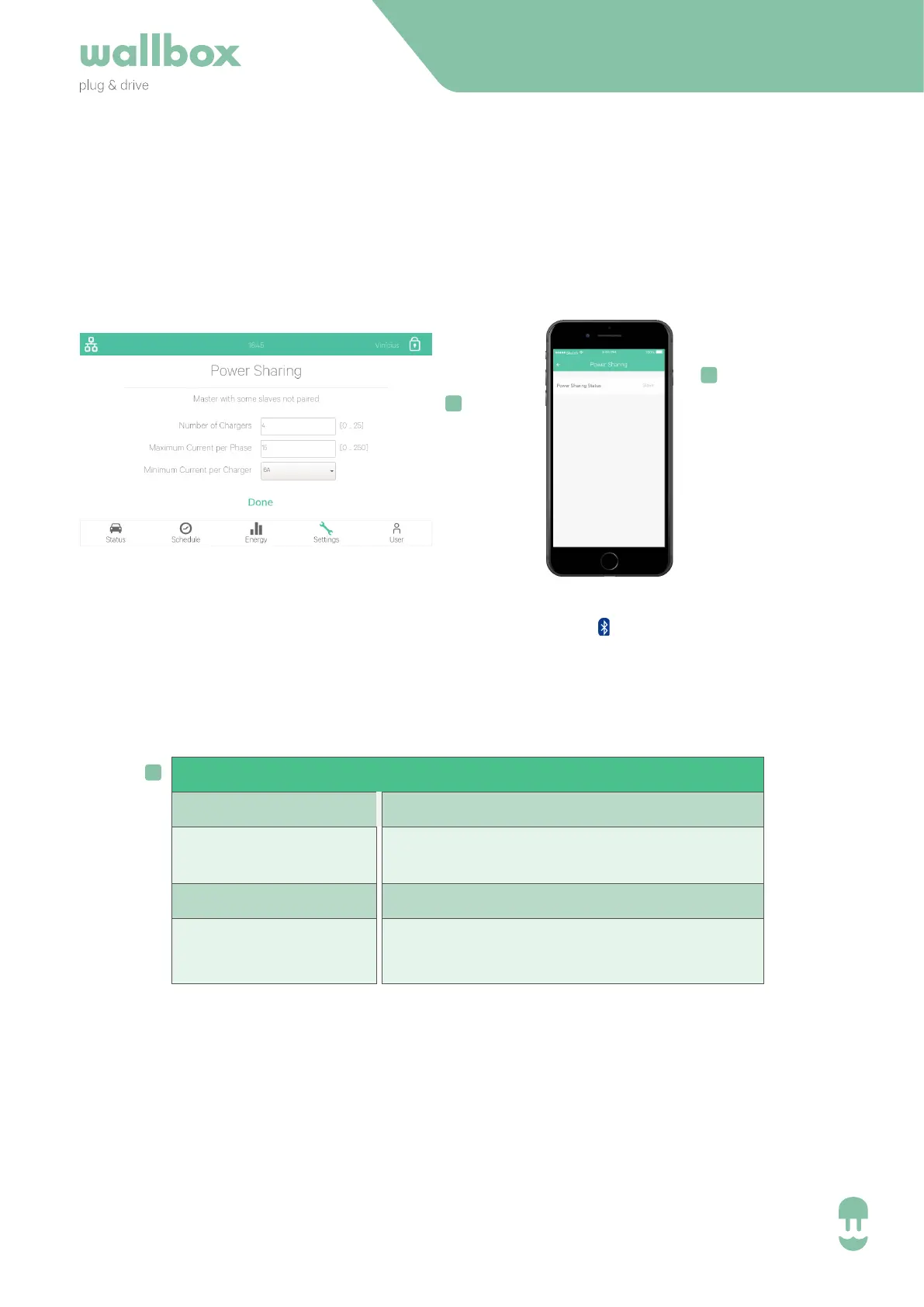
Information about the Power Sharing comunication:
Commander
(Settings > System > Power Sharing)
• The master will show the configuration menu.
• The slaves will just show their current status.
Pulsar / Copper
(Settings > Power Sharing)
Bluetooth is required.
PS Status
Slave
Master
Unpaired Slave
Master
Uncomplete Net
Description
Succesfully paired slave charger
Master Charger
Slave charger that has not been
paired (can charge with 6A)
Master charger that is detecting less
slaves than have been configured
!
!
!
INSTALLATION GUIDE
• Unpaired slave is also visualised as: Pulsar/ Copper visualise with this fast blinking LED.


 To Next Page