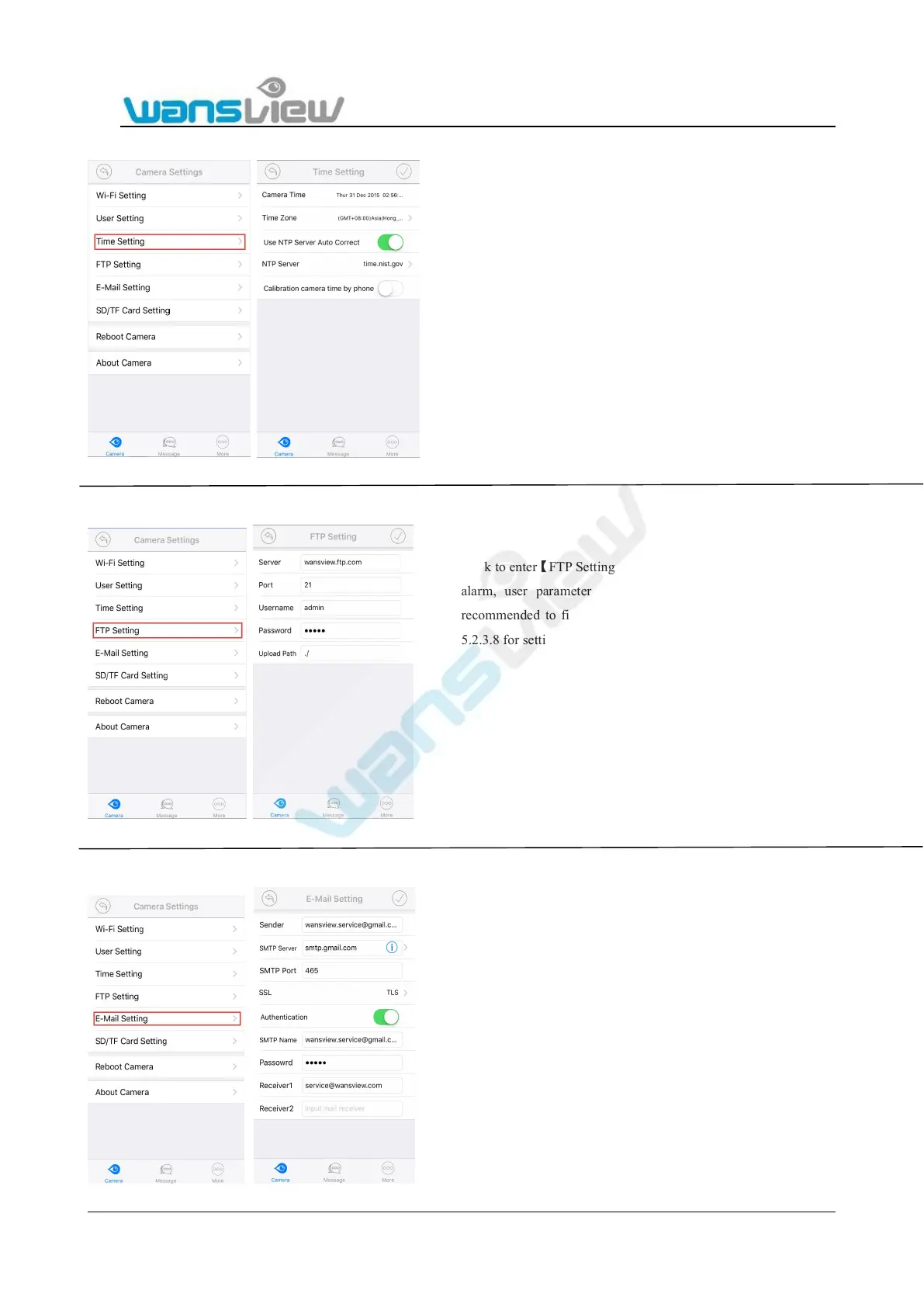
Click to enter【Time Setting】,The user can auto correct the local
time zone of the camera to set the camera in the correct time zone.
Click to enter【FTP Setting】, when the user is using the FTP
alarm, user parameters of FTP servers can be set. It is
recommended to fill in “./” for Upload Path. Please refer to
5.2.3.8 for settings.
Click to enter 【 E-Mail Setting 】 , when the user is using the mail alarm
function, Sender, Receiver, SMTP Server, SMTP Port(common port is
25,465 and 587), TLS etc. can be set.
Notice:
*User can select SMTP server according to your Mailbox server, if not in
the listed, please input manually.
*The Authentication must be ON, or the camera cannot log to the sender
email to send email.
* Please select SSL or TLS when the SMTP Port is 465 and 587.


 To Next Page