Support Email/ Skype: service2@wansview.com 28
4.3 Live View and Setting
4.3.1 Viewing Camera on a Single Window
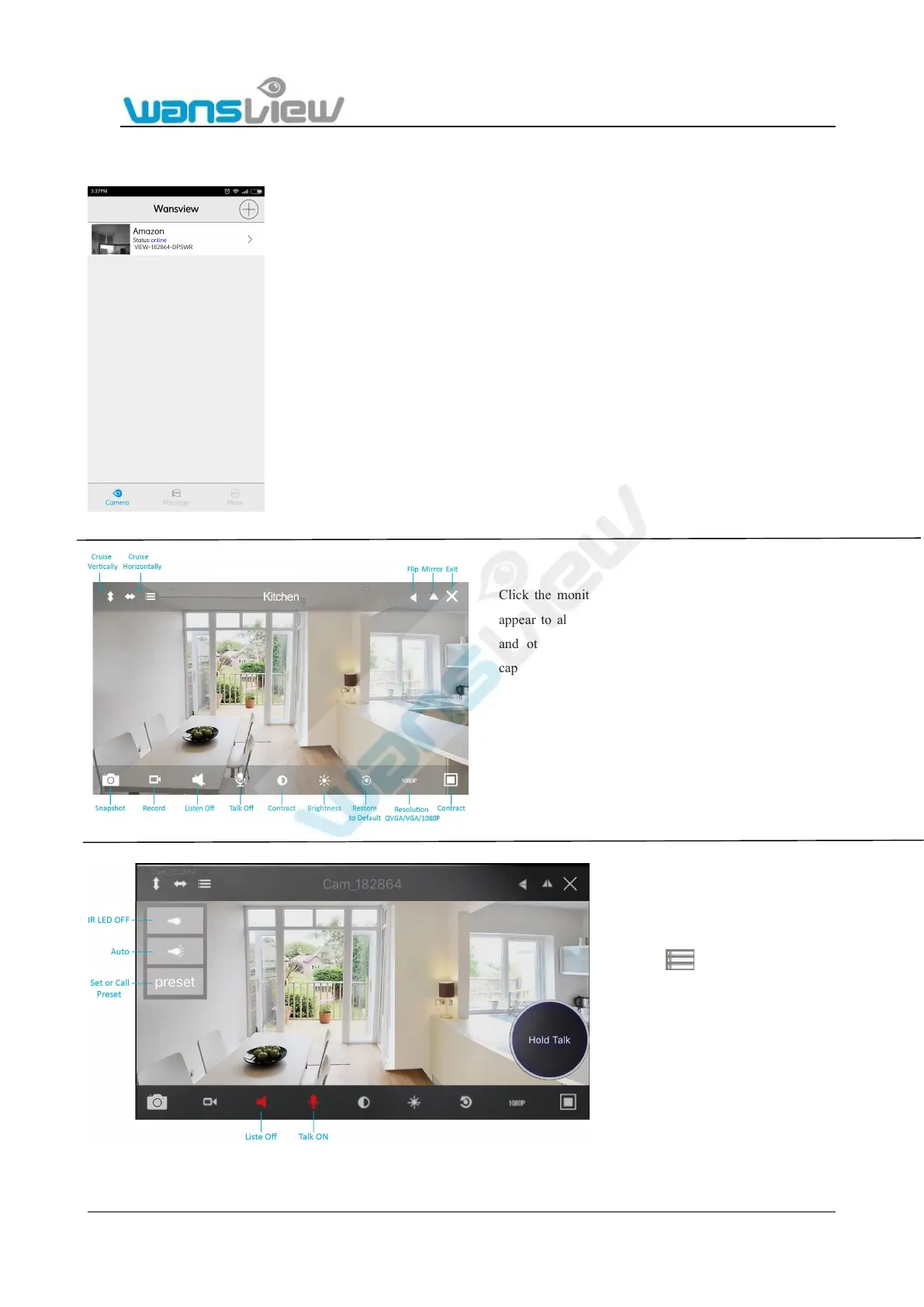
Click the monitoring screen. The video menu action bar will
appear to allow Pan/Tilt control, snapshot, record, listen, talk
and other advanced functions. The mobile phone app can
capture video files and store them on the mobile phone.
For two-way audio, make the Listen/Talk
ON, When talk, please press Hold Talk,
then talk.(not for this camera)
Press , you can turn ON/OFF the IR
LED and Set or Call Preset.
On the preset, user can set 8 presets, call
preset means the camera sends command
to the camera to move to the preset


 To Next Page