Support Email/ Skype: service2@wansview.com 41
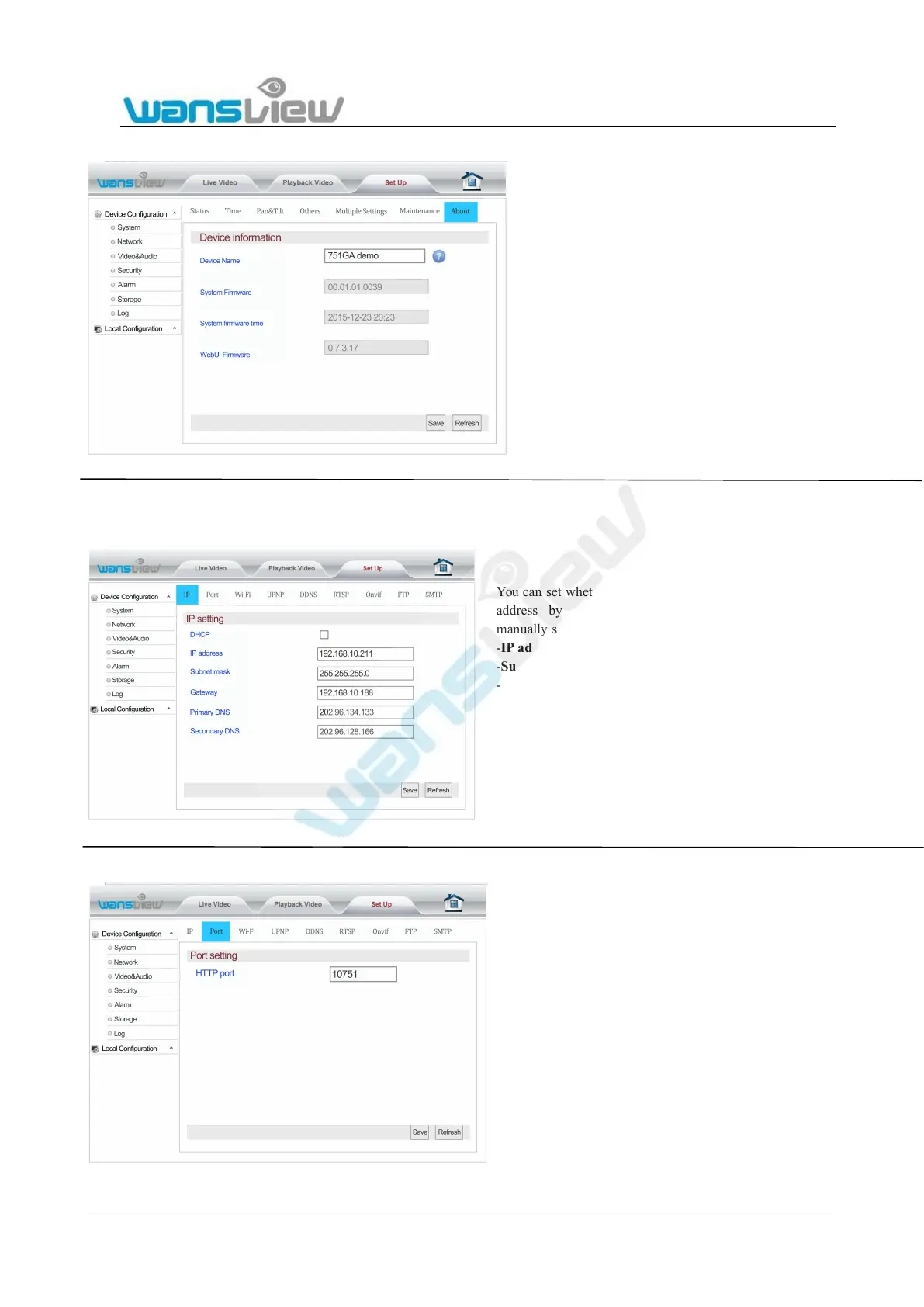
5.4.1.7 Device Information
5.4.2 Network
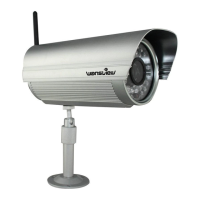
5.4.2.1 IP Address Setting
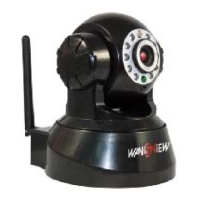
5.4.2.2 Port Setting
Enter “About” bar, Device name can be
modified, and system firmware version/system
firmware time /WebUI firmware version etc. can
be checked at "Device Information". The device
name will be showed at the searched information
when using the SearchPro tool.
You can set whether the camera will be assigned an IP
address by your router(DHCP) or you want to
manually set a fixed address.
-IP address (for example 192.168.x.x)
-Subnet mask(for example 255.255.255.0)
-Gateway(IP address of your router; for example
-Primary DNS(IP address of your router; for
-Secondary DNS(IP address of your router; for
At "Port Setting", the user can change web access port
(http port). Port setting range: 80-65535. Pay attention
not to conflict with other port values.


 To Next Page