8
24/7 Technical hotline - Ligne d’assistance technique - Línea de asistencia técnica
US 1.888.927.6333 / CA 1.888.592.7687
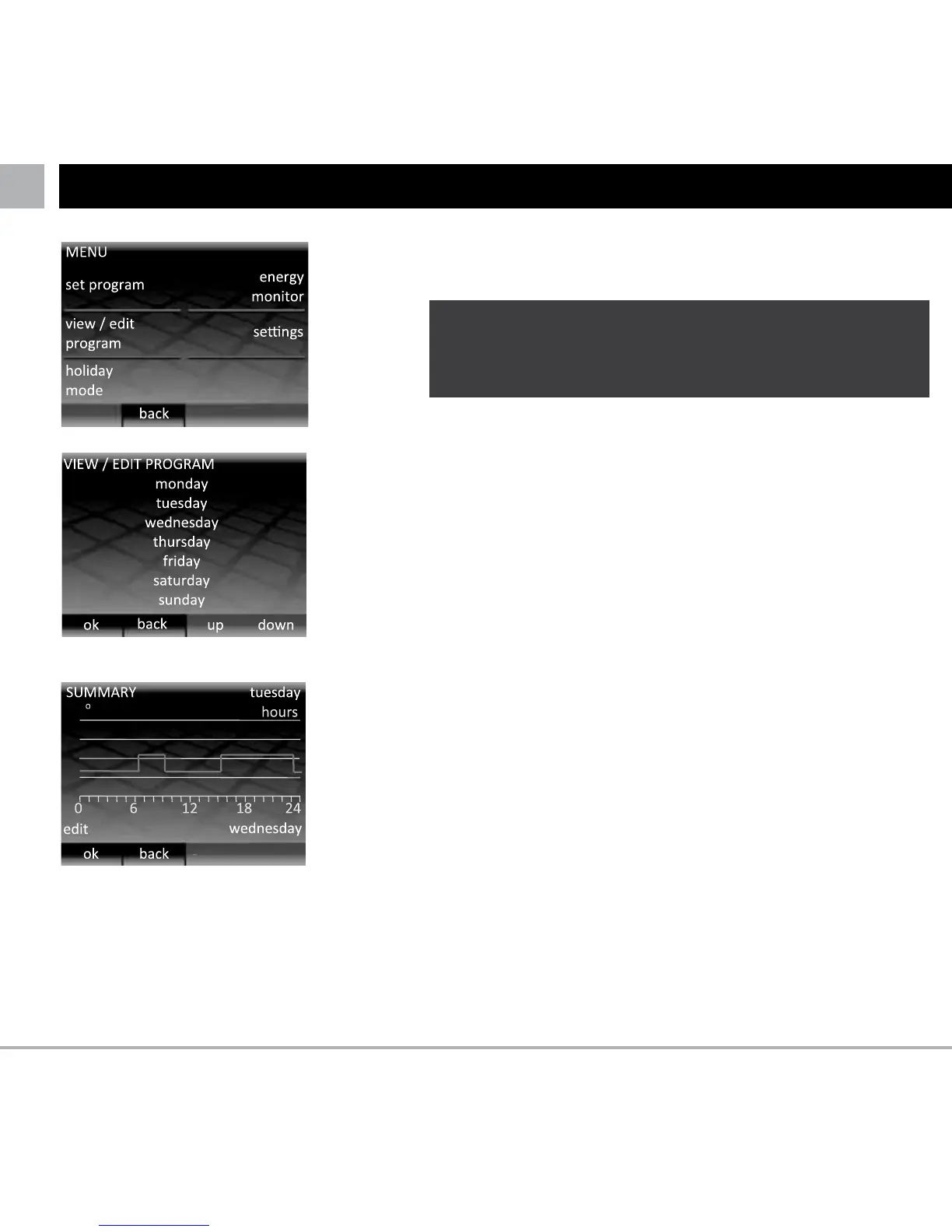
If you would like to view or edit the time and temperature
settings of each day then press “view / edit program”.
Press “up” and “down” until the day that you would like to
view is highlighted, then press “OK” to view that day.
To exit the “VIEW / EDIT PROGRAM” menu, press “back”.
Note that if you have edited any days these changes will be
saved.
Here you can see review the heating schedule for the
selected day.
If you would like to change any of the heating periods press
“edit”. Remember that you will have to set all the heating
periods. You can view the schedule for the following day by
pressing “view …”.
To return to the day selection, press “OK”.
VIEW AND EDIT A SCHEDULE
L If you want to change the settings of multiple days it
might be easier to set a new program using the “set
program” option
104 F
86
68
50



 To Next Page