24/7 Technical hotline - Ligne d’assistance technique - Línea de asistencia técnica
US 1.888.927.6333 / CA 1.888.592.7687
5
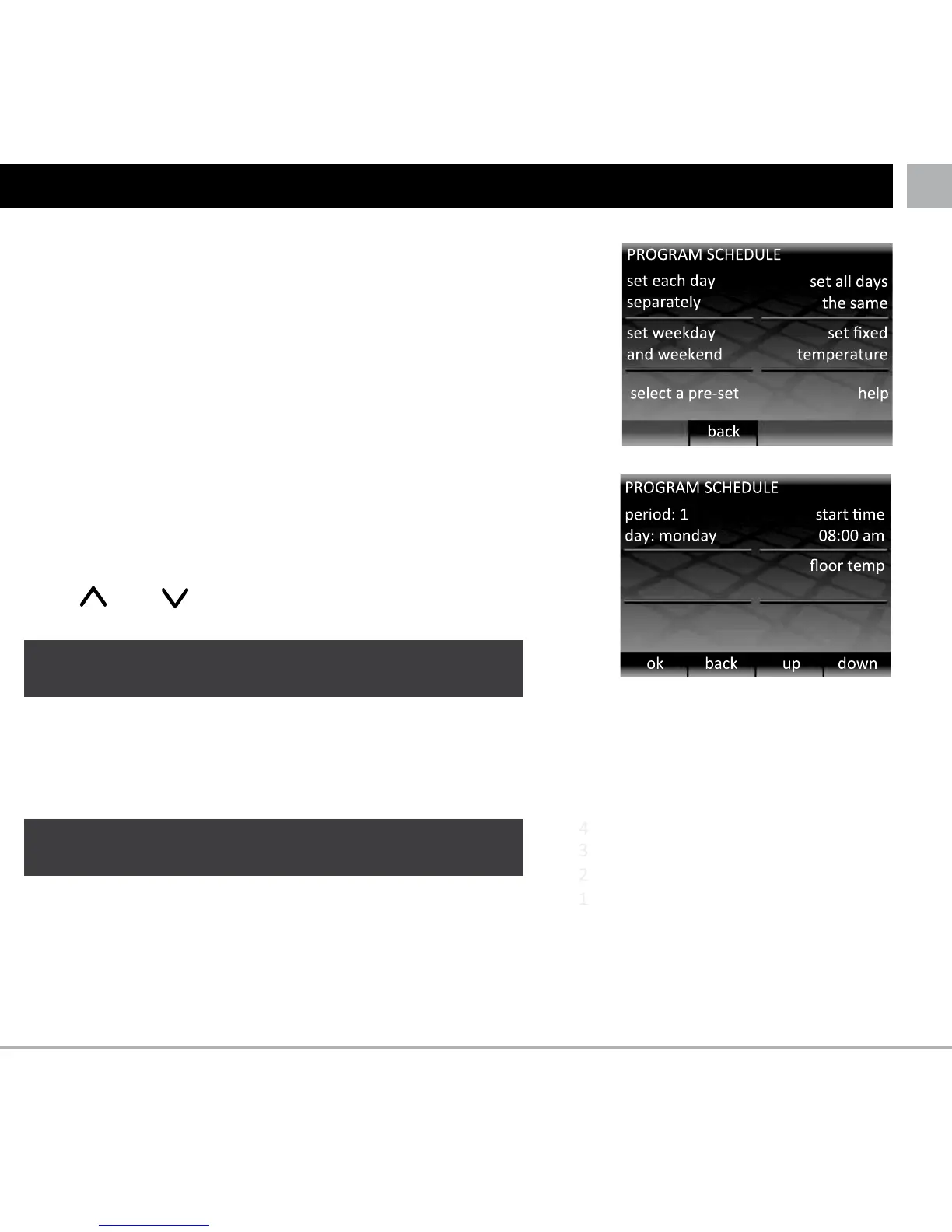
Press “ ” and “ ” to set the start time for the first of the
day.
If you want to change the target floor temperature press
“floor temp”, you can now press “up” and “down” to change
the target floor temperature.
If you want the target temperature to change later on in the
day then press “add another period”. You can add up to 10
periods in each day.
SETTING YOUR PROGRAM
Press “menu”, then Press “set program”.
You may have to press “wake” first, if the stat is in standby
mode.
Press the programming option that suits your needs.
• Set each day separately: set each day of the week with
a different program
• Set weekday and weekend: set a program for Monday –
Friday and a different program for Saturday and Sunday
• Set all days the same: one program is set for all the days
of the week
• Set fixed temperature: set a single temperature to be
held constantly
• Select a pre-set: see explanation in table
LIf you hold a button for several seconds it will scroll
continuously until you release your finger
72°F
next period
LIf you would rather use your thermostat to target
an air temperature then see page 12.



 To Next Page