15
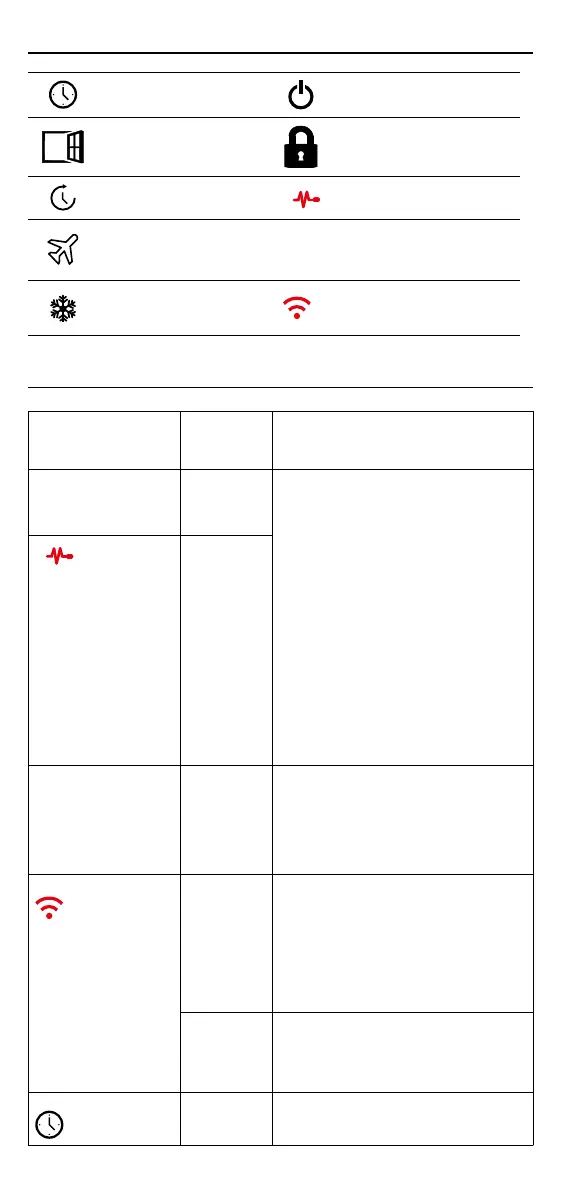
Display is blank Power (Electrician Required) Electrician required
to verify power is going to the 6iE mini and
that it is correctly wired.
---
Control
(5 & 6) /
Interal Air
sensor error
1. Please see Table 1.0 and ensure you have
selected the correct thermostat application.
2. (Electrician Required) Electrician
required to verify that the oor sensor
has been wired correctly. If it is correctly
wired the electrician will need to check the
resistance of the oor sensor using a multi
meter. For temperatures between 20°C
- 30°C the resistance of the oor sensor
should measure between 8K ohms and
12K ohms.
If the electrician nds a fault, and the 6iE
mini is in the room to be heated then it can
be set into “Air Mode”.
To set into “Air Mode”, see Table 1.0
Thermostat application.
If “---” still remains when set into air mode
the thermostat will have to be replaced.
Limit Sensor
Error (6 & 7)
Heating is coming
on earlier than
programmed times
Adaptive
learning
(Early start)
On
Adaptive learning (Early start) will use the
historic heating/cooling rates for the time
of day, historic external temperatures and
the forecast external temperatures, to work
out the heating start time in order to reach
the comfort time at the start of the comfort
period. It will only work in Program Mode.
WiFi Error Symbol
WiFi not
setup
1. Download and open the MyHeating App
2. Remove thermostat from the wall
3. Scan QR code on the back of the display
4. Place thermostat back on the wall and
power-up
5. Thermostat will be in pairing mode for
1 minute. App should automatically
connect to phone
6. Follow instructions in App
WiFi
disconnected
Follow the step above to try and to
re-connect to the WiFi Network.
If the 6iE mini still fails to connect, see WiFi
Troubleshooting.
Clock Icon Time and
Date not set
Connect the 6iE mini to a WiFi network or
alternatively set the time and date from the
settings menu.
Notications & Error codes
Troubleshooting
Date and time needs to
be set.
Heating switched OFF
Open window function
triggered.
Display locked
Temporary override
enabled
Sensor P2 (6 & 7) error
Holiday mode enabled.
(Congured in MyHeating
App)
- - -
Sensor P1 (5 & 6) not
connected / damaged or
Internal air sensor fault
Frost protect enabled.
(Congured in MyHeating
App)
WiFi not setup



 To Next Page