©2021 Warn Industries, Inc. WARN® and the WARN logo are trademarks of Warn Industries Inc. 4 100243A1
INSTALLATION INSTRUCTIONS
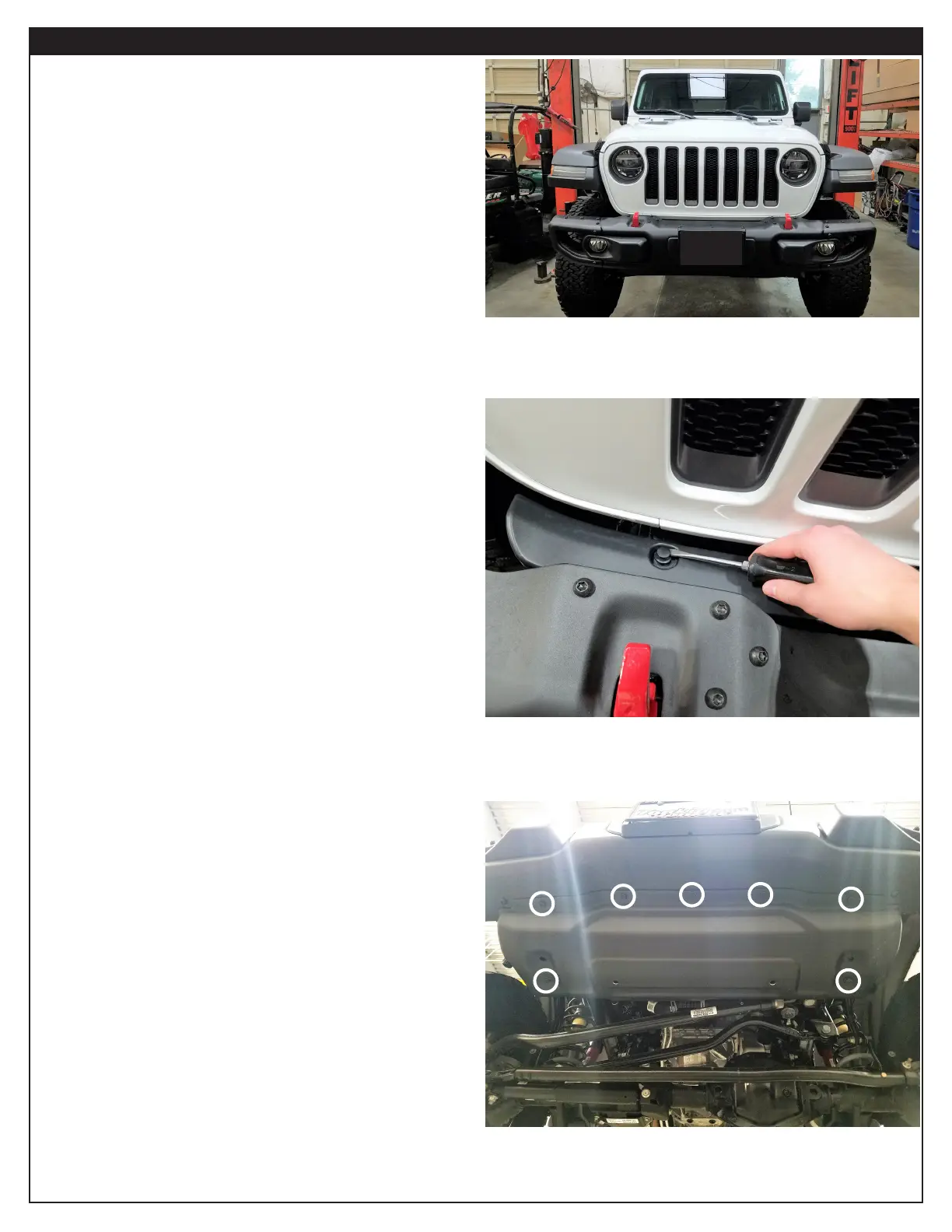
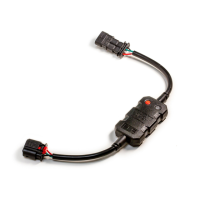
1. Remove fascia plate, located behind the bumper, by using a
small screwdriver to pry the two clips (one on each side) up
and out of plate. NOTE: You will not be reinstalling fascia
plate.
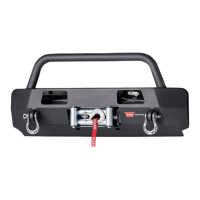
2. Using a 13mm socket, remove bolts securing skid plate to
bumper and frame.
Once all bolts (7 total) are removed, remove skid plate
completely. NOTE: Retain hardware for when the skid plate
is reinstalled.
Figure 1
Figure 2
Figure 3


 To Next Page