Ordinary and extraordinary maintenance
43
6
© WASP S.r.l.
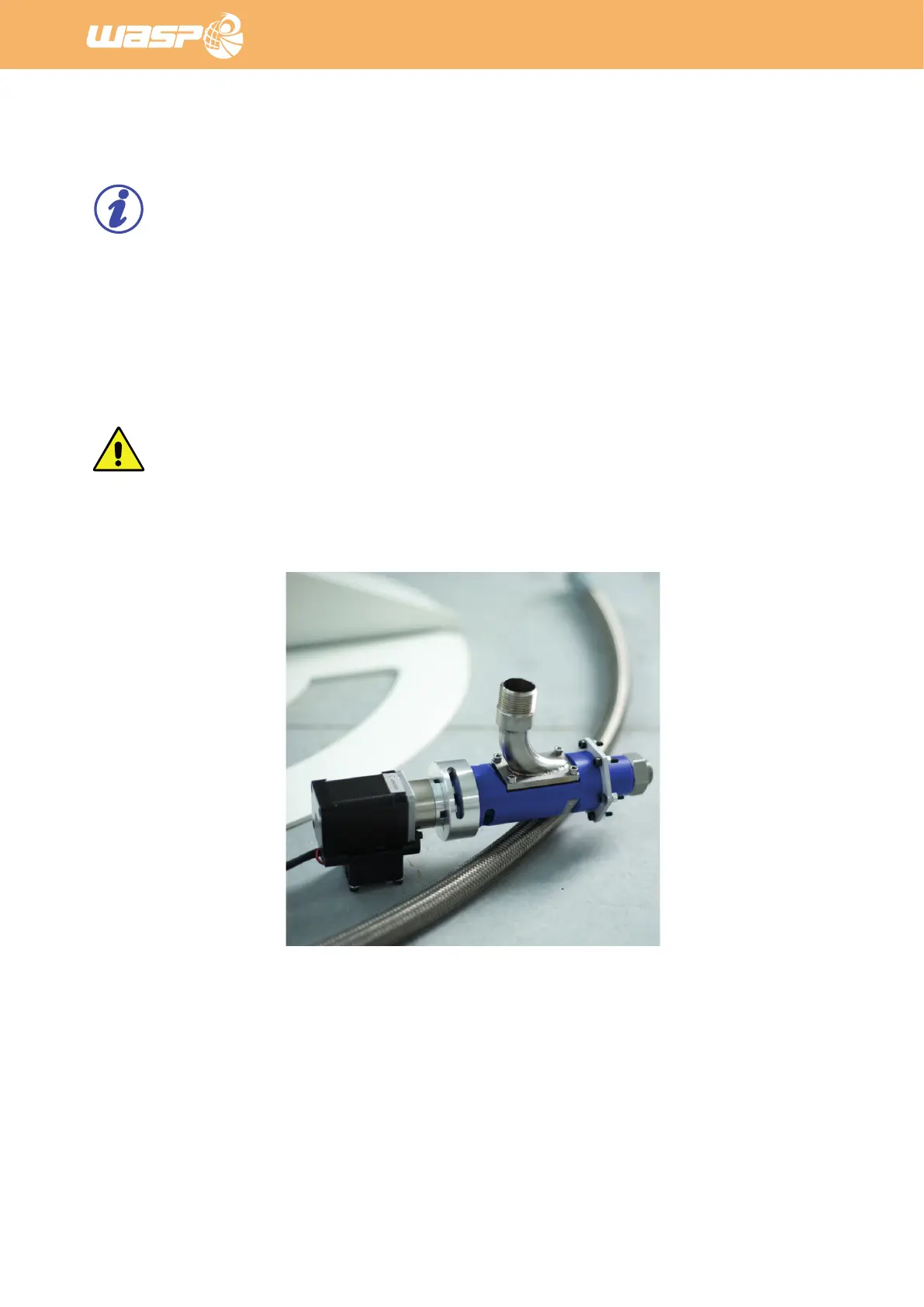
Fig. 7.2.2 - Extruder and 3D printer cleaning
Fig. 7.2.1 o - Thread size reducer to 1/4”
7.2.2. Extruder and 3D printer cleaning
NOTE:
For a complete documentation of the cleaning of the extruder and 3D printer consult the official
Manual of Use and Maintenance of the 3D printer.
Cleaning the Extruder
1. Separate the body of the extruder(blue part) from the motor by unscrewing it.
2. Clean the body and screw with water and sponge or brush.
3. Just if necessary clean the motor delicately with a wet tissue.
ATTENTION:
Do not submerge the motor in water or wash it with current water for any reason.


 To Next Page