6ACQUITY UPLC and ACQUITY Premier Oligonucleotide BEH C
18
Columns
[ CARE AND USE MANUAL ]
Figure 5. The eCord chip provides
the user with QC test conditions
and results on the column run by
the manufacturer. The information
includes mobile phases, running
conditions, and analytes used
to test the columns. In addition,
the QC results and acceptance
is placed onto the column.
Figure 4. The eCord chip provides the user with
an overview of the bulk material QC test results.
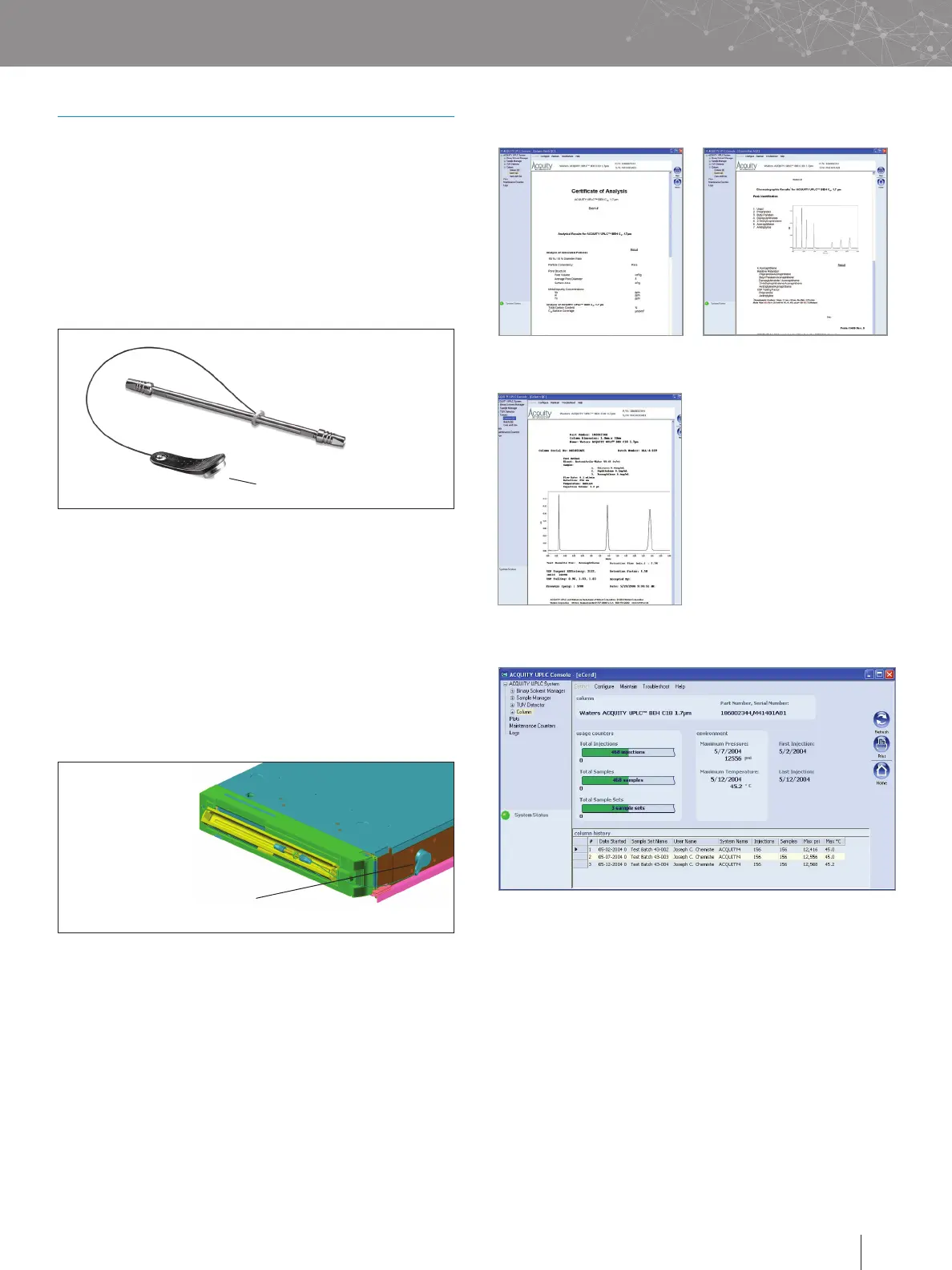
Figure 6. An example of column use information provided by the eCord chip.
d. Customer Use Information
The eCord will automatically capture column use data. The
top of the screen identifies the column including chemistry
type, column dimensions, and serial number. The overall
column usage information includes the total number of
samples, total number of injections, total sample sets, date
of first injection, date of last injection, maximum pressure,
and temperature. The information also details the column
history by sample set including date started, sample set
name, user name, system name, number of injections in the
sample set, number of samples in the sample set, maximum
pressure, and temperature in the sample set and if the
column met basic system suitability requirements.
c. Manufacturing Information
V. eCORD INTELLIGENT CHIP TECHNOLOGY
a. Introduction
The eCord Intelligent Chip provides the history of a
column’s performance throughout its lifetime. The eCord
is permanently attached to the column to assure that the
column’s performance history is maintained in the event
that the column is moved from one instrument to another.
Figure 2. eCord Intelligent Chip.
eCord Intelligent Chip
Figure 3. eCord inserted into side of column heater.
eCord inserted into
side of column heater
At the time of manufacture, tracking, and quality control
information will be downloaded to the eCord. Storing this
information on the chip will eliminate the need for a paper
Certificate of Analysis. Once the user installs the column, the
software will automatically download key parameters into a
column history file stored on the chip. The eCord provides a
solution to easily track the history of column usage.
b. Installation
Install the column into the column heater. Plug the eCord into
the side of the column heater. Once the eCord is inserted into
the column heater, the identification and overall column usage
information will be available in Empower™ and MassLynx™
Software allowing the user to access column information on
their desktop.












 To Next Page