15 Pump operation
Note: Sections "Keypad functions (Manual, PROFIBUS, Universal and Universal+ only)"
below up to and including "Help (Manual, PROFIBUS, Universal and Universal+ only)" on
page105 apply to Manual, PROFIBUS, Universal and Universal+ only. It is only possible to
control the Remote pump via the input and output, (I/O) provided.
15.1 Pump operation (Remote pump)
The remote pump will operate proportionally to the analog signal provided. The default
figures are 4.1mA = 0 rpm, 19.8mA = 125 rpm.
To stop the pump remotely apply a signal, minimum 5V, maximum 24V, to input pin 1. To
run the pump in reverse, apply a signal, minimum 5V, maximum 24V to input pin 5.
15.2 Pump operation (Manual, PROFIBUS, Universal and
Universal+ only)
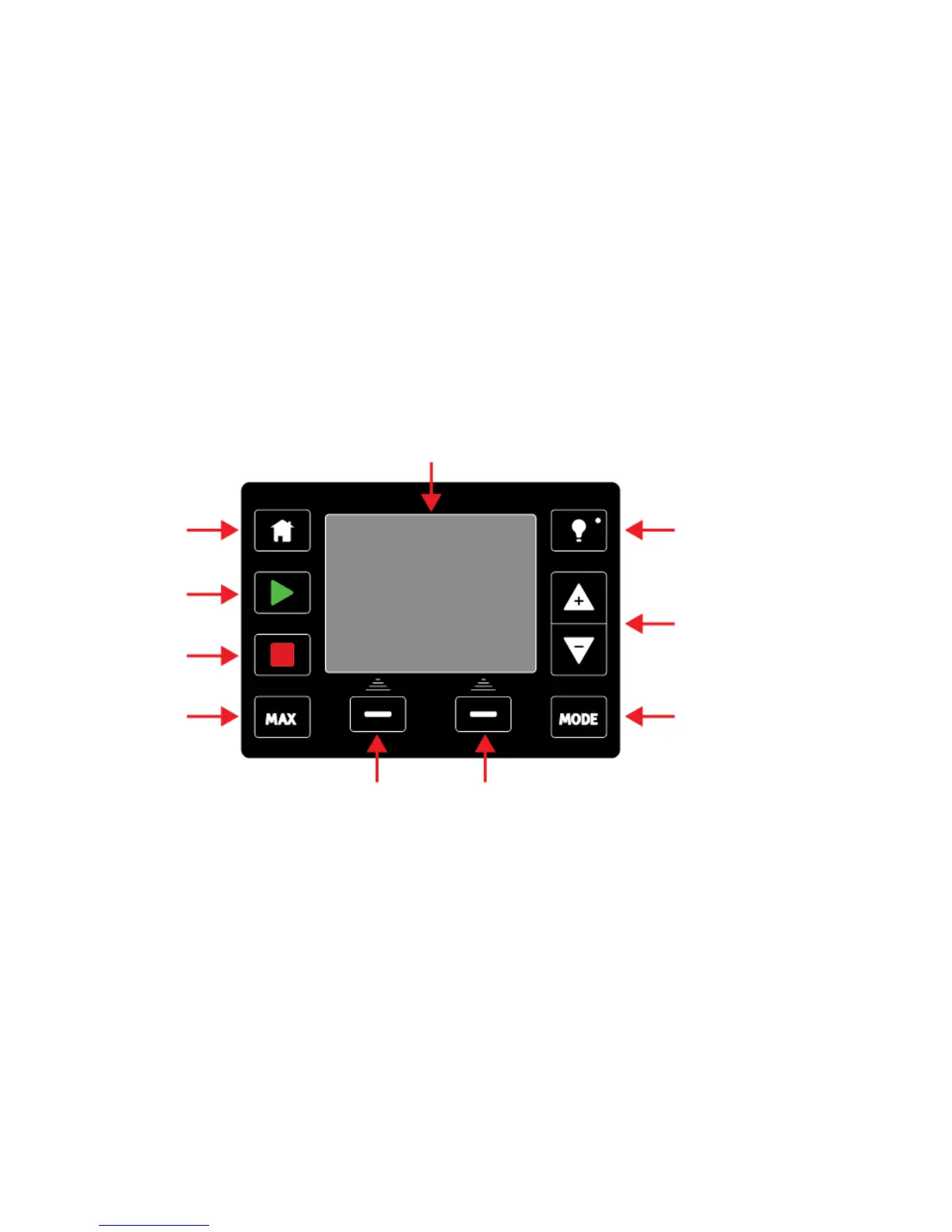
Keypad functions (Manual, PROFIBUS, Universal and Universal+ only)
HOME
When the HOME key is pressed it will return the user to the last known operating mode. If
modifying pump settings when the HOME key is pressed, it will disregard any setting
changes and return you to the last known operating mode.
START
This key will start the pump at the displayed set speed when in manual mode or flow
calibration. This key will deliver a contact dose volume when in CONTACT mode. It has no
effect in the other remote modes.
STOP
This key will stop the pump when pressed at any time.
m-qdos-en-02 46










 To Next Page