21.2 Security settings (Manual, PROFIBUS, Universal and
Universal+ only)
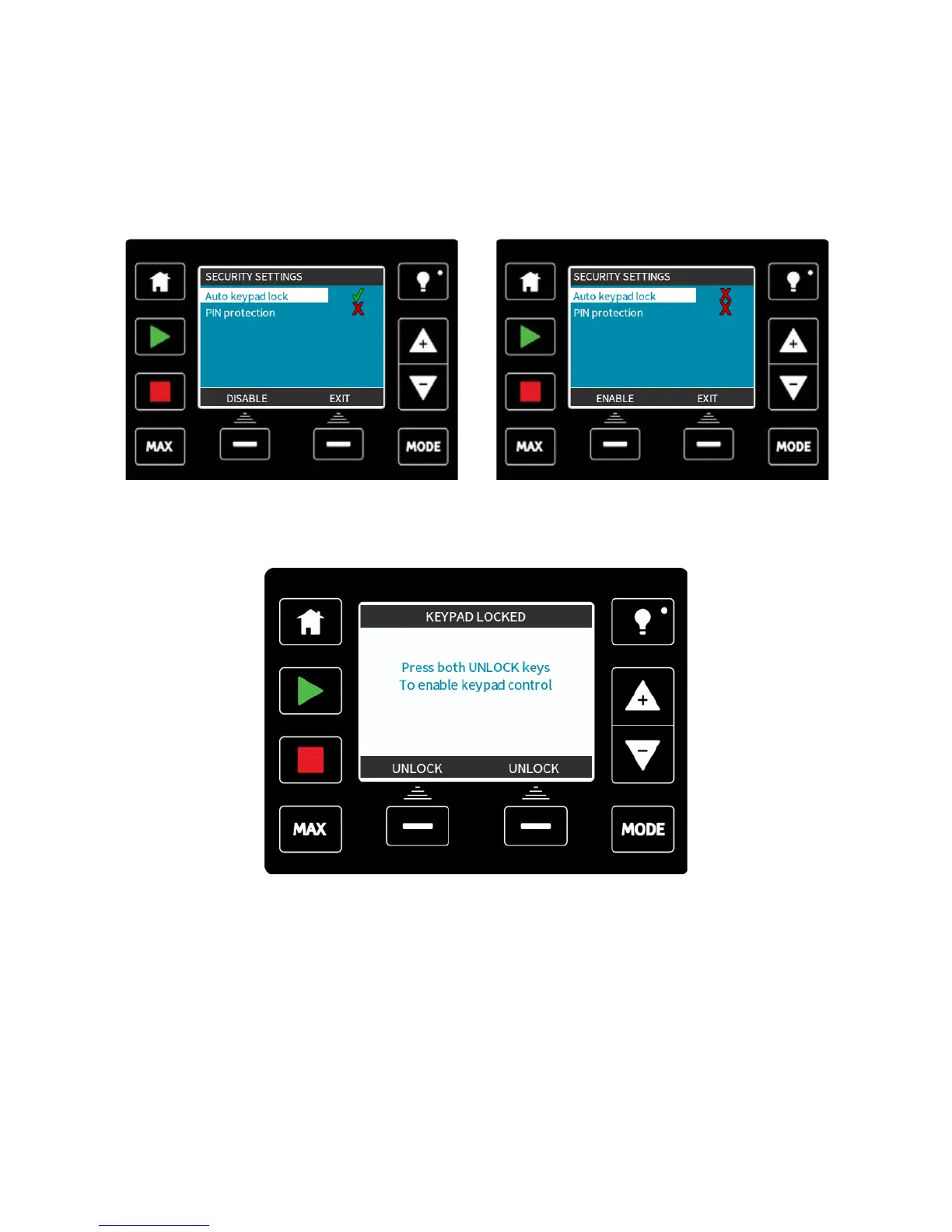
Security settings can be changed by selecting SECURITY SETTINGS from the Main menu.
Auto keypad lock
Press ENABLE/DISABLE to switch on/off the Auto keypad lock. When active the keypad
will ‘lock’ after 20 seconds of inactivity.
Once locked it will display the screen below when any key is pressed. To unlock the
keypad press the two unlock keys together.
m-qdos-en-02 89










 To Next Page