CHAPTER 10 CLICK 112/114 117
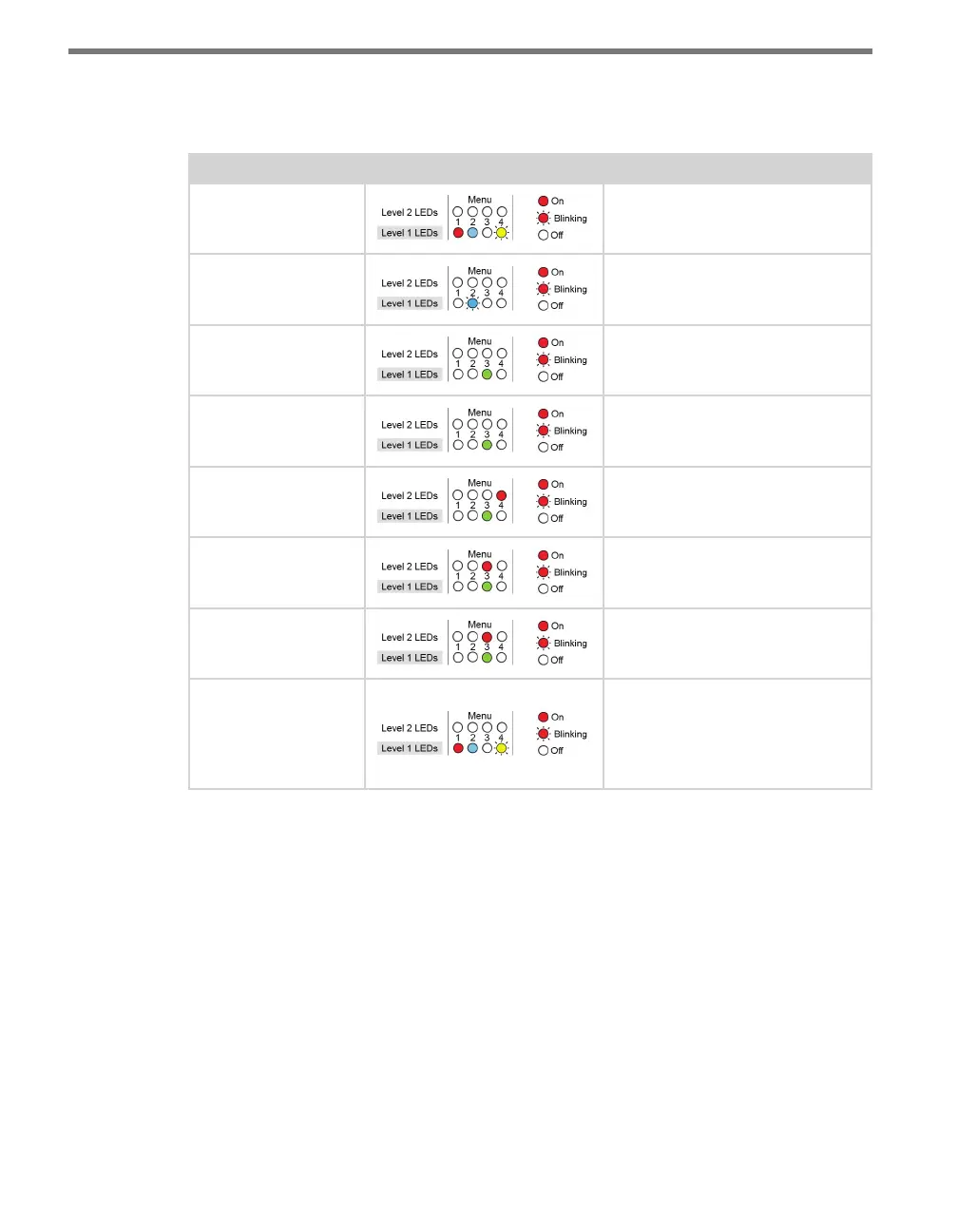
e following table illustrates an example of how the mode switch and menu indicator
LEDs are used in conguring the Click 112/114—in this case, how to autobaud bus 2.
Mode Switch Action Display State
None Normal operation
Press and hold Channel map menu option displayed
Continue holding Autobaud menu option displayed
Release Autobaud menu option displayed
Press and release Autobaud menu selected and first
configuration parameter displayed
(bus 1 autobaud)
Press and hold Second configuration parameter
displayed (bus 2 autobaud)
Release Second configuration parameter
displayed (bus 2 autobaud)
Press and release Configuration parameter selected;
autobaud commences (will show
intermediate LED states); auto-
baud finishes and normal operation
resumes
Table 10.6 – Menu Operation Example
Front Panel Menu Options
e following gure documents the menu and conguration options available from the
front panel menu. is label is also printed on the side of the circuit board (on the opposite
side from the DIP switches).



 To Next Page