CHAPTER 23 CLICK 301 195
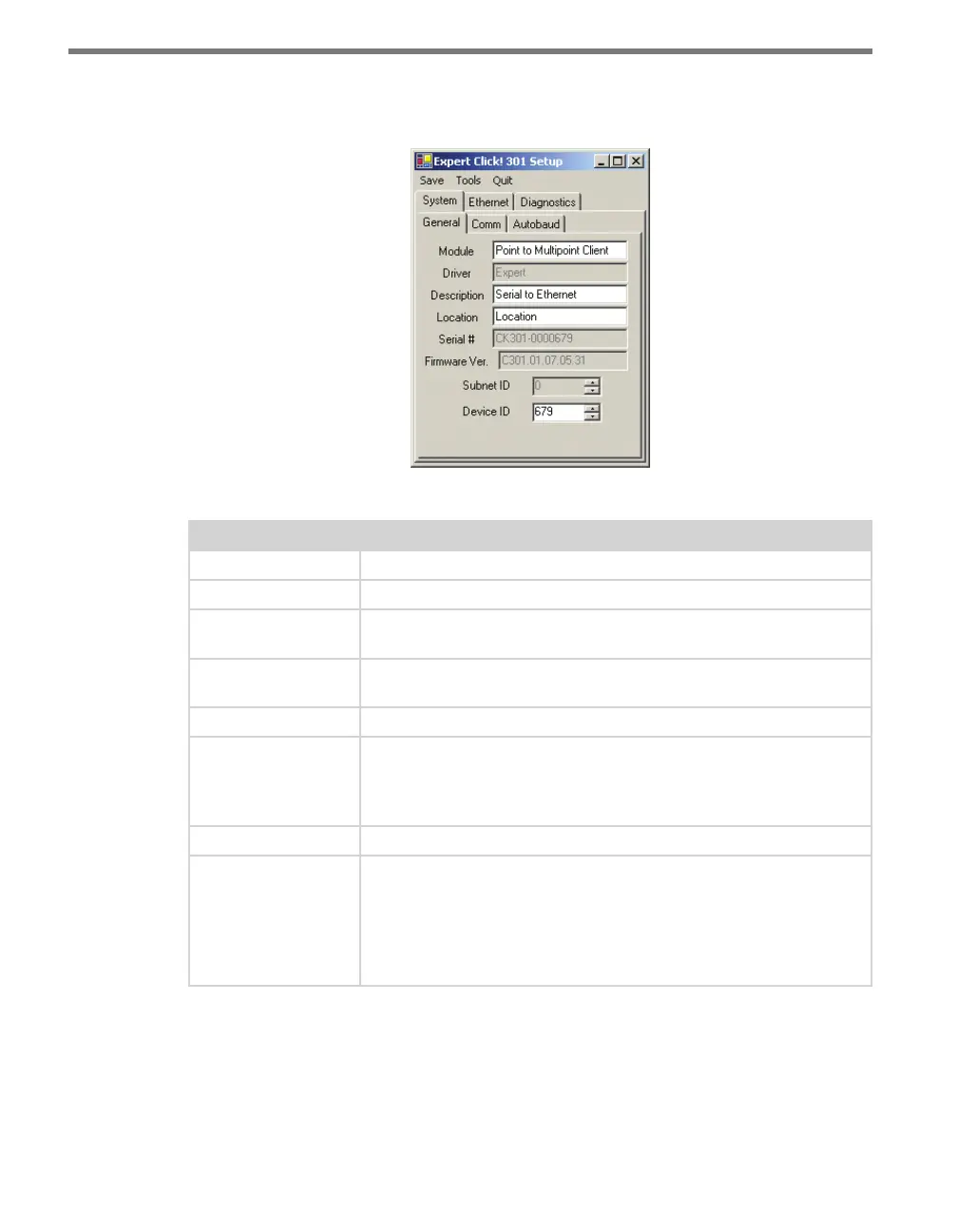
e System > General tab combines elements of the Setup and About tabs from the other
drivers (see Figure 23.7 and Table 23.5).
Figure 23.7 – Expert Driver General Tab
Setting Description
Module
Shows the last driver (besides Expert) that was loaded onto the device.
Driver
Names the driver you are currently working with.
Description
Shows a description of the device being configured. This is only for your
information and does not aect the operation of the device.
Location
Displays the location of the device being configured. This is only for
your information and does not aect the operation of the device.
Serial Number
Displays the serial number of your device.
Firmware Version
Shows the version of firmware your device currently has installed. If
Click Supervisor detects a discrepancy between this version and the
most current version it currently has access to, you will be prompted to
upgrade when you connect to the device.
Subnet ID
Shows the subnet ID number. This option is currently not available.
Device ID
Gives the ID number of the device being configured, which is used to
identify the device when you are connecting to it. By default, this num-
ber is the last five digits of the serial number, which can be found under
the About tab or on the barcode sticker on the bottom of the device. It
is recommended that you do not change this number unless another
device on the network has the same ID number.
Table 23.5 – Expert Driver General Tab
e System > Comm tab allows you to congure how the Click device communicates (see
Figure 23.8 and Table 23.6).



 To Next Page