50 CHAPTER 7 CLICK 101
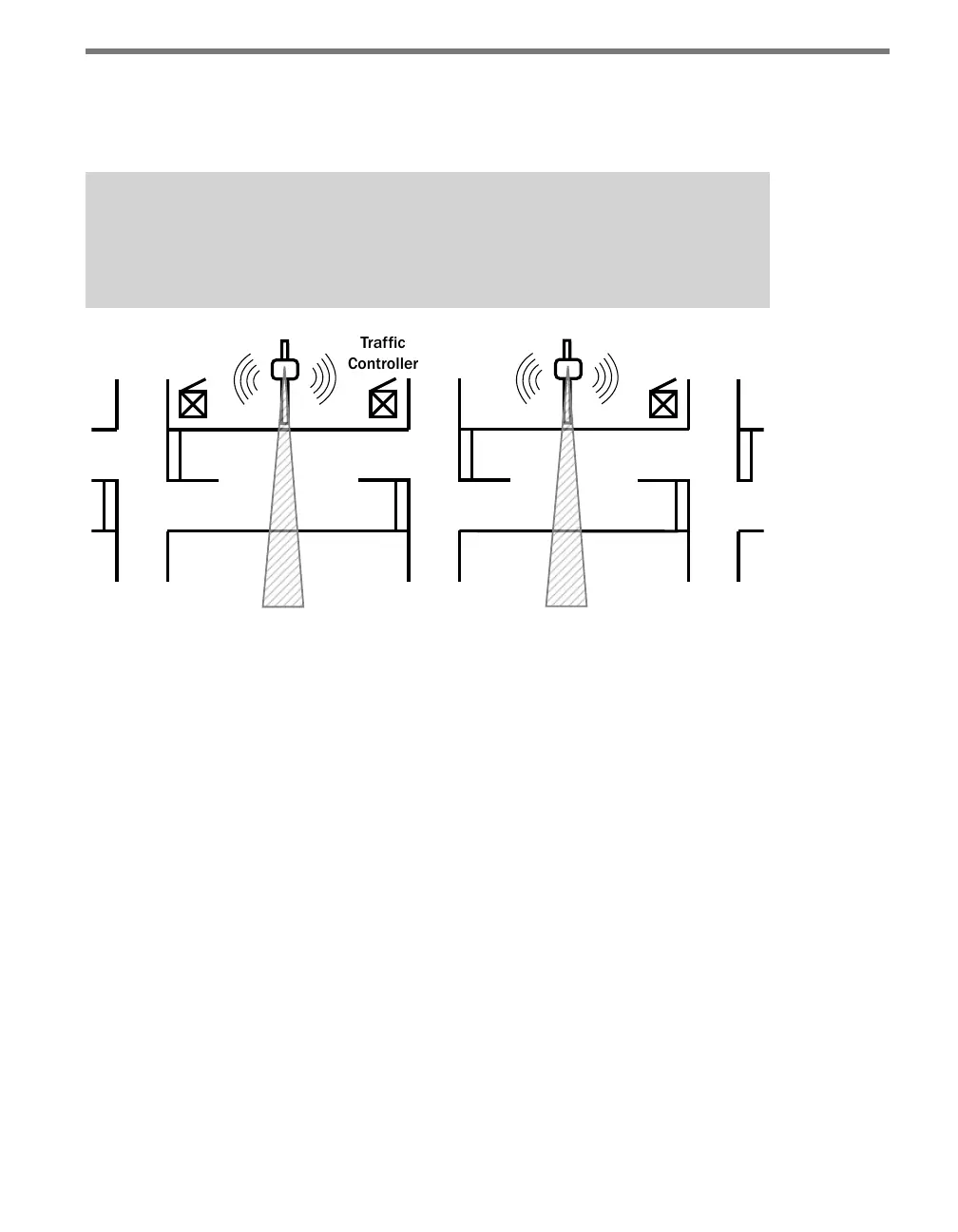
Each side-re sensor can use its two communication ports to send real-time trac data to
both cabinets for which it is collecting data (see Figure 7.2). e real-time data is used to
control intersections using distributed and centralized strategies.
Note
The Click 101 data protocol used to poll sensors is supported by SmartSensor HD v1.3
or greater; likewise this protocol is supported in SmartSensor 105 v2.8 or greater.
Figure 7.2 – Each Side-fire SmartSensor Communicates with Two Trac Controllers
To collect the data at a particular intersection, the Click 101 polls each sensor for real-time
lane-by-lane volume and occupancy data detected since the last polling period. Each poll-
ing period typically takes a few seconds. is data is signalized to the trac controller or
data logger using up to 16 contact closure outputs.
Figure 7.3 illustrates an example where the Click 101 in Cabinet A can retrieve lane-by-
lane volume and occupancy data from Sensor ID 20 and 21. e data from lanes 4 and 5 of
Sensor ID 20 is used to control phase 2 of the intersection, and the data from lanes 1–3 of
Sensor ID 21 is used to control phase 6. e other lanes from Sensor ID 20 and 21 can be
retrieved by Click 101 devices in cabinets at the adjacent arterial intersections.



 To Next Page