124 CHAPTER 12 PROGRAMMING CONTACT CLOSURES
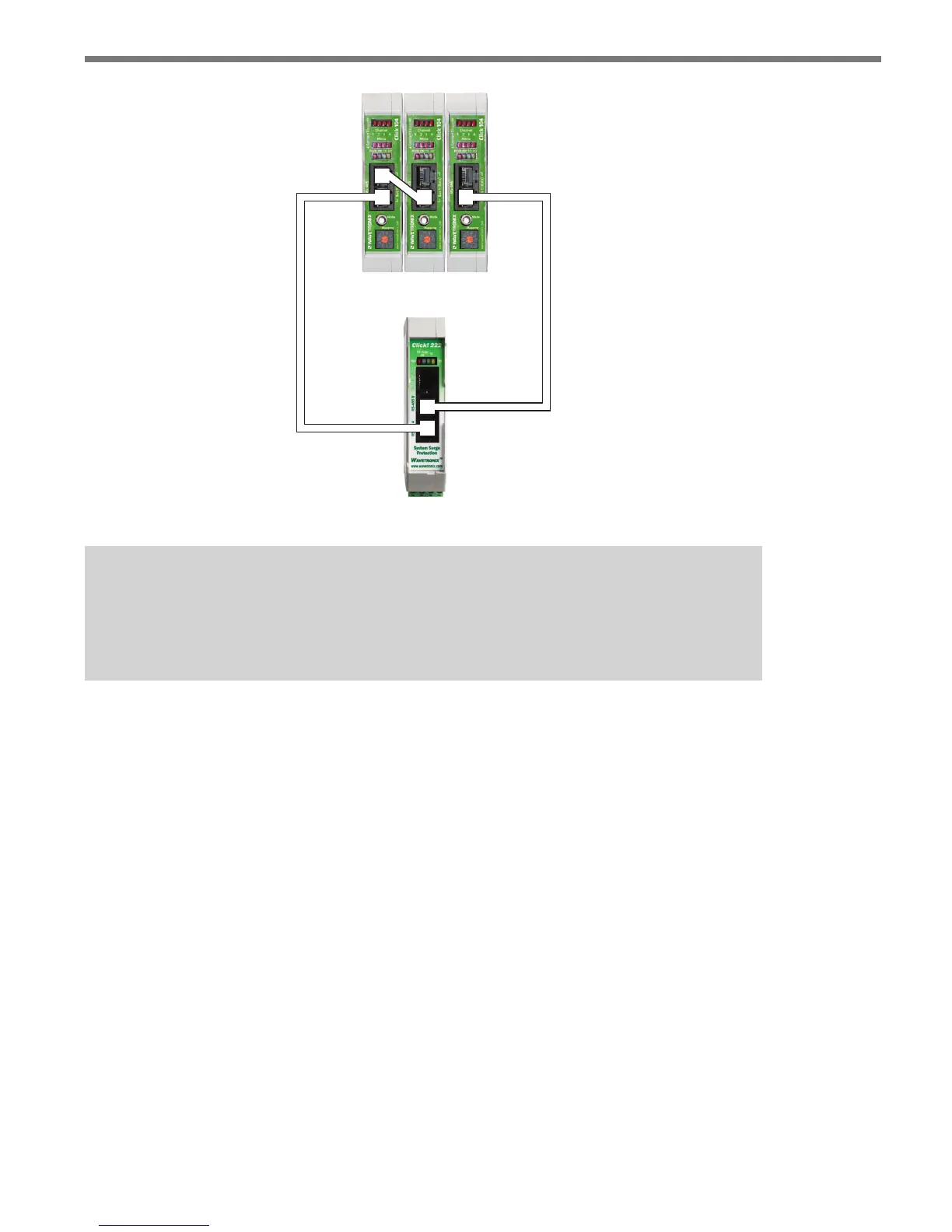
Figure 12.4 – Click 104 Wiring Diagram
Note
If you’re using the Click 223, you only need to follow steps 1 and 2 twice, as those
devices only connect to a single sensor.
Click 104 Configuration
You can congure the Click 104 with Click Supervisor, using the front panel menu or us-
ing the rotary switch. Each conguration option allows you to change dierent parameters;
some parameters can only be congured using one option, while others can be congured
using any of the three. Table 12.1 below gives you an idea of which parameters can be con-
gured using which conguration options.



 To Next Page