132 APPENDIX
Length Cable Comm. Channel 1 Comm. Channel 2
0–200 ft. (0–61 m) SmartSensor Cable
(9-conductor)
Native RS-485 Native RS-232
200–1000 ft.
(61–304.8 m)
SmartSensor Cable
(9-conductor)
Native RS-485 Click Conversion of
RS-232 to RS-485
1000–1400 ft.
(304.8–426.7 m)
SmartSensor Cable
(9-conductor)
Native RS-485 NA
1400–2000 ft.
(426.7–609.6 m)
Alternate power and
communications cable
Native RS-485 Click Conversion of
RS-485 to RS-232
Table B.6 – Summary of SS200 standard cable length options
Appendix C – Direct Serial Connections
For most applications, the service end of the SmartSensor cable terminates in a surge pro-
tection device. However, during demonstrations, troubleshooting, and certain other situ-
ations, it is sometimes convenient to bypass surge protection and connect directly to a
personal computer or communications device such as a modem.
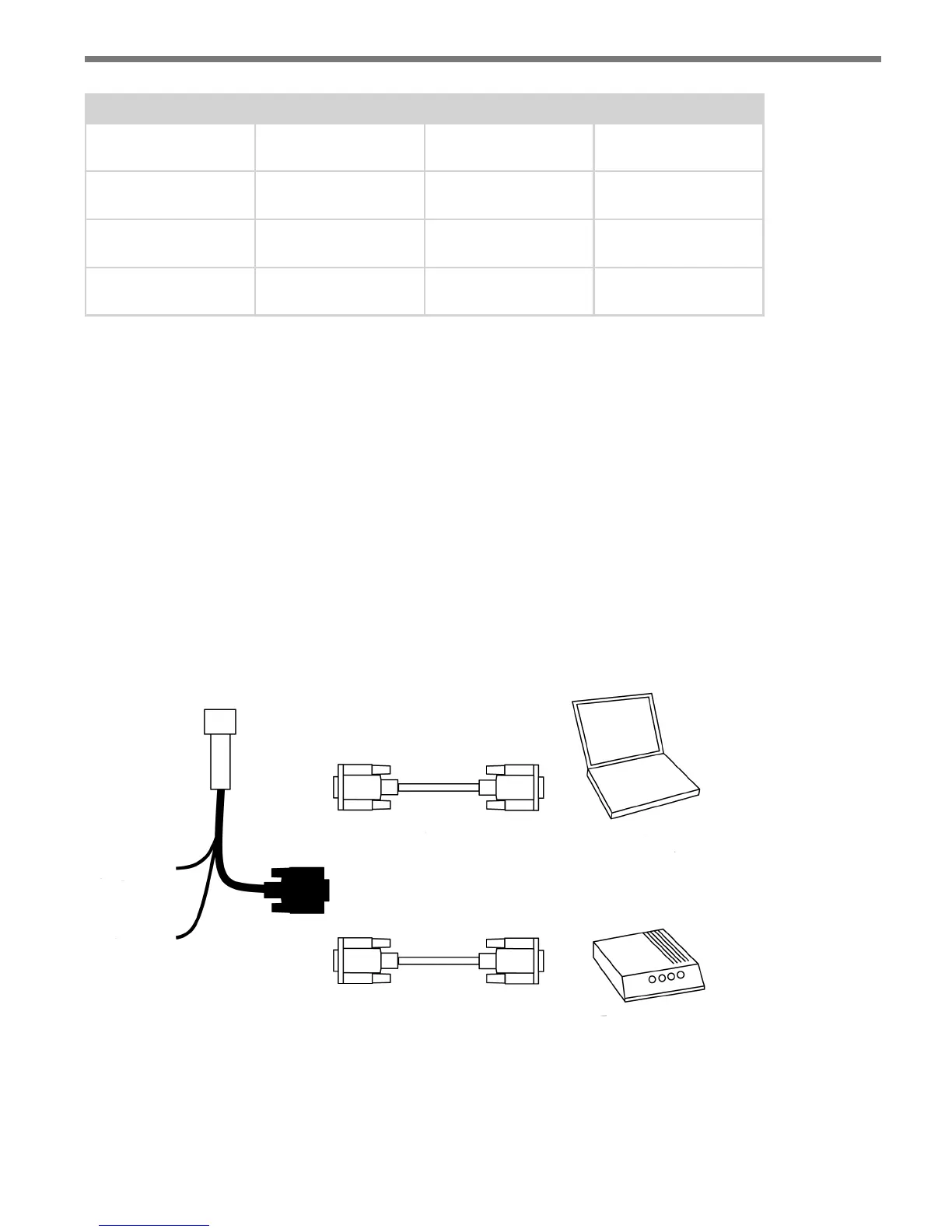
Older sensors and the retrot SmartSensor Advance are congured as an RS-232 DTE
device. To connect the SmartSensor cable’s RS-232 wires directly to another DTE device
(such as a PC), you can use a standard 9-pin D connector and a null modem cable. To con-
nect directly to a DCE device (such as a modem), you will need a straight-through cable.
Figure C.1 illustrates both of these cases.
SmartSensor
connector
Power wires
RS-485 wires
Null modem cable
Straight-through cable
OR
DTE device (PC)
DCE device (Modem)
Figure C.1 – Direct Serial Connections



 To Next Page