30 CHAPTER 2 CONNECTING POWER AND SURGE PROTECTION
SSAdvance #2
x
x
PWR
x
x
DRN
x
x
GN D
x
x
485+
x
x
485-
x
x
485+
x
x
485-
x
OUT
x
IN
x
x
PWR
x
x
DRN
x
x
GN D
x
x
485+
x
x
485-
x
x
485+
x
x
485-
x
OUT
x
IN
SSAdvance #3
x
x
PWR
x
x
DRN
x
x
GN D
x
x
485+
x
x
485-
x
x
485+
x
x
485-
x
OUT
x
IN
SSAdvance #4
x
x
PWR
x
x
DRN
x
x
GN D
x
x
485+
x
x
485-
x
x
485+
x
x
485-
x
OUT
x
IN
SAdvance #1
S
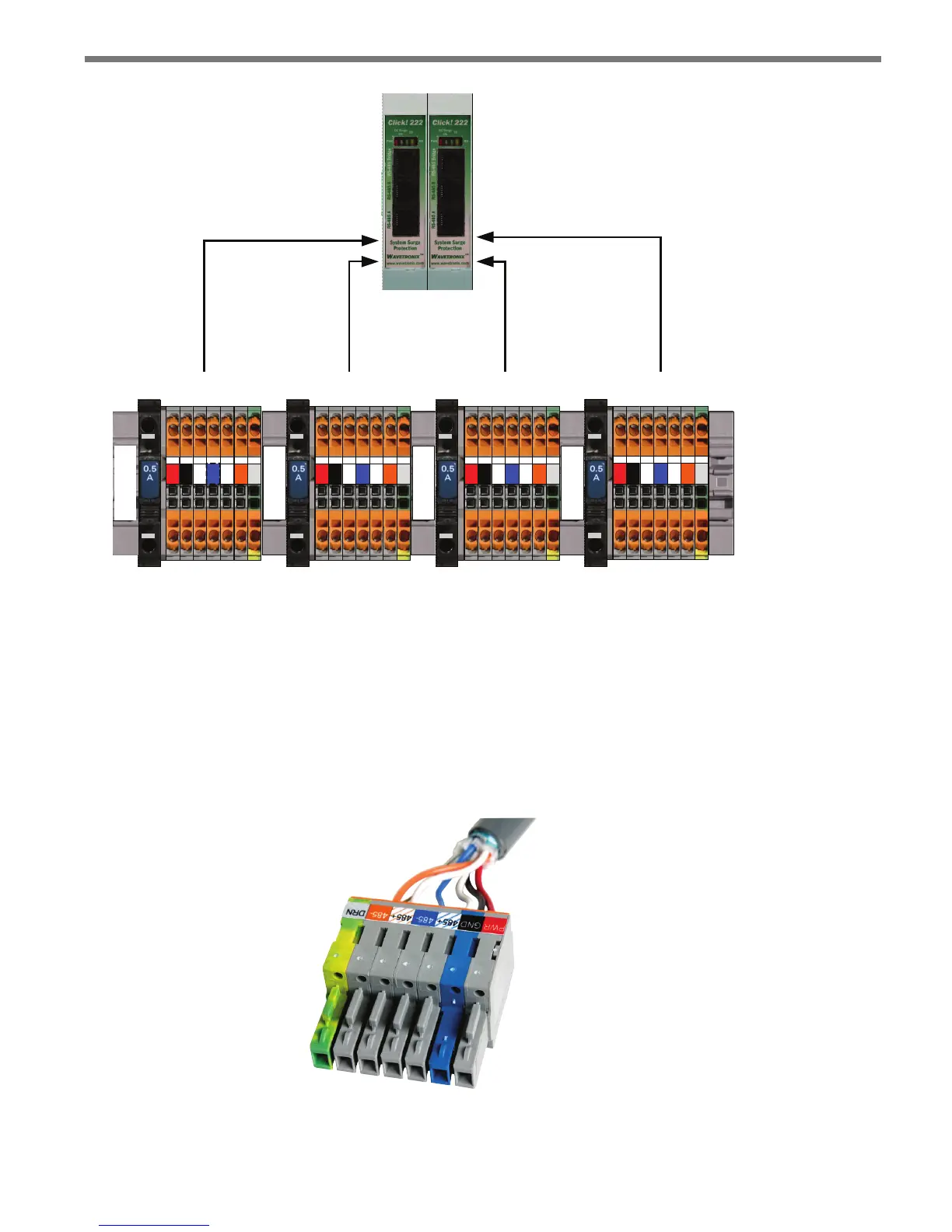
Port A & Port C Port B & Port D Port A & Port C Port B & Port D
Figure 2.7 – Click 222 Ports A, B, C and D
Terminating the 6-conductor Cables
e SmartSensor Advance will receive power once each SmartSensor 6-conductor cable
is correctly landed into the plug-in terminals on the backplate (see Figure 2.10 and Table
2.1). Each 6-conductor cable has one DC power wire pair, two RS-485 communication
pairs and a drain wire. e service end of the cable connects to plug-in terminals on the
backplate (see Figure 1.8).
Figure 2.8 – Color Label on Plug-in Terminals



 To Next Page