56 CHAPTER 6 SENSOR CONFIGURATION
1. Installation Details
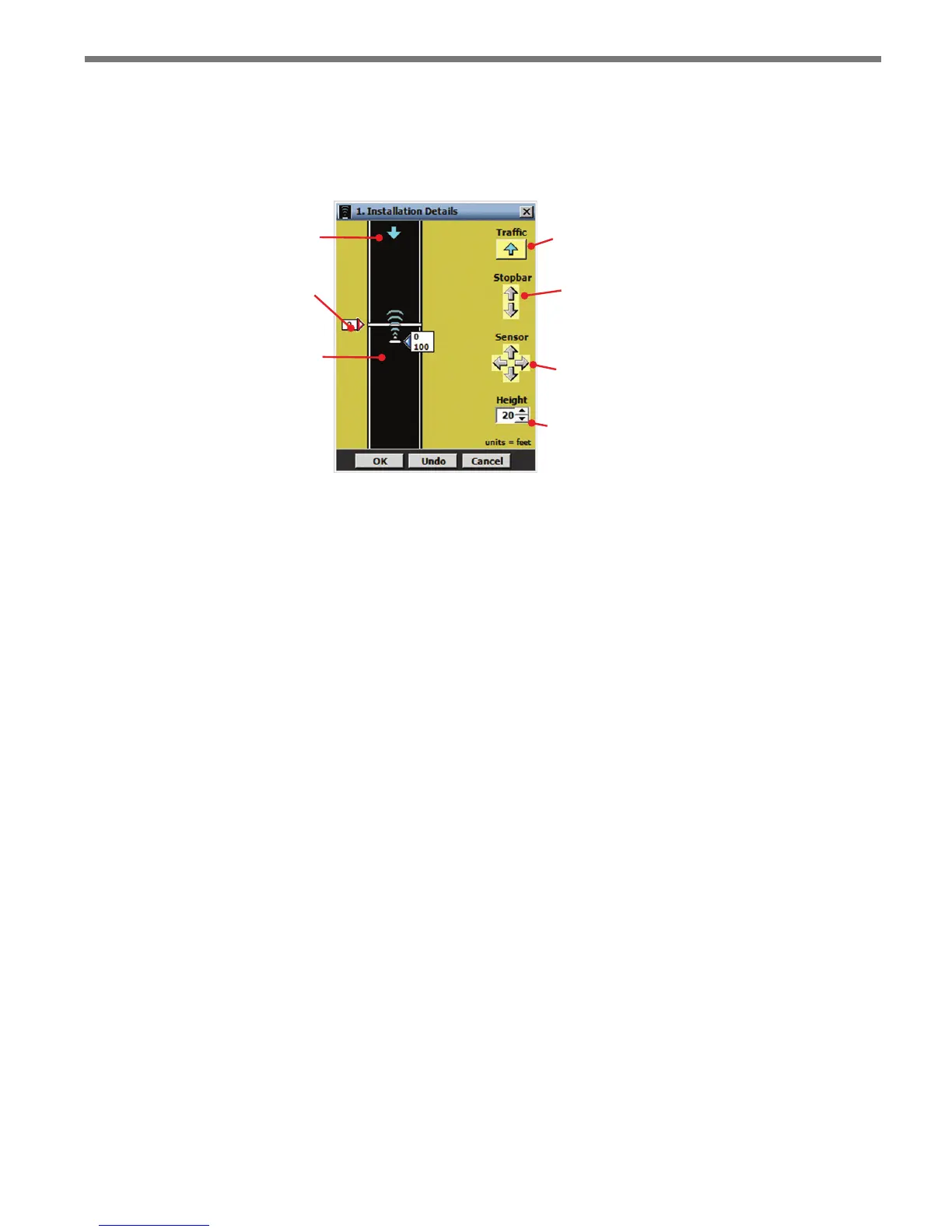
e Installation Details screen allows you to position the sensor relative to the stop bar and
determine the direction of trac to be monitored (see Figure 6.2).
Direction of trac
Stop bar
SmartSensor
Advance
Changes
direction of
trac
Changes
location of
stop bar
Changes
position of
sensor
Height of
sensor
Figure 6.2 – Installation Details Screen
e roadway part of the screen is used to illustrate the sensor’s position relative to the stop
bar; the controls on the right side of the screen allow you to specify the direction of trac
to be monitored and the sensor’s position. e distance units are displayed in the bottom-
right corner of the screen.
e OK button saves the settings to the sensor; the Undo button restores the settings to
the screen’s initial values; and the Cancel button closes the screen without saving changes
to the sensor.
Changing the Trac Direction
e SmartSensor Advance can be congured to detect trac moving towards or away from
the sensor, but will not detect stationary vehicles.
e arrow displayed on the roadway represents the direction of trac ow being detected
by the sensor. Click the Trac button to change the monitored trac direction. e direc-
tion of the arrow displayed on the button shows the direction that will be selected if the
button is clicked, and always points in the opposite direction as the arrow on the roadway.
Positioning the Stop Bar
e ability to move the stop bar up and down the display adds exibility in representing
the relative location of the sensor to the stop bar and the direction of trac ow. e loca-
tion of the stop bar is always represented as a distance of zero (the sensor range is relative
to the stop bar).
Position the stop bar by clicking on the stop bar or its label and dragging it anywhere on



 To Next Page