CHAPTER 7 CHANNELS-ALERTS-ZONES 67
Zone 1
Channel 1
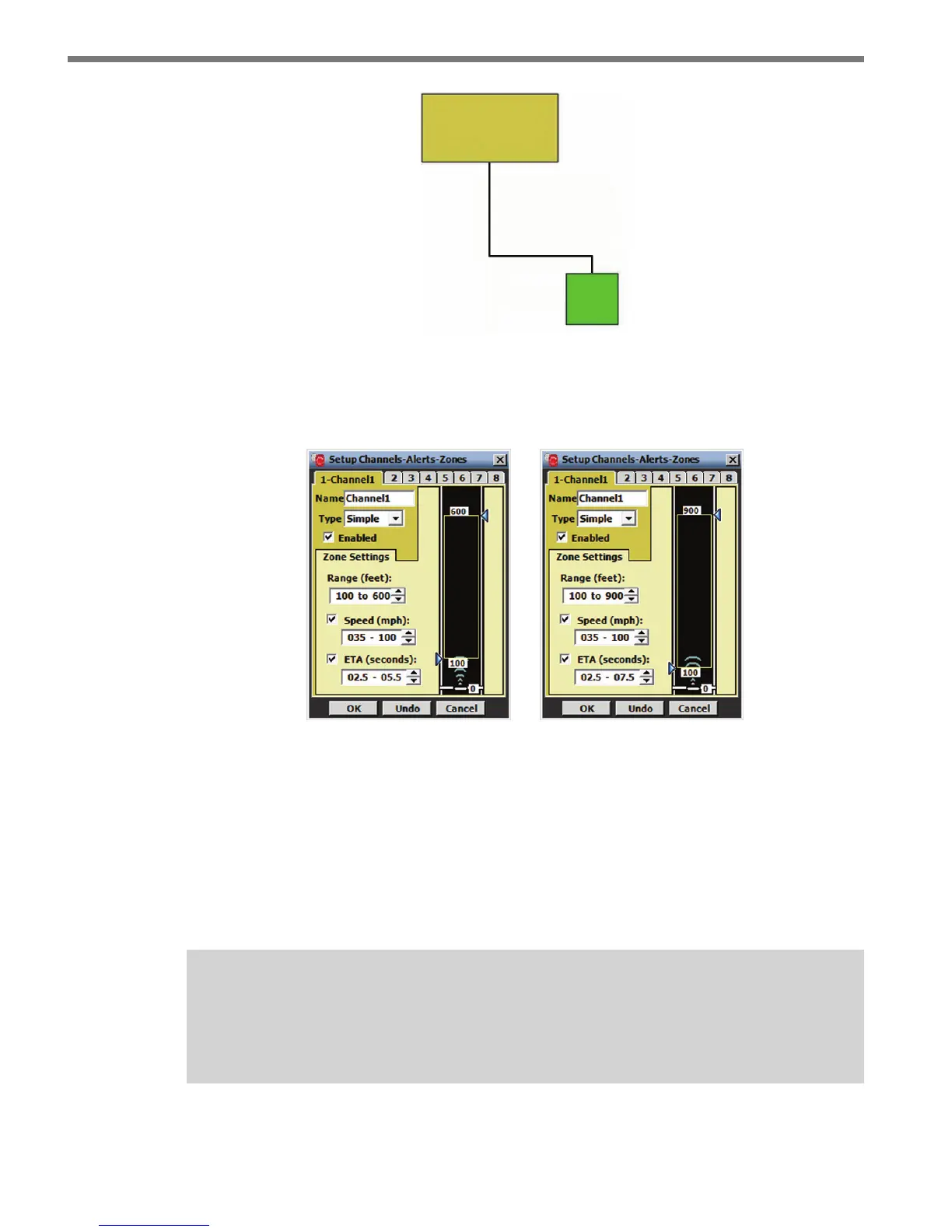
Figure 7.3 – Simple Channel Hierarchy
To create a simple channel, select Simple from the Type drop-down menu and the follow-
ing screen will appear (see Figure 7.4):
Figure 7.4 – Simple Channel for Advance (left) and Advance Extended Range (right)
A simple channel allows you to congure the most basic zone settings. You can change the
size of the zone by either clicking and dragging the zone arrows anywhere along the road-
way or by using the up/down arrows in the Range (feet): eld.
You can set the Speed and ETA settings by rst clicking the Speed/ETA checkbox and
then setting the parameters using the up/down arrows. Click OK to save the changes you
make to each channel.
Note
Make sure that the Speed/ETA checkboxes are checked before you click OK. If the
checkboxes are not checked, those settings will NOT be enabled.
e SmartSensor Advance is most commonly used with advance detection at signalized



 To Next Page