8 INTRODUCTION SMARTSENSOR ADVANCE USER GUIDE
Selecting a Mounting Location
Consider the following guidelines when selecting a mounting location:
Detection coverage – Position the sensor so that it will be able to reach all the speci-
ed advanced detection zones. Also consider that the sensor will track vehicles as they
enter and exit desired detection zones. Accordingly, the sensor will often work better if
you position detection coverage to track vehicles for several feet before they reach the
rst zone. e closest detection zone provided by SmartSensor Advance and Smart-
Sensor Advance Extended Range is 50 ft. (15.2 m) from the location of the sensor.
e farthest detection zone provided by SmartSensor Advance Extended Range is 900
ft. (274.3 m). e farthest detection zone provided by SmartSensor Advance is 600
ft. (182.9 m). e sensor can detect incoming or outgoing trac, and lters out the
opposite direction trac. Usually the sensor is used to detect incoming trac. With
SmartSensor Advance Extended Range, incoming large vehicles are typically discov-
ered by about 750 ft. (228.6 m) and small vehicles are typically discovered about 600 ft
(182.9 m) from the sensor. With SmartSensor Advance, most incoming large vehicles
are discovered by about 500 ft. (152.4 m) and most small vehicles are discovered about
400 ft (121.9) from the sensor.
➊
➌
➍
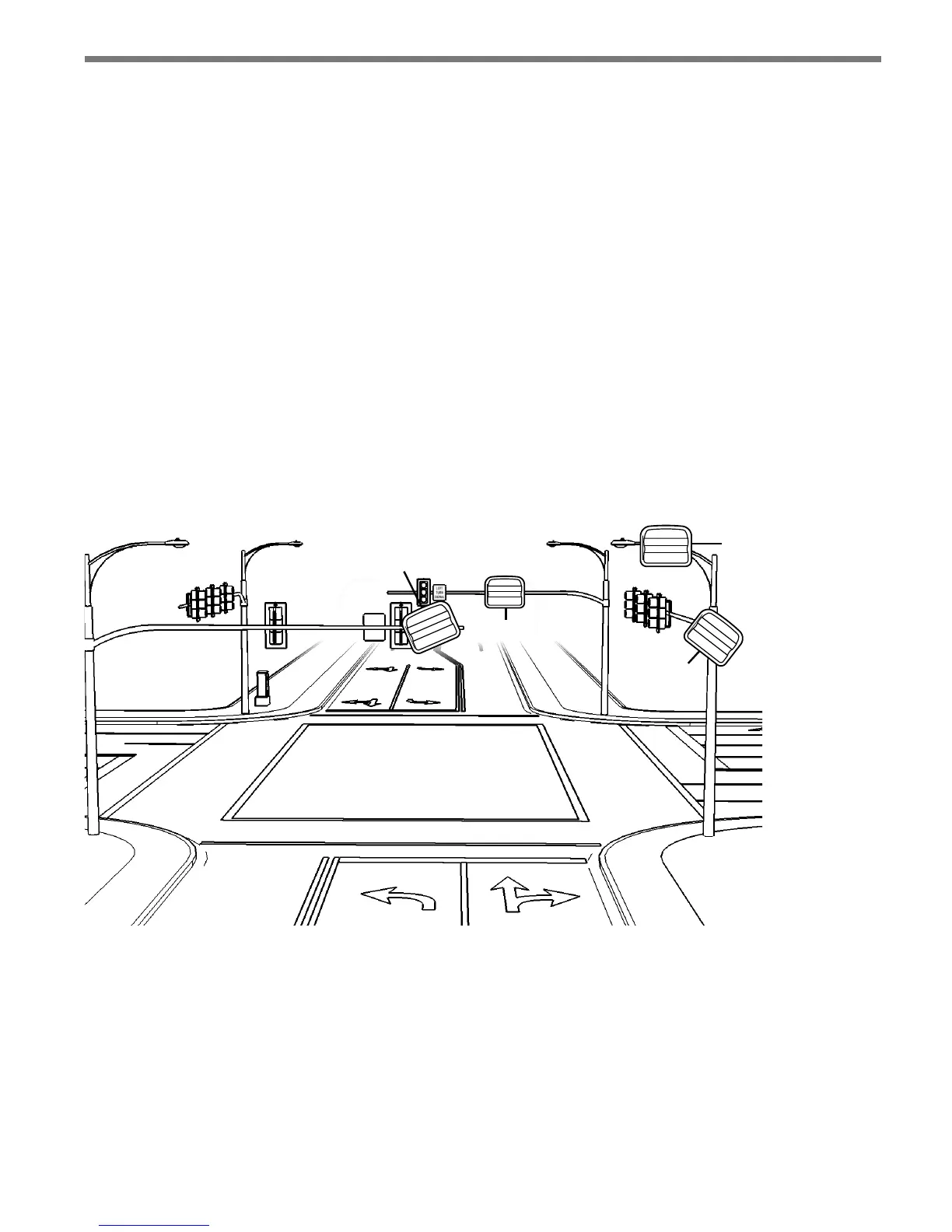
Figure I.1 – Mounting Locations
Line-of-sight – Position the sensor so that it will have line-of-sight to the entire de-
tection area of interest. Avoid structural occlusion including trees, signs, and other
roadside structures.
Closest roadside – If you install the sensor on the side of the road (instead of over-
head), select the location closest to the lanes of interest. is will prevent departing
trac from occluding approaching detections.
Through-Movement Detection – If only through-movement detection is desired, po-



 To Next Page