51
4. Distance
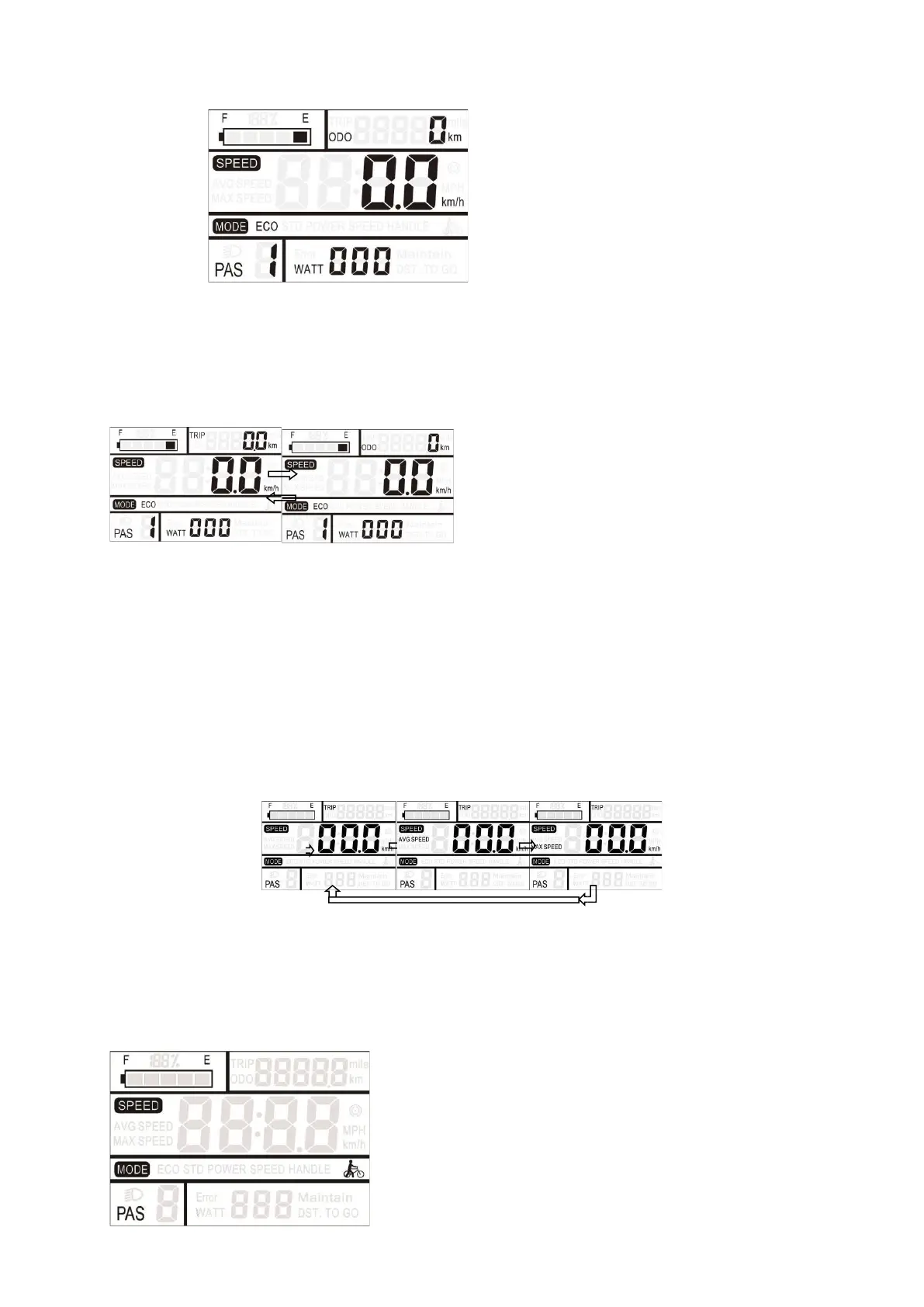
Press on 【MODE】 to toggle between TRIP and ODO. This feature allows the user to easily view
the current mileage (TRIP) and the cumulative total mileage (ODO).
5. Speed (current speed / average speed / maximum speed)
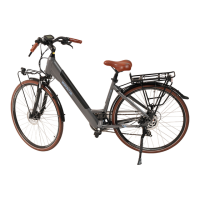
Once powered up, the screen's default display will be current speed.
Hold down the 【MODE】and【UP】buttons simultaneously for 2 seconds to display the average
speed (AVG) of the current journey. Hold down the 【MODE】 and 【UP】 buttons simultaneously
again for 2 seconds to display the maximum speed (MAX), hold down the 【MODE】 and 【UP】
buttons simultaneously again for 2 seconds, return to the current speed, repeat this cycle
6. Pedestrian assistance (walk)
Hold 【DOWN】 for 2 seconds, the electric bike switches to pedestrian assistance mode. The electric
bike travels at a constant speed of 6 km/h, the symbol flashes on the screen.



 To Next Page