5 Live Video
Enter your user name and password on the login interface and click Login.
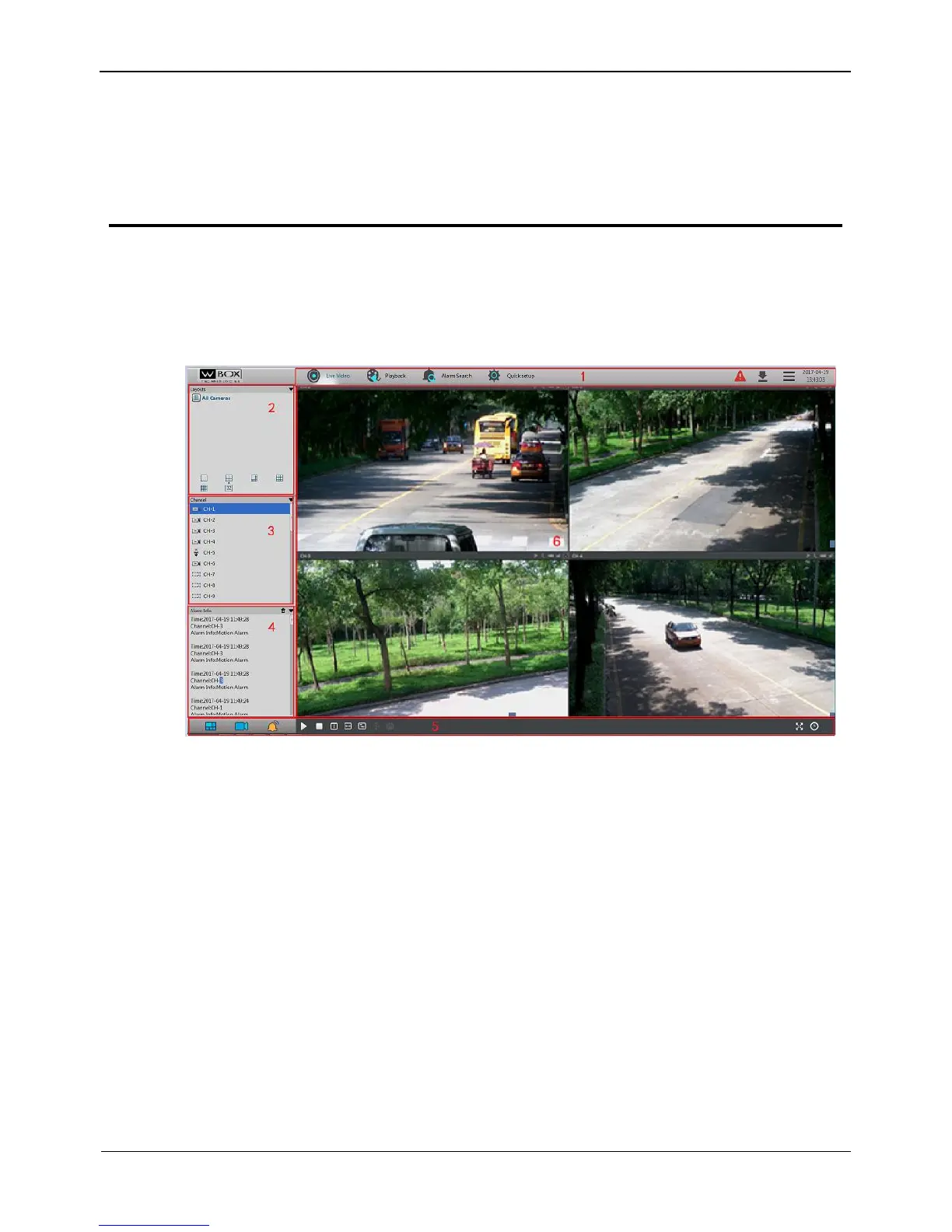
The Live Video interface appears, as shown in Figure 5-1.
Figure 5-1 Live Video interface
On the Live Video interface, drag a camera in the Cameras pane on the left to the live
channel and perform the following operations:
Live video playing
Alarm viewing
Record status viewing
PTZ control
Audio listening
Automatic full screen
Video bookmark
Front-end parameter setting
Decoding capability
When the video to be played exceeds the supported decoding capability, the video pane
prompts insufficient decoding capability.



 To Next Page